
 Matthew David
In today’s fast-paced world, staying focused can feel like an uphill battle, yet the Focus app emerges as a beacon for those seeking to sharpen their concentration and boost productivity. With its innovative features designed to cater to diverse user needs, the Focus app not only helps users manage their time but also empowers them to achieve their personal and professional goals effectively. This powerful tool promises to transform the way we approach our daily tasks, encouraging a blend of mindfulness and efficiency that is essential in our hectic lives.
By diving into the functionalities and strategies that the Focus app offers, users can unlock their potential through enhanced focus, better time management, and a clearer path to their ambitions. From its user-friendly interface to its compelling ability to minimize distractions, the Focus app sets itself apart as an indispensable ally in our journey toward greater productivity.
The Importance of Focus in Daily Life
Maintaining focus in our daily lives is crucial for enhancing productivity and ensuring we achieve both personal and professional goals. In our fast-paced world, distractions abound, making it easy to lose sight of tasks at hand. However, cultivating an ability to concentrate can lead to significant improvements in our performance and overall mental wellbeing.
When we maintain focus, we can accomplish tasks more efficiently and effectively. This heightened productivity stems from the ability to dedicate our mental resources to a specific task without the interference of distractions. For instance, research has shown that the average person can only maintain focused attention for about 20 to 25 minutes before needing a break. By recognizing this limit and structuring our work periods accordingly—such as using techniques like the Pomodoro Technique—we can enhance our output significantly. Setting clear goals and breaking tasks into manageable parts allows us to stay on track and make consistent progress. This structured approach not only boosts productivity but also fosters a sense of achievement, motivating us to tackle even larger projects with confidence.
The Role of Focus in Achieving Personal and Professional Goals
Focus plays an essential role in goal achievement, acting as the driving force that aligns our actions with our aspirations. Setting clear goals is the first step, but maintaining focus on these goals is what ensures we stay on course. For instance, consider someone pursuing a professional promotion. They must diligently work on their skills, network, and demonstrate their value to the organization. Without unwavering focus, it’s easy to become sidetracked by daily distractions or feel overwhelmed by the demands of the workplace.
The benefits of improved focus extend beyond mere productivity. When our concentration is sharpened, we experience heightened creativity and innovation. For example, professionals who dedicate time to brainstorming sessions without interruptions often generate more innovative ideas than those who try to multitask. Moreover, maintaining focus can lead to deeper learning and mastery of skills. Research indicates that individuals who engage in focused practice—where they concentrate intensely on a skill—achieve significantly better results than those who practice without such intensity.
The psychological benefits of improved focus and concentration are equally noteworthy. Enhanced focus contributes to lower stress levels, as individuals feel more in control of their tasks and able to manage their time effectively. It leads to a greater sense of accomplishment and boosts self-esteem. Furthermore, maintaining focus can positively affect our emotional state. For instance, being able to complete tasks without distraction fosters a sense of satisfaction, which in turn reinforces a positive feedback loop—motivating us to continue being productive.
In conclusion, the importance of focus in daily life cannot be overstated. It is a vital skill that enhances productivity, aids in achieving personal and professional goals, and contributes to our overall psychological wellbeing. By fostering an environment conducive to focus and employing techniques that minimize distractions, we can unlock our full potential and navigate the complexities of our lives with greater ease and success.
Introduction to the Focus App Features
The Focus app is designed to enhance productivity and streamline tasks for users of all backgrounds. With a variety of key functionalities, it caters to diverse needs, ensuring that everyone can maximize their efficiency. The app combines intuitive design with powerful features that make it a valuable tool for both personal and professional use.
The user-friendly interface of the Focus app promotes seamless navigation, allowing users to easily access its rich features. By focusing on simplicity and functionality, the app ensures that even those who may not be tech-savvy can quickly adapt to using it. The combination of these qualities not only enhances user experience but also encourages regular engagement with the app’s capabilities.
Key Functionalities of the Focus App
The functionalities of the Focus app are tailored to meet various user preferences and requirements. Below are some of the app’s standout features:
- Task Management: Users can create, organize, and prioritize tasks effectively. This feature allows for customized task lists that can be easily updated and tracked.
- Pomodoro Timer: The built-in Pomodoro timer helps users maintain focus by breaking work into intervals, traditionally 25 minutes in length, separated by short breaks. This technique encourages productivity while preventing burnout.
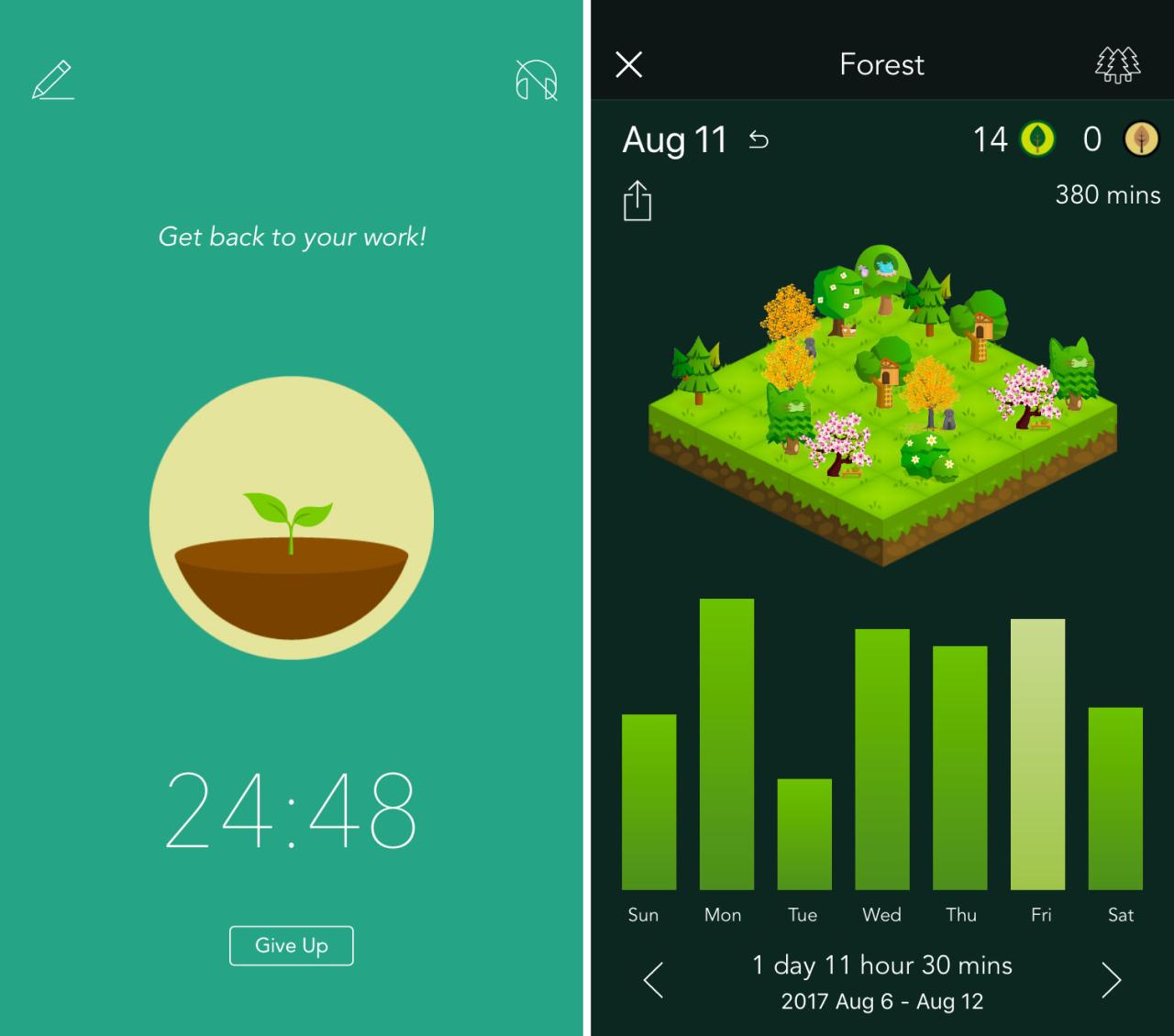
- Progress Tracking: The app provides visual representations of productivity, showing completed tasks and time spent on various activities. This insight helps users identify patterns in their work habits.
- Custom Notifications: Users can set reminders and alerts for specific tasks or deadlines, ensuring that important activities remain top-of-mind.
- Collaboration Tools: The ability to share tasks and projects with others makes it easy for teams to work together effectively, allowing for real-time updates and communication.
User Interface and Navigation
The Focus app’s design emphasizes user experience through its clean and modern interface. Navigation is straightforward, enhancing the overall efficiency of task management. Some notable aspects of the user interface include:
- Dashboard Overview: The home screen presents a concise overview of tasks, deadlines, and productivity metrics, allowing users to grasp their current status at a glance.
- Intuitive Menus: Each feature is easily accessible via well-organized menus, minimizing the time spent searching for specific functionalities.
- Customizable Layout: Users can personalize their dashboard layout, choosing which elements to display prominently based on their preferences.
- Drag-and-Drop Functionality: Tasks can be easily rearranged, making it simple to prioritize or modify schedules with minimal effort.
“A well-designed interface not only enhances usability but also increases satisfaction and productivity.”
The Focus app’s commitment to a seamless user experience and robust functionalities makes it an essential tool for anyone looking to improve their focus and productivity.
Strategies for Effective Use of the Focus App
Using the Focus app effectively can significantly enhance your productivity and streamline your workflow. With the right strategies in place, you can turn your focus sessions into powerful tools for achieving your goals. This section will delve into practical methods for maximizing productivity, emphasizing the importance of setting clear objectives and customizing the app to fit your unique work style.
Setting Clear Objectives and Goals
Establishing clear, measurable objectives within the Focus app is crucial for maintaining direction during your work sessions. When you know exactly what you aim to accomplish, you can allocate your time and resources more effectively. Here are some tips:
Define SMART goals (Specific, Measurable, Achievable, Relevant, Time-bound) to provide clarity and focus.
- Break larger projects into smaller tasks to prevent overwhelm and keep motivation high.
- Utilize the app’s goal-tracking feature to monitor your progress and make adjustments as needed.
Customizing App Settings
Every individual has a unique work style and preferences that can impact productivity. The Focus app allows for customization of settings to better suit your workflow. Consider the following strategies:
- Adjust the timer settings for work and break sessions to find a rhythm that feels comfortable and sustainable.
- Experiment with different notification settings to minimize distractions while still staying informed.
- Utilize themes and layouts that resonate with your aesthetic preferences to create a more inviting workspace.
Maximizing Productivity Techniques
In addition to setting goals and customizing the app, employing specific productivity techniques can further enhance your experience with the Focus app. Implementing these methods can lead to increased output and a more satisfying work process:
- Adopt the Pomodoro Technique by working in short, focused bursts followed by brief breaks to maintain energy levels.
- Integrate regular reflection sessions to analyze what strategies are working and where improvements can be made.
- Use the app to schedule tasks during your peak productivity times, ensuring you tackle complex projects when you are most alert.
Comparing the Focus App with Other Productivity Tools
The Focus app has gained popularity among users seeking to enhance their productivity through focused work sessions. However, it stands amidst a competitive landscape of productivity tools that each offer unique features and methodologies for improving efficiency. This discussion will explore how Focus compares to other notable productivity applications, highlighting their strengths and weaknesses.
Comparison with Popular Productivity Apps
When evaluating the Focus app in relation to other productivity tools, it’s essential to consider well-known alternatives such as Todoist, Trello, and Forest. Each of these applications provides distinct functionalities that cater to varying user needs.
- Todoist: Todoist excels in task management with its intuitive interface and robust organizational features. Users can easily create tasks, set priorities, and utilize project templates. However, Todoist lacks built-in focus techniques, which may leave some users seeking more structured time management methods.
- Trello: Trello offers a visual project management experience with its kanban board system, making it ideal for collaborative projects. Its strength lies in the ability to track progress and assign tasks. Nonetheless, for users specifically looking for focus and time-blocking features, Trello may not fully meet those needs.
- Forest: Forest gamifies productivity by allowing users to grow virtual trees as they stay focused. This unique approach makes maintaining concentration enjoyable. However, Forest’s lack of comprehensive task management may deter users who require a more detailed organizational system.
The Focus app’s primary strength lies in its emphasis on time management through techniques like the Pomodoro method, encouraging users to work in short bursts followed by breaks. This structure fosters sustained concentration and minimizes burnout. Furthermore, the app’s clean interface allows users to easily customize their focus sessions, making it user-friendly.
Strengths and Weaknesses Relative to Competitors
When comparing Focus to its competitors, several strengths and weaknesses emerge:
- Strengths:
- Effective time management through structured sessions enhances user productivity.
- Customizable settings allow for personalized focus techniques, making it adaptable to different work styles.
- Statistics and progress tracking provide users with insights into their productivity trends over time.
- Weaknesses:
- Limited task management features compared to Todoist, which may be a drawback for users who prioritize detailed task lists.
- Lacks collaboration tools that are prevalent in Trello, making it less suitable for team projects.
- May not resonate with users who prefer gamified experiences like Forest, which could impact user engagement.
“The Focus app is designed primarily for individual productivity, focusing on time management rather than task organization or team collaboration.”
In scenarios where users need to enhance their concentration for intense study sessions or creative work, the Focus app excels with its time-blocking methods. For instance, freelancers may benefit significantly from the app’s structured sessions to avoid distractions while working on projects. However, in collaborative environments where task delegation and tracking are critical, users might find tools like Trello more effective.
The choice between these applications ultimately depends on user preferences and specific productivity needs, making it crucial to evaluate which features align best with one’s workflow.
User Testimonials and Success Stories with the Focus App
The Focus app has garnered a diverse range of user experiences, each showcasing how the app has effectively helped individuals conquer distractions and enhance their productivity. From students to professionals, the impact of the app resonates through various demographics, highlighting its versatility in meeting different needs.
One of the most compelling aspects of the Focus app is its ability to cater to individuals from various backgrounds, each facing distinct challenges related to focus and time management. The app has been instrumental in transforming their daily routines and boosting their overall productivity.
Real-life Accounts of Enhanced Productivity
Users have reported significant improvements in their ability to concentrate and manage their time effectively with the Focus app. Here are a few notable examples:
- Student Success: A college student named Sarah struggled with procrastination during her studies. After integrating the Focus app into her routine, she was able to create structured study sessions, utilizing its timer feature to enforce breaks effectively. This led to an increase in her grades and a better understanding of her coursework.
- Professional Efficiency: Mark, a software engineer, faced constant distractions from social media while working from home. By using the Focus app’s blocking features, he eliminated access to distracting websites during work hours, resulting in completing projects ahead of schedule and receiving commendations from his manager.
- Entrepreneurial Growth: Lisa, a freelance graphic designer, found it challenging to juggle multiple clients and tight deadlines. The Focus app helped her prioritize tasks using its to-do list function, allowing her to allocate sufficient time for each project and ultimately leading to increased client satisfaction and referrals.
These accounts reflect not just the personal victories of users but also the broader impact of the Focus app across different lifestyles and professions.
Diverse Demographics and Their Experiences
The Focus app attracts a wide range of users, each bringing unique perspectives on its effectiveness. Here’s an overview of how different demographics have benefited:
- Students: Generally find the app helpful for maintaining study schedules and minimizing distractions, particularly during exam periods.
- Remote Workers: Appreciate the app’s ability to create a structured work environment at home, enabling them to maintain a work-life balance.
- Parents: Use the app to create uninterrupted time for personal projects or self-care, helping them reclaim focus amidst family responsibilities.
- Retirees: Engage with the app for personal development activities, such as learning new skills or hobbies, highlighting its adaptability for lifelong learning.
The Focus app not only provides tools for productivity but also fosters a supportive community where users can share their experiences and strategies for overcoming common distractions.
“The Focus app changed the way I approach my tasks. It’s like having a personal coach guiding me to stay on track.” – Mark, software engineer
Overall, these testimonials illustrate how the Focus app has become an essential companion for users looking to enhance their focus, regardless of their life stage or professional responsibilities.
Future Developments and Updates for the Focus App
As the digital landscape continues to evolve, the Focus app remains committed to adapting and enhancing user experience. Anticipated features and improvements are based on valuable user feedback, ensuring the app stays aligned with user needs while embracing new technologies. This proactive approach will allow Focus to not only maintain relevance but also lead in productivity app innovation.
Technological advancements, particularly in artificial intelligence and machine learning, are expected to play a significant role in the evolution of the Focus app. By leveraging these technologies, the app can offer personalized experiences, optimizing user productivity in real-time by learning from individual habits and preferences. Enhanced data analytics capabilities could provide users with deeper insights into their focus patterns, ultimately fostering better time management and task prioritization.
Anticipated Features Based on User Feedback
The incorporation of user feedback is essential for any application aiming to improve user engagement and satisfaction. Here are some anticipated features that directly address user desires and suggestions:
- Customizable Focus Sessions: Users have expressed interest in being able to tailor session lengths and breaks according to their personal workflow, promoting flexibility in how they manage their time.
- Enhanced Collaboration Tools: As remote work becomes more prevalent, features that allow users to collaborate on tasks or projects within the app could facilitate better teamwork and communication.
- Integration with Calendar Apps: Users seek more seamless integration with existing calendar tools to help schedule focus sessions alongside other commitments, ensuring better time management.
- Notifications and Reminders: A more robust notification system could help users stay on track by sending timely reminders about upcoming focus sessions and task deadlines.
- Gamification Elements: Incorporating gamification could motivate users by rewarding them for completing tasks or reaching focus milestones, which may increase overall engagement with the app.
Impact of Technological Advancements
The rapid pace of technological progress can greatly influence app evolution, particularly in enhancing user experience and functionalities. Notable advancements include:
- Artificial Intelligence: AI can analyze user behavior to provide tailored suggestions for optimal focus strategies based on individual patterns and preferences.
- Virtual Reality and Augmented Reality: Future iterations of the Focus app could explore VR and AR, creating immersive environments that minimize distractions and enhance concentration.
- Cloud Computing: Enabling real-time synchronization across multiple devices ensures users can access their focus sessions and data from anywhere, enhancing flexibility and usability.
- Integration of IoT Devices: By connecting to smart devices, the app could manage ambient settings (like lighting and noise levels) to create the ideal work environment for users.
Integration with Other Digital Tools
The vision for future developments includes seamless integration with a variety of digital tools that users rely on daily. This interconnected approach will enhance productivity and streamline workflows. Potential integrations include:
- Task Management Systems: Connecting with tools like Trello or Asana could allow users to import tasks directly into the Focus app, making it easier to manage priorities and deadlines.
- Note-Taking Applications: Integrating with platforms like Evernote or Notion would provide users with a holistic view of their notes and tasks, allowing for better planning during focus sessions.
- Mind Mapping Tools: Collaboration with mind mapping software could facilitate brainstorming and idea organization, complementing the focus on execution.
- Social Media Management Tools: Linking with platforms like Hootsuite could help users manage their social media presence without being distracted during focus time.
“The integration of diverse digital tools can create a cohesive ecosystem that enhances productivity and efficiency, allowing users to focus more on their work and less on managing multiple platforms.”
The Role of Mindfulness and Focus in Enhancing App Effectiveness
Mindfulness practices play a crucial role in enhancing the effectiveness of productivity applications like the Focus app. By integrating mindfulness into your daily work sessions, you can not only improve your concentration but also cultivate a more balanced approach to productivity. This synergy between mindfulness and focused work fosters a deeper engagement with tasks, reducing distractions and increasing overall efficiency.
Incorporating mindfulness practices can significantly complement the use of the Focus app. Mindfulness techniques such as meditation, deep breathing exercises, and mindful walking can help clear mental clutter, making it easier to dive into focused work sessions. When using the Focus app, taking a few minutes to practice mindfulness can reset your mental state, allowing you to approach tasks with renewed clarity and energy. Research shows that mindfulness can reduce stress and anxiety, which often hinder productivity. By establishing a calm mental environment, you can fully leverage the tools provided by the Focus app to stay on track and meet your goals.
Strategies for Incorporating Mindfulness into Daily Routines
Integrating mindfulness into your routine while using the Focus app can enhance your overall productivity. Here are some effective strategies:
1. Start Your Day with Mindfulness: Begin each day with a short meditation session or deep breathing exercises to set a positive tone for your work.
2. Scheduled Mindfulness Breaks: Use the app to schedule short breaks for mindfulness practices between focused work sessions. This could be as simple as stretching, walking, or deep breathing.
3. Set Intentions: Before starting a work session, take a moment to set intentions for what you want to accomplish. This practice can anchor your focus and provide clarity.
4. Mindful Listening: When engaging in meetings or collaborations, practice mindful listening. This will enhance your focus and improve communication with others.
5. Reflect on Your Work: At the end of the day, spend a few moments reflecting on your accomplishments and any challenges faced. This practice can enhance self-awareness and inform future work sessions.
Combining mindfulness with focused work sessions offers long-term benefits. Mindfulness enhances cognitive flexibility, allowing individuals to adapt more easily to new tasks or changes in their work environment. Furthermore, a consistent mindfulness practice has been linked to improved emotional regulation and resilience, leading to a more sustainable and enjoyable work experience. By fostering a calm and focused mindset, individuals can maximize their productivity and build a healthier relationship with their work.
Conclusive Thoughts
As we’ve explored, the Focus app is more than just a productivity tool; it’s a comprehensive solution that fosters mindfulness and cultivates focus in our daily routines. By leveraging its features and employing effective strategies, users can navigate their tasks with a sense of clarity and purpose. The journey to improved concentration is not just about the techniques we use but also about the mindset we adopt, and the Focus app stands at the forefront of this transformative experience.
Essential Questionnaire
What platforms is the Focus app available on?
The Focus app is available on both iOS and Android platforms, making it accessible for a wide range of users.
Is the Focus app free to use?
The Focus app offers a free version with basic features, while a premium version with advanced functionalities is available through subscription.
Can I customize notifications in the Focus app?
Yes, users can customize notification settings to suit their preferences, allowing for tailored reminders and distractions management.
Does the Focus app track my productivity?
Absolutely! The Focus app includes features to track productivity, helping users analyze their work patterns and improve efficiency over time.
Are there any community features in the Focus app?
The Focus app includes community features where users can connect, share tips, and motivate each other in their productivity journeys.