
 Matthew David
Embarking on the journey of effective time management is no small feat, but the right tools can make all the difference. One such tool is the productivity planner, a versatile companion designed to enhance focus and streamline daily routines. By harnessing the power of a productivity planner, individuals can transform chaotic schedules into organized plans that lead to a better work-life balance.
With the ability to prioritize tasks, set achievable goals, and reflect on progress, productivity planners serve as an essential resource for anyone looking to optimize their daily activities. Whether you are a busy professional juggling multiple responsibilities or a student aiming for academic excellence, a productivity planner can be adapted to meet your unique needs.
The Importance of a Productivity Planner in Daily Life
In today’s fast-paced world, managing time effectively has become essential for success and well-being. A productivity planner serves as a powerful tool, enabling individuals to structure their days and prioritize tasks efficiently. By using a productivity planner, people can enhance their daily efficiency and maintain focus on their goals. The organized approach provided by a planner not only streamlines daily responsibilities but also fosters a sense of accomplishment as tasks are completed.
Effective time management is crucial for achieving personal and professional goals. A productivity planner facilitates this by breaking down large tasks into manageable chunks and providing a clear overview of what needs to be accomplished. With the use of a planner, individuals can allocate specific time slots for different activities, ensuring that no time is wasted. For instance, by dedicating mornings to high-priority tasks and afternoons for meetings or collaborative projects, one can maintain momentum throughout the day. Moreover, a planner can help identify patterns in productivity, allowing users to adjust their schedules based on peak performance times.
Examples of Better Work-Life Balance
A productivity planner can significantly contribute to achieving a better work-life balance by enabling individuals to schedule their professional and personal commitments thoughtfully. For example, a person may list work tasks alongside personal activities, such as family dinners or exercise sessions, within the same planner. This holistic view encourages users to allocate time not just for work but also for leisure, relaxation, and self-care.
Consider a scenario where someone juggles a demanding job and family responsibilities. By utilizing a productivity planner, they can visually set aside certain evenings for family activities while reserving specific hours during the workweek for project deadlines. This balance reduces the feeling of being overwhelmed and helps individuals to remain present in both their professional and personal lives.
Additionally, a productivity planner may include space for reflection, where users can jot down accomplishments and challenges faced during the week. This practice fosters mindfulness and allows individuals to adjust their strategies as needed. As a result, they can approach their work with renewed energy and a clearer perspective, leading to overall satisfaction in both work and life.
Key Features to Look for in a Productivity Planner
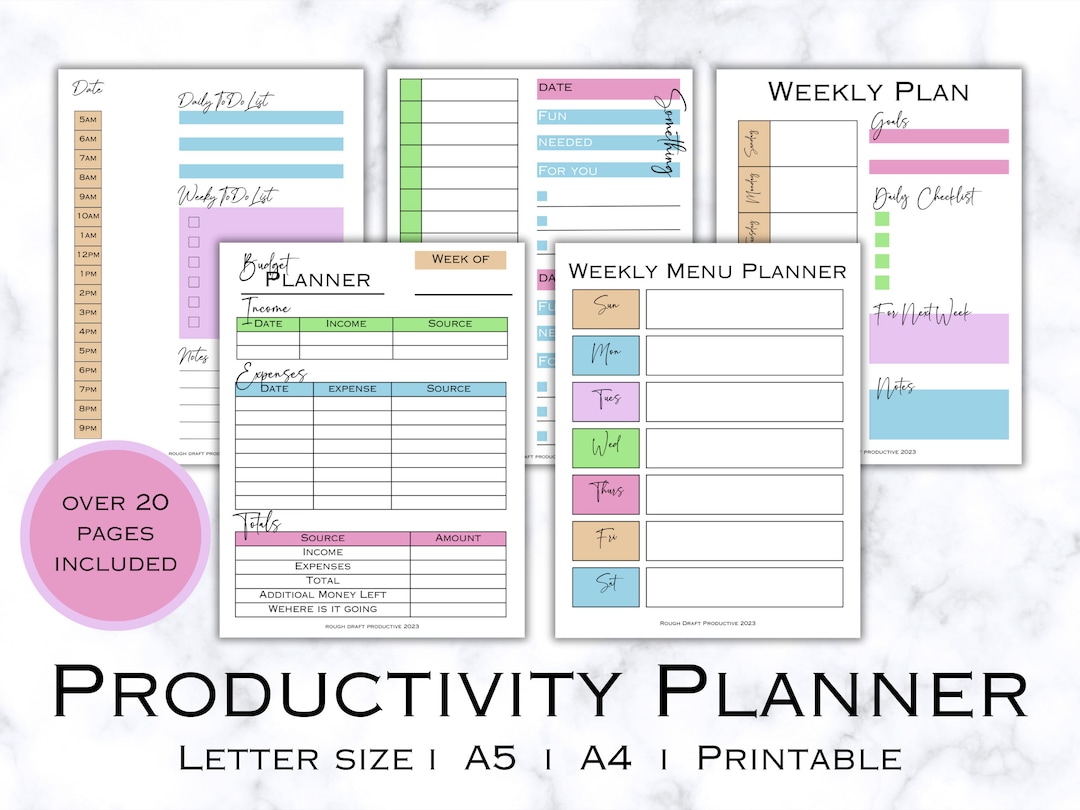
A productivity planner is not just a tool for jotting down tasks; it’s an essential component that can significantly enhance personal and professional effectiveness. Understanding the key features of a productivity planner can help users choose the right one that aligns with their needs, ensuring they remain organized and focused on their goals.
Evaluating different planners requires a keen eye on specific features that contribute to effective time and task management. A robust planner should include components such as goal setting, time allocation, and an intuitive layout that facilitates ease of use. Each of these elements plays a vital role in maximizing productivity and helping users stay on track with their objectives.
Goal Setting Features
Goal setting is a foundational aspect of any productivity planner. It allows users to define their objectives clearly and map out the steps needed to achieve them. When assessing planners, consider the following elements related to goal setting:
- SMART Goals Framework: Look for planners that encourage the usage of the SMART criteria (Specific, Measurable, Achievable, Relevant, Time-bound) for setting goals.
- Progress Tracking: Effective planners often include sections for tracking progress towards goals, which can motivate users to stay committed.
- Long-Term vs. Short-Term Goals: A good planner should provide space to set both long-term and short-term goals, allowing users to maintain a balanced focus.
Time Management Tools
Time management features in a productivity planner are critical for helping users allocate their time efficiently. Consider these tools when choosing a planner:
- Daily and Weekly Layouts: Planners that offer both daily and weekly pages help users plan their time visually and adaptively.
- Time Blocking Sections: Look for planners that include designated areas for time blocking, enabling users to set aside time specifically for tasks and reduce distractions.
- Prioritization Grids: Some planners incorporate grids that allow users to prioritize tasks based on urgency and importance, enhancing their ability to focus on what matters most.
Layout and Design Considerations
The layout and design of a productivity planner greatly influence its usability and effectiveness. Here are some important aspects to evaluate:
- Visual Appeal: An aesthetically pleasing design can enhance the user experience, making the process of planning more enjoyable.
- Intuitive Navigation: Look for planners with clear, organized sections that allow users to find information quickly and efficiently.
- Space for Notes: Sufficient blank space for notes or reflections enhances the planner’s versatility, allowing users to jot down thoughts or ideas as they arise.
Importance of Customization Options
Customization options are crucial for adapting a productivity planner to individual preferences and needs. Here’s why they matter:
- Personalization: A planner that allows for personalization can cater to different styles, whether someone prefers structured layouts or more free-form designs.
- Modular Sections: Some planners offer modular sections that users can rearrange according to their workflow, enhancing flexibility and usability.
- Custom Inserts: The option to add or remove inserts (like habit trackers or project planners) can make a planner more functional and tailored to specific goals.
Different Types of Productivity Planners Available
Productivity planners come in various forms, catering to different preferences and needs. Whether you are a staunch advocate of traditional paper planners or someone who embraces the digital age with open arms, there’s a planner out there for everyone. Understanding the characteristics of each type can help you choose the right one to enhance your productivity.
When comparing digital planners to traditional paper planners, both have unique accessibility and usability benefits. Digital planners, which can be accessed on multiple devices, offer features such as reminders, easy editing, and seamless integration with other digital tools. They are ideal for those who prefer flexibility and ease of updating. On the other hand, paper planners provide a tactile experience that many find satisfying and less distracting. Writing things down can also enhance memory retention, making traditional planners preferred by some users who seek a more focused and personalized approach.
Types of Productivity Planners
There are several popular formats for productivity planners, each designed for specific audiences and use cases. Here’s a look at some of the notable types:
- Digital Planners: These planners can be accessed through apps or software on smartphones, tablets, and computers. They often include features like cloud synchronization and collaborative tools, making them suitable for tech-savvy individuals and teams.
- Bullet Journals: This flexible system allows users to create their own layouts using symbols and short-form notes. It attracts creative individuals who appreciate customization and personal expression in their planning.
- Daily/Weekly Planners: These planners are typically structured to help users break down their tasks into daily or weekly segments. They are helpful for those who prefer a straightforward approach to manage their time effectively.
- Goal-Oriented Planners: Designed to help users set, track, and achieve specific goals, these planners often include motivational quotes and progress tracking sections. They are ideal for individuals focused on personal development and long-term planning.
- Project Planners: Tailored for managing complex projects, these planners often feature timelines, resource allocation, and milestone tracking. They are indispensable for project managers and teams working on collaborative initiatives.
Each of these planner types has its own set of strengths that cater to different lifestyles and work habits. For instance, digital planners are often favored by busy professionals who need instant access to their schedules, while bullet journals resonate with individuals who value creativity in their organization methods. The choice ultimately depends on personal preferences and the specific requirements of the user.
How to Effectively Use a Productivity Planner
Using a productivity planner can significantly enhance your efficiency and focus throughout your daily tasks. A well-structured planner not only helps in organizing your activities but also serves as a powerful tool for tracking your progress and setting achievable goals. By systematically utilizing a productivity planner, you can cultivate better habits and achieve more in less time.
Step-by-Step Process for Utilizing a Productivity Planner
To maximize the effectiveness of your productivity planner, follow these structured steps. This will guide you in becoming more organized and intentional with your time.
- Choose the Right Planner: Select a planner that fits your style, whether digital or physical. Ensure it has sections for daily, weekly, and monthly planning.
- Set Aside Time for Planning: Dedicate specific times each week to plan your tasks. This could be a Sunday evening or Monday morning.
- Artikel Your Goals: Clearly define your short-term and long-term goals. Break them down into manageable tasks that can be tackled daily or weekly.
- Prioritize Tasks: Use a prioritization technique, like the Eisenhower Matrix, to categorize tasks based on urgency and importance.
- Fill in Your Planner: Start populating your planner with tasks for each day, ensuring to include breaks and buffer time for unexpected events.
- Review and Adjust: At the end of each week, review your progress. Adjust tasks for the following week based on what you accomplished and what needs more attention.
Tips on Setting Realistic Goals and Tracking Progress
Setting realistic goals is critical to maintaining motivation and achieving success. Here are some effective tips to help you in this process.
SMART goals are Specific, Measurable, Achievable, Relevant, and Time-bound.
- Be Specific: Clearly articulate what you want to achieve. Instead of saying “get fit,” specify “exercise three times a week for 30 minutes.”
- Make it Measurable: Set quantifiable criteria for tracking progress. For instance, aim to read one book per month.
- Ensure Achievability: Assess whether the goal is attainable within your constraints. Avoid setting overly ambitious or vague goals.
- Align with Your Values: Choose goals that resonate with your personal values and vision for your life, ensuring they are relevant to you.
- Establish Timelines: Set deadlines for your goals to create a sense of urgency and keep you accountable.
Guide on Establishing Daily, Weekly, and Monthly Planning Routines
Creating consistent planning routines is essential for maximizing productivity. Here’s a guide on how to effectively establish these routines.
Routine creates a framework for your day, making it easier to stay focused and productive.
- Daily Planning: Each morning, review your tasks for the day. Highlight the top three priorities and allocate time for each task, including breaks.
- Weekly Review: At the end of each week, assess what you accomplished. Reflect on what worked, what didn’t, and adjust your plans for the next week accordingly.
- Monthly Assessment: Take a broader look each month at your progress towards your larger goals. This is the time to celebrate your achievements and recalibrate your focus as necessary.
- Incorporate Flexibility: Allow for adaptability within your routines. Life can be unpredictable, so it’s essential to remain open to changes without losing sight of your goals.
- Use Visualization: Consider using visual tools like charts or graphs in your planner to track progress at a glance, making it easier to see where you stand with your goals.
The Psychological Benefits of Maintaining a Productivity Planner
Keeping a productivity planner can be a game-changer for mental health, offering a structured approach to daily tasks that can significantly reduce stress levels. By organizing thoughts and responsibilities, individuals often find themselves feeling more in control, which can lead to a more positive mindset and an overall sense of well-being.
The act of writing down tasks and setting priorities engages both the mind and body, creating a sense of clarity that benefits mental health. This organized method helps reduce feelings of overwhelm, allowing for more focused attention on the current task rather than being distracted by a chaotic list of things to do. Additionally, having a visual representation of tasks can help individuals to better manage their time and expectations, ultimately fostering a calmer mental state.
Organization, Clarity of Thought, and Overall Well-Being
Establishing a productivity planner cultivates an environment of organization that is crucial for mental clarity. This organizational aspect creates a platform for clearer thinking and decision-making, as messy thoughts can lead to confusion and anxiety. Here are some key benefits of this relationship:
Enhanced Focus:
A clear plan allows the mind to zero in on specific tasks, improving concentration and focus throughout the day.
Reduced Anxiety:
Knowing what needs to be done and having a plan to accomplish it reduces the anxiety that often accompanies uncertainty and procrastination.
Increased Motivation:
Setting and tracking achievable goals provides a sense of accomplishment, which boosts motivation and enhances self-esteem.
Better Time Management:
A planner helps allocate time effectively for each task, enabling individuals to prioritize and manage their time wisely.
Incorporating mindfulness and reflection into the use of a productivity planner can further improve its psychological benefits. By taking a few moments at the beginning or end of the day to reflect on achievements and feelings, one can gain valuable insights into personal progress and emotional state. This reflective practice not only enhances self-awareness but also encourages a healthier relationship with productivity and self-expectations.
Mindfulness and Reflection in Planner Usage
Integrating mindfulness into the daily use of a productivity planner can transform it from a mere scheduling tool into a source of psychological strength. Here are some methods to implement mindfulness and reflection:
- Journaling: Spend a few minutes each day writing down thoughts or feelings associated with the tasks planned, fostering emotional awareness and connection to daily activities.
- Gratitude Lists: Dedicate a section of the planner to jotting down things you are grateful for each day, which can shift focus from stressors to positive aspects.
- Mindful Breaks: Schedule short breaks during the day to pause, breathe deeply, and reflect on what has been accomplished, allowing the mind to reset.
- Weekly Reviews: Set aside time at the end of each week to review what worked, what didn’t, and how to improve moving forward, creating an iterative process for personal growth.
By leveraging these methods, individuals can enhance their productivity while promoting better mental health and overall well-being.
Common Mistakes to Avoid When Using a Productivity Planner
Using a productivity planner can significantly enhance your time management and efficiency, but many individuals fall prey to common mistakes that hinder their effectiveness. Understanding these pitfalls is crucial for anyone looking to maximize their planner’s potential.
One of the biggest challenges users face is inconsistency in usage. Many start strong but gradually taper off, leading to untracked goals and disorganization. Additionally, users may overcomplicate their planning process, leading to frustration rather than clarity. Identifying these issues early can help prevent a downward spiral into disorganization and inefficiency.
Overcomplicating the Planning Process
When users attempt to include every detail in their planner, they often find themselves overwhelmed. It’s essential to strike a balance between capturing necessary information and keeping it simple. Here are some ways to avoid this mistake:
- Focus on key tasks: Identify the top three tasks for the day to prevent feeling swamped.
- Use symbols or colors: Implement a color-coding system or symbols to quickly categorize tasks without lengthy descriptions.
- Limit daily entries: Aim for a maximum of five tasks per day to maintain clarity and focus.
Overcomplicating your planner may lead to frustration and decreased motivation. A personal experience illustrates this: a colleague of mine started using a digital planner with numerous features but soon became overwhelmed by the complexity. By simplifying her process and focusing on essential tasks, she regained control and increased her productivity.
Lack of Review and Reflection
Failing to regularly review and reflect on planner entries can lead to stagnation. Without assessing what worked and what didn’t, individuals miss opportunities for improvement. To combat this issue, consider the following strategies:
- Weekly reviews: Set aside time each week to go over completed tasks and adjust plans for the coming week.
- Monthly reflections: Analyze overall progress and make necessary adjustments to long-term goals.
- Adapt and evolve: Be flexible with your planning style; if something isn’t working, change it.
One of my friends struggled with this aspect; she often filled her planner but never looked back on her entries. After starting a weekly review session, she discovered patterns in her productivity and was able to make adjustments that led to significant improvements.
Setting Unrealistic Goals
Another common mistake involves setting goals that are too ambitious or unrealistic. This can lead to frustration and burnout. To set achievable goals, consider the following approaches:
- SMART goals: Ensure your goals are Specific, Measurable, Achievable, Relevant, and Time-bound.
- Break down larger goals: Divide significant projects into smaller, manageable tasks to track progress more effectively.
- Celebrate small wins: Acknowledge and celebrate achievements, no matter how minor, to maintain motivation.
A case study from a notable productivity coach showed that clients who set realistic and attainable goals reported a 30% increase in their overall productivity. By adopting a more practical approach, individuals can experience a greater sense of accomplishment and motivation to continue using their planners effectively.
Neglecting to Customize the Planner
Using a planner without personalizing it to suit individual needs can lead to dissatisfaction and underutilization. Here’s how to create a planner that works for you:
- Add personal touches: Include motivational quotes, images, or stickers that inspire you.
- Customize layout: Experiment with various layouts until you find one that feels intuitive and comfortable.
- Incorporate habits: Use your planner to track habits like exercise or reading to promote a holistic approach to productivity.
A friend of mine initially used a standard planner layout but felt disconnected from it. After customizing it to reflect her style and needs, she became more engaged and started using it consistently, which led to better management of her time and tasks.
How to Personalize Your Productivity Planner Experience
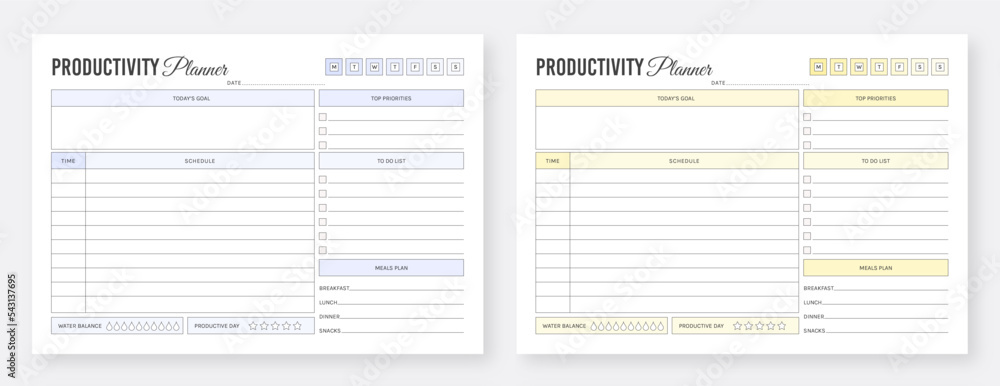
Personalizing your productivity planner is essential for maximizing its effectiveness and ensuring it aligns with your unique style and needs. By incorporating elements that resonate with you, your planner can become more than just a tool; it can be a source of motivation and inspiration throughout your day. Here, we explore strategies for customization, including integration of motivating visuals and tools that enhance your planning journey.
Strategies for Customizing Your Planner
Customization is key to making your productivity planner truly yours. You can start by considering the layout that works best for you, whether it’s daily, weekly, or monthly views. Some individuals prefer minimalist designs, while others thrive in vibrant and decorated pages. Utilize stickers, washi tape, or colored pens to add a personal touch.
“Customization transforms a basic planner into a personalized productivity powerhouse.”
Integrating Motivational Quotes and Visuals
Incorporating motivational quotes and visuals into your planner can significantly enhance its impact. Consider dedicating a section for daily or weekly quotes that inspire you. They can serve as reminders of your goals and aspirations. Additionally, you can include images or illustrations that resonate with your personal journey, such as photos of loved ones or scenic landscapes that bring you peace. These additions can create an emotionally engaging experience that encourages you to stay focused.
Tools and Accessories to Enhance Productivity
A variety of tools and accessories can elevate your planner experience, making it more enjoyable and functional. Below is a selection of items that can enrich your planning process:
- Stickers: These can help highlight important dates, motivate you, or simply add color and fun to your pages.
- Colored Pens: Use different colors to categorize tasks or make your planning visually appealing.
- Sticky Notes: Great for jotting down quick reminders or thoughts that you can easily move around.
- Ruler or Stencils: These can assist in creating neat layouts and designs, ensuring a polished look.
- Pocket or Envelope: Attach one to store important documents, tickets, or notes for easy access.
Incorporating these elements into your planner not only enhances its functionality but also makes your planning sessions more enjoyable. By personalizing your productivity planner, you create a space that not only helps you stay organized but also motivates and inspires you every single day.
Evaluating the Effectiveness of Your Productivity Planner
Assessing the effectiveness of your productivity planner is crucial for ensuring it continues to meet your evolving needs. Regular evaluations help in identifying what’s working well and what could be improved. This ongoing assessment not only enhances your productivity but also aligns your planning tools with your personal and professional growth.
Understanding how to gauge the utility of your planner involves a few key practices. First, it’s important to set specific benchmarks against which you can measure your progress. This may include tracking your completed tasks, deadlines met, and overall satisfaction with your organizational system. Additionally, reflecting on how well your planner helps you achieve your goals will provide insights into its effectiveness.
Methods for Gathering Feedback
Collecting feedback is essential to enhance the overall experience of using your productivity planner. Here are several methods to effectively gather insights from users:
- User Surveys: Create simple, anonymous surveys to gather opinions on various aspects of the planner, such as layout, functionality, and usefulness.
- Focus Groups: Organize small group discussions where users can share their experiences and suggestions in a more interactive setting.
- One-on-One Interviews: Conduct personal interviews with users to delve deeper into their thoughts and feelings about the planner.
- Usage Analytics: If the planner is digital, utilize analytics tools to track user engagement and identify patterns in planner usage.
Feedback gathered through these methods can inform necessary adjustments and enhancements to better serve the users’ needs.
Importance of Adaptability in Planner Use
As personal and professional goals evolve, so should your approach to using a productivity planner. Flexibility in your planning process allows you to remain responsive to changes in priorities and objectives.
Consider the following practices to ensure adaptability:
- Regular Reviews: Schedule monthly or quarterly reviews of your goals and the planner’s effectiveness in supporting them.
- Goal Adjustment: Update your goals based on changing circumstances, ensuring your planner reflects your current focus.
- Experimentation with Formats: Try different layouts, styles, or tools within your planner to discover what suits your evolving workflow best.
By embracing adaptability, you can maintain a productive planning system that grows alongside your ambitions and changing circumstances.
Epilogue
In conclusion, the productivity planner is more than just a scheduling tool; it’s a pathway to achieving your personal and professional goals. By understanding its features, types, and psychological benefits, and by avoiding common pitfalls, users can harness its full potential. Ultimately, a well-utilized productivity planner can lead to not only enhanced efficiency but also a deeper sense of satisfaction in daily life.
Answers to Common Questions
What is a productivity planner?
A productivity planner is a tool designed to help individuals organize their tasks, set goals, and manage their time effectively.
How can a productivity planner improve my focus?
By allowing you to prioritize tasks and set clear objectives, a productivity planner helps minimize distractions and maintain focus.
Are digital productivity planners better than paper ones?
It depends on personal preference; digital planners offer accessibility and syncing features, while paper planners can provide a tactile experience that many users find beneficial.
Can I customize my productivity planner?
Yes, many productivity planners allow for customization, enabling you to tailor layouts, add personal reminders, and include motivational elements.
How often should I review my productivity planner?
Regular reviews, such as weekly or monthly, are recommended to assess progress and make necessary adjustments to your planning strategies.
What mistakes should I avoid when using a productivity planner?
Common mistakes include setting unrealistic goals, failing to review your planner regularly, and neglecting to adjust your approach when needed.