
 Matthew David
Project management software has revolutionized the way teams collaborate and complete tasks. From its humble beginnings rooted in traditional methods to its current state, technology has significantly changed how projects are managed. Today’s tools not only streamline processes but also enhance communication, making it easier for teams to stay on the same page.
With an array of features designed to facilitate task tracking, reporting, and real-time collaboration, modern project management software caters to the diverse needs of teams across various industries. This evolution in project management aims to improve efficiency and foster a more cohesive working environment, ultimately leading to successful project completions.
The Evolution of Project Management Software Throughout the Years
The journey of project management software has been transformative, marked by key innovations and shifting methodologies. Originally, project management relied heavily on manual processes, including paper-based systems and rudimentary tools like Gantt charts created by hand. As technology advanced, the need for more efficient, organized, and collaborative approaches became evident, paving the way for sophisticated software solutions.
The transition from traditional methods to modern software solutions began in the 1960s with the advent of computer technology. Early project management tools were primarily focused on scheduling and resource allocation, embodied in software like Microsoft Project, which launched in 1984. This software allowed project managers to create detailed plans, monitor progress, and allocate resources more efficiently than ever before.
As the industry evolved, the 1990s saw the introduction of internet-based applications. This shift was significant as it enabled real-time collaboration, allowing teams to work together irrespective of their physical locations. Companies such as Primavera and later, the emergence of web-based platforms like Basecamp revolutionized project management by emphasizing task management and team communication.
The 2000s brought even more innovation, with the rise of cloud computing. This development led to software that was not only accessible from anywhere but also scalable depending on the project size and complexity. Tools like Trello and Asana emerged, promoting visual project management and agile methodologies. These platforms allowed teams to prioritize tasks, track progress visually, and adapt quickly to changes.
Key players in this evolving landscape have been instrumental in shaping the industry. For instance, Atlassian’s Jira has set the standard for agile project management, enabling teams to implement Scrum and Kanban frameworks effectively. Similarly, tools like Monday.com and ClickUp have integrated automation features, improving efficiency by reducing repetitive tasks.
Throughout the years, several milestones stand out in the development of project management software. They include the transition to cloud-based solutions, the incorporation of artificial intelligence for predictive analytics, and the rise of mobile applications, allowing project managers and team members to manage tasks on-the-go.
Overall, the evolution of project management software reflects a broader trend of increasing complexity in projects and the need for effective collaboration, positioning these tools as essential for modern project management.
The Essential Features of Modern Project Management Software
In the ever-evolving landscape of project management, utilizing software that encompasses critical functionalities has become paramount. Modern project management tools are designed to streamline operations, enhance team collaboration, and ensure successful project completion. Understanding the key features of these tools can significantly improve productivity and efficiency within various work environments.
Task tracking, collaboration tools, and reporting capabilities are three essential features that modern project management software should possess. Task tracking allows users to monitor project progress, assign responsibilities, and set deadlines. This feature not only helps in keeping everyone accountable but also enhances visibility into the status of different tasks. Collaboration tools facilitate communication among team members, providing platforms for discussion, file sharing, and feedback, which are crucial for fostering teamwork. Reporting capabilities enable project managers to analyze data efficiently, create performance reports, and visualize project metrics, making it easier to identify areas for improvement.
Critical Functionalities of Project Management Software
When selecting project management software, it’s crucial to understand the various functionalities that are available and how they can impact your workflow. Here’s a detailed examination of the essential features:
- Task Management: Effective task management allows teams to break down projects into smaller, manageable tasks. For example, tools like Trello and Asana provide boards and lists that make it easy to visualize progress and prioritize work.
- Collaboration Tools: Features such as real-time chat, comment threads, and document-sharing capabilities enhance team communication. Software like Slack integrates with project management tools to keep discussions centralized and accessible.
- Time Tracking: Time tracking features enable teams to log hours worked on specific tasks, which is essential for project budgeting and employee accountability. For instance, Harvest integrates with several project management tools to provide seamless time tracking.
- Reporting and Analytics: Robust reporting features allow for detailed insights into project performance. Tools like Microsoft Project and Monday.com offer customizable dashboards for tracking KPIs, which can help in making informed decisions.
- Integration Capabilities: Modern software must integrate with other tools used by teams, such as CRM systems and email platforms. This ensures a seamless workflow and minimizes the need for switching between different applications.
The comparison between various project management software can highlight their strengths and weaknesses based on feature sets. For instance, while Asana excels in task management and easy-to-use interfaces, Jira may offer more advanced capabilities for software development teams with its agile project management features. Trello is highly visual and user-friendly, which is great for smaller teams or simpler projects, whereas tools like Microsoft Project provide deep project planning functionalities suited for larger organizations managing complex projects.
“Choosing the right project management software is instrumental in enhancing productivity and ensuring project success.”
By evaluating these essential features and understanding their importance, teams can select the most suitable project management software that aligns with their specific needs and workflows.
How Project Management Software Enhances Team Collaboration
In today’s fast-paced work environment, collaboration among team members and stakeholders is more crucial than ever. Project management software plays a significant role in streamlining communication and enhancing teamwork. By offering features that facilitate real-time updates, shared workspaces, and integrated communication tools, these platforms create an environment where collaboration flourishes.
The role of real-time updates and shared workspaces in fostering collaboration cannot be overstated. Real-time updates ensure that every team member is on the same page regarding project timelines, tasks, and deliverables. This immediate access to information reduces misunderstandings and keeps everyone aligned with the project’s objectives. For instance, if a team member completes a task or encounters an issue, the software provides instant notifications to relevant stakeholders, allowing for prompt feedback and adjustments. This proactive communication helps to minimize delays and keeps the project moving forward smoothly.
Shared workspaces are equally important in enhancing collaboration. They act as a central hub where all project-related documents, discussions, and updates are stored. This eliminates the chaos of scattered emails and multiple file versions, giving team members easy access to necessary resources. When everyone can access the same information, it fosters a culture of transparency and accountability. Team members can collaborate on documents in real-time, making edits and providing input without the hassle of back-and-forth emails.
Moreover, successful projects across various industries have effectively utilized these collaboration tools. For example, the marketing team at a leading tech company utilized project management software to launch a new product. By leveraging shared workspaces, they created a centralized area for brainstorming sessions, campaign strategies, and design files. Real-time updates ensured that team members could quickly adapt to changing market conditions and feedback, resulting in a successful and timely product launch. Similarly, a construction firm used project management software to manage complex timelines and stakeholder communications, leading to the completion of a major project ahead of schedule.
In summary, project management software significantly enhances team collaboration by providing real-time updates and shared workspaces. These features streamline communication, foster teamwork, and ultimately lead to successful project outcomes. The examples of successful projects illustrate the tangible benefits of adopting such tools, proving that effective collaboration is essential in achieving project goals.
Evaluating the Cost-Benefit of Implementing Project Management Software
Implementing project management software can be a transformative decision for organizations looking to streamline their operations, enhance collaboration, and improve project outcomes. Evaluating the cost-benefit ratio of such software is crucial in determining its potential return on investment (ROI). Organizations must consider various financial and operational factors that contribute to cost savings and efficiency improvements when adopting these tools.
One of the most significant advantages of project management software is its ability to improve team collaboration and communication. By centralizing project information and enabling real-time updates, teams can reduce miscommunication and enhance productivity. This software minimizes time wasted on emails and meetings by providing a single platform for task assignments, deadlines, and updates. As a result, employees can focus more on their core tasks, ultimately leading to increased output and efficiency.
Factors Contributing to Cost Savings and Efficiency Improvements
Understanding the factors that lead to cost savings and efficiency improvements is essential for organizations considering project management software. Below are key components that demonstrate financial advantages:
- Time Savings: Automated scheduling and task management features eliminate the need for manual tracking, enabling teams to allocate their time more effectively. A study by the Project Management Institute found that organizations with high project management maturity waste 28 times less money than those with low maturity.
- Resource Optimization: Project management software allows for better resource allocation by providing visibility into team workloads and project timelines. This ensures that resources are not over-allocated or underutilized, leading to more effective project management.
- Improved Risk Management: With advanced reporting and analytics features, organizations can identify potential risks early on. By proactively addressing these issues, companies can avoid costly project delays and budget overruns.
- Enhanced Customer Satisfaction: Timely project delivery and quality assurance lead to higher customer satisfaction. Satisfied customers often result in repeat business and referrals, driving revenue growth.
- Reduced Overhead Costs: By using cloud-based software, companies can save on infrastructure costs associated with traditional project management tools. This shift can reduce the need for extensive IT support and maintenance.
- Better Decision-Making: Access to real-time data enables managers to make informed decisions quickly. By analyzing project metrics and performance data, organizations can adapt their strategies and processes to enhance project outcomes.
In various scenarios, project management software can lead to significant financial advantages. For instance, a construction company utilizing project management software can track progress against budgets in real-time. By using this software, the company can identify delays caused by weather or supply chain issues and pivot accordingly, minimizing downtime and cost overruns. Similarly, a marketing agency can manage multiple client projects simultaneously by leveraging the software’s resource allocation and tracking features. This capability allows them to deliver projects on time and within budget, resulting in improved profitability.
Additionally, companies like Asana and Trello have reported that their users experience a 20% increase in productivity after implementing their project management tools. These improvements are often accompanied by tangible monetary benefits, such as faster project turnaround times and increased client satisfaction, leading to greater profitability.
In summary, evaluating the cost-benefit of implementing project management software involves not only understanding the initial investment but also assessing the long-term savings and efficiency that can be achieved. By focusing on time savings, resource optimization, risk management, and enhanced customer satisfaction, organizations can secure a sustainable competitive advantage and ultimately improve their financial performance.
Choosing the Right Project Management Software for Your Organization
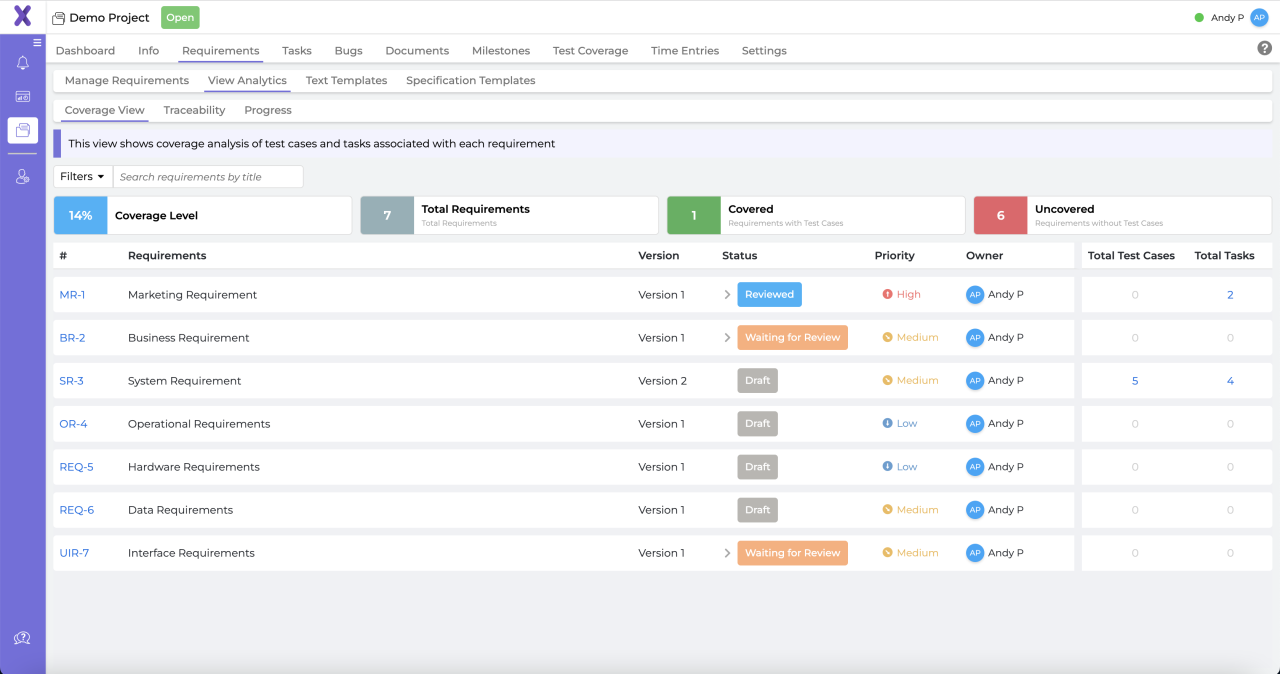
Selecting the right project management software is crucial for enhancing productivity, collaboration, and overall project success within any organization. The right tool not only streamlines processes but also aligns with your team’s workflow and specific project requirements. Understanding the various criteria to consider when making this choice is essential for ensuring that the software meets the diverse needs of your organization.
Assessing factors such as team size, project complexity, and budget constraints is vital when selecting project management software. Each organization has unique demands that can significantly influence the effectiveness of the chosen tool.
Team size directly impacts the software’s scalability and usability. For smaller teams, lightweight tools with basic features may suffice, while larger organizations require robust solutions that support collaboration among numerous users and departments. Project complexity is another critical consideration; simple projects can often be managed with straightforward tools, whereas highly intricate or multi-faceted projects necessitate sophisticated software with advanced features like Gantt charts, resource allocation, and risk management functionalities.
Equally important are budget constraints. Project management tools can vary widely in cost, from free versions to premium subscriptions that offer extensive capabilities. A clear understanding of your budget will help you narrow down options and avoid overspending on features that your organization may not need.
To assist in decision-making, here is a structured comparison of popular project management tools that are frequently utilized by organizations of varying sizes and project complexities:
Comparison of Popular Project Management Tools
The following table Artikels essential features, pricing, and suitability for different types of organizations:
| Tool | Key Features | Price Range | Best Suited For |
|---|---|---|---|
| Trello | Kanban boards, task cards, integrations | Free – $20.83/user/month | Small teams, simple projects |
| Asana | Task assignments, timelines, project tracking | Free – $24.99/user/month | Medium to large teams, moderate complexity |
| Microsoft Project | Gantt charts, budgeting, resource allocation | From $10/user/month | Large organizations, complex projects |
| Monday.com | Custom workflows, dashboards, collaboration tools | $8 – $16/user/month | Flexible for various team sizes and project types |
Evaluating these tools based on features, pricing, and organizational needs will facilitate a more informed decision-making process and help you select the best project management software for your team’s specific requirements.
The Impact of Agile Methodologies on Project Management Software Development
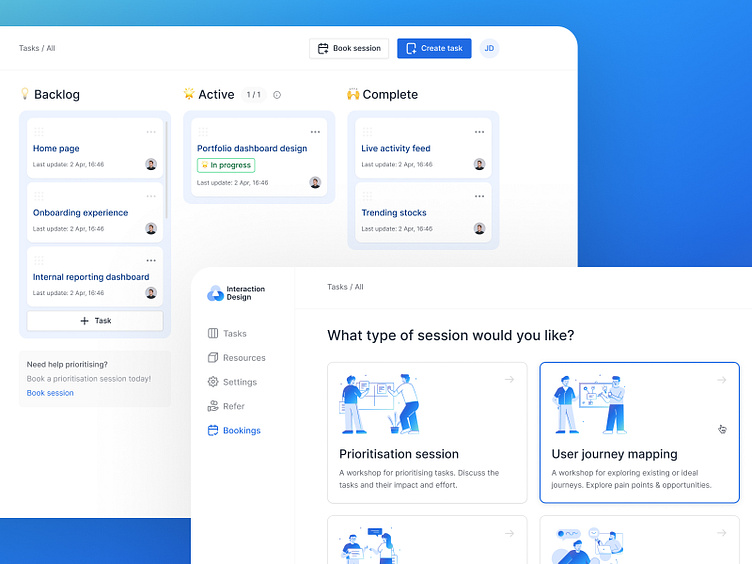
Agile methodologies have dramatically reshaped the landscape of project management software, leading to tools that emphasize flexibility, collaboration, and iterative progress. These principles focus on delivering value to customers through adaptive planning and quick responses to change, ultimately enhancing team productivity and satisfaction. This evolution in project management software reflects not only a shift in mindset but also a transformation in the functionalities and design of these tools.
Key Differences Between Traditional and Agile Project Management Software
Understanding the differences between traditional and agile project management software is crucial for teams looking to optimize their workflows. Traditional project management software typically follows a linear and sequential approach, often referred to as the Waterfall model. This model is characterized by rigid phases that must be completed before moving on to the next. In contrast, agile project management software embraces an iterative process, allowing teams to cycle through planning, executing, and reviewing in shorter bursts, known as sprints.
The following points illustrate the primary differences between the two approaches:
1. Flexibility and Responsiveness:
– Traditional software often requires a strict adherence to initial plans, making it less adaptable to changes. Agile software, however, allows for modifications based on feedback and evolving project requirements.
2. User Engagement:
– Traditional project management relies heavily on documentation and approval processes, which can alienate team members from the decision-making process. Agile tools encourage continuous user involvement and collaboration, fostering a shared sense of ownership and accountability.
3. Feedback Loops:
– In traditional project management, feedback is typically gathered after the project’s completion. Agile methodologies incorporate regular feedback loops, ensuring that any issues can be addressed promptly, thus improving product quality.
4. Focus on Deliverables:
– Traditional methodologies often emphasize completing predefined tasks or milestones. Agile software prioritizes delivering functional increments of the product, which can be utilized by stakeholders for immediate benefit.
5. Team Structure:
– Traditional projects often follow a hierarchical structure, creating silos between roles. Agile promotes cross-functional teams where every member contributes to various aspects of the project, enhancing collaboration.
6. Tools and Features:
– Agile project management tools often include features like boards (Kanban, Scrum) that visually display task progress. These are designed for high visibility and real-time updates, contrasting with traditional tools that may focus more on Gantt charts and timelines.
Several software platforms exemplify the agile methodologies in their features. Jira, for instance, is widely recognized for its scrum and kanban boards, allowing teams to manage backlogs and sprints efficiently. Trello offers a user-friendly interface that supports task management through boards and cards, making it easy to visualize workflows. Asana, on the other hand, integrates project timelines with agile principles, providing flexibility in task assignment and progress tracking.
The influence of agile methodologies is evident in these tools, showcasing how they have evolved to meet the needs of modern teams and projects. The continuous emphasis on adaptability and user collaboration has propelled project management software into the forefront of organizational efficiency and success.
The Role of Integration in Project Management Software Efficiency
Integrating project management software with other business tools is a game changer for organizations striving to boost productivity. By connecting various systems, businesses can create a seamless workflow that minimizes redundancy and maximizes efficiency. This integration ensures that teams have access to the right information at the right time, allowing them to focus on their core responsibilities and drive projects forward.
The importance of Application Programming Interfaces (APIs) and connectivity with tools like Customer Relationship Management (CRM) systems and document management systems cannot be overstated. APIs act as bridges between different software applications, enabling them to communicate and share data effectively. When project management tools are integrated with CRMs, teams can easily access customer information, track communications, and align project goals with customer needs. This leads to improved client satisfaction and project outcomes.
In the realm of document management, integration enhances collaboration and information sharing. Team members can access project documents, update statuses, and collaborate in real-time without switching between different platforms. This reduces the risk of miscommunication and ensures everyone is on the same page, ultimately leading to more successful project completions.
Benefits of Integration for Project Outcomes
Integrating project management software with other tools offers several key advantages that directly contribute to better project outcomes:
- Enhanced Data Accuracy: Integration minimizes manual data entry, reducing errors and ensuring that all team members work with accurate, up-to-date information.
- Increased Collaboration: Teams can share updates, files, and feedback more efficiently, resulting in a more cohesive approach to project development.
- Streamlined Processes: Automated workflows between systems eliminate unnecessary steps, allowing teams to focus on high-priority tasks that drive project success.
- Improved Reporting: Access to data from multiple sources enables comprehensive reporting and insights, helping project managers make informed decisions.
Real-world instances highlight the effectiveness of integration. For example, a marketing agency utilizing project management software integrated with their CRM saw a 30% increase in client retention rates. By having immediate access to client information and project timelines, the team was able to tailor their services more effectively to meet client needs. Another instance involved a construction company that integrated its project management software with document management systems, leading to a 40% reduction in project delays. With all project documents accessible in one place, team members could quickly resolve issues as they arose, ensuring projects remained on schedule.
In summary, the integration of project management software with other business tools through APIs plays a crucial role in enhancing productivity and achieving successful project outcomes across various industries.
Future Trends in Project Management Software
As we venture further into the digital age, project management software is evolving at an unprecedented pace. Advancements in technology, particularly artificial intelligence (AI), machine learning, and the rise of remote work, are reshaping how teams plan, execute, and deliver projects. These changes not only enhance functionality but also redefine the strategies organizations must adopt to remain competitive. Understanding these future trends is crucial for stakeholders aiming to leverage the full potential of project management tools.
The integration of AI and machine learning into project management software heralds a new era of efficiency and predictive capabilities. With AI, software can analyze vast amounts of data to identify patterns and insights that human project managers might overlook. This results in improved decision-making, as AI can suggest optimal resource allocation, forecast project timelines, and highlight potential risks before they escalate. For instance, tools like Monday.com and Asana are already incorporating AI features to automate repetitive tasks, allowing teams to focus on more strategic activities.
Remote work has also significantly influenced the development of project management software. As organizations increasingly adopt flexible work models, software solutions have adapted to support distributed teams. Features such as real-time collaboration, integrated communication tools, and cloud storage are now standard, making it easier for teams separated by distance to work together seamlessly. Tools like Trello and ClickUp provide visual workflows that enhance collaboration, ensuring team members can track progress and contribute regardless of their location.
Adapting Strategies for Emerging Technologies
To prepare for these evolving trends, organizations need to adopt proactive strategies that embrace technological advancements. This includes investing in training programs to enhance team members’ skills in using advanced software tools effectively. Providing ongoing education on AI capabilities and remote collaboration can empower employees to harness these technologies fully.
Moreover, organizations should foster a culture of adaptability and agility. As new tools and features emerge, teams must be ready to pivot and integrate these innovations into their workflows. This involves regularly evaluating current project management software against emerging solutions and remaining open to adopting new tools that better meet the team’s needs.
Additionally, organizations should prioritize data security and privacy as they embrace remote work and cloud-based solutions. Implementing robust security protocols is essential to protect sensitive information while enabling smooth project management.
Finally, organizations should collect and analyze feedback from team members regarding the effectiveness of their project management software. This feedback loop can provide valuable insights into how well the tools are serving the team’s needs and where improvements can be made. By staying attuned to both technological advancements and employee feedback, organizations can ensure their project management practices remain relevant and effective in a rapidly changing landscape.
Conclusion
In summary, embracing project management software can drive significant improvements in team collaboration and project outcomes. As we look to the future, these tools will continue to evolve, integrating new technologies and methodologies that enhance productivity. By understanding the benefits and features of these platforms, organizations can position themselves to thrive in an increasingly competitive landscape.
FAQ Guide
What is project management software?
Project management software is a tool that helps teams plan, execute, and monitor projects efficiently by providing features like task assignment, scheduling, and progress tracking.
How can project management software improve communication?
It enhances communication by providing shared workspaces, real-time updates, and collaboration tools that keep all team members informed and engaged.
Is project management software suitable for small businesses?
Yes, many project management software options are designed with small businesses in mind, offering scalable features that can grow with the organization.
Can project management software integrate with other tools?
Absolutely, most modern project management software comes with integration capabilities, allowing seamless connectivity with CRMs, document management systems, and other business tools.
What should I consider when choosing project management software?
Consider factors like team size, project complexity, budget, and the specific features that best meet your needs to ensure you select the right software.