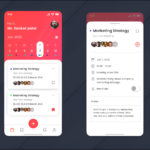
Note-taking apps have revolutionized the way we capture and organize information, providing an efficient alternative to traditional pen and paper. As technology evolved, so did the methods we use to manage our notes—from simple text documents to sophisticated digital solutions that enhance productivity and collaboration. This transition not only streamlines the note-taking process but also integrates advanced features like real-time collaboration, multimedia support, and cloud storage, making information more accessible than ever.
Throughout the years, we’ve witnessed significant milestones in the development of note-taking technologies, each shaping the way we interact with our notes. Today’s applications offer a variety of tools tailored to enhance user experience and cater to diverse needs, ensuring that whether you’re a student, a professional, or a creative, there’s a solution that fits just right.
The evolution of note-taking apps from traditional methods to digital solutions
Note-taking has undergone a remarkable transformation over the years, evolving from basic pen-and-paper methods to sophisticated digital solutions that enhance productivity and organization. This shift reflects not only advancements in technology but also changing needs and preferences of users. The evolution of note-taking represents a significant aspect of our quest for efficiency, allowing us to manage information in increasingly complex environments.
The traditional methods of note-taking, primarily using notebooks and writing instruments, have served for centuries. These methods allowed individuals to jot down thoughts, ideas, and information during lectures or meetings. However, as information overload became a growing concern, the limitations of paper-based systems became apparent. The need for quick access, organization, and sharing of notes led to the emergence of digital note-taking solutions.
The journey of note-taking technologies can be marked by several key milestones. In the 1980s, the advent of personal computers introduced simple text editors that enabled users to type notes instead of writing them by hand. This was a pivotal moment; however, the lack of organization features limited their effectiveness. With the rise of the internet in the 1990s, web-based note-taking applications began to surface, allowing users to store and access notes from anywhere, a revolutionary change that mirrored the increasing mobility of users.
The introduction of smartphones in the 2000s further propelled the evolution of note-taking apps. With the ability to download applications, users could now take notes on the go, and platforms like Evernote and Microsoft OneNote emerged, offering features such as tagging, searching, and multimedia integration. These apps enabled users to create rich, organized notes that were easily retrievable, thereby overcoming many of the limitations of traditional methods.
As technology progressed, the impact of digital note-taking on productivity and organization became increasingly evident. Digital note-taking apps allow for collaboration, enabling multiple users to edit and contribute to notes in real time. This fosters teamwork in academic and professional settings. Additionally, features like cloud storage and synchronization between devices ensure that notes are always accessible, regardless of location or device.
Furthermore, the integration of artificial intelligence in modern note-taking apps has enhanced their functionality. For example, tools that can convert handwritten notes into text or even summarize lengthy document contents have become valuable assets. The ability to manage tasks, set reminders, and link notes to calendars has transformed how individuals organize their workflows.
Overall, the transition from traditional to digital note-taking has not only improved the way we capture and manage information but has also significantly influenced our productivity. As we continue to refine these tools, the future of note-taking looks promising, with further advancements in technology poised to enhance our organizational capabilities even more.
A comprehensive comparison of popular note-taking applications in the market
In today’s fast-paced world, effective note-taking is essential for students, professionals, and anyone looking to stay organized. With the rise of digital solutions, numerous note-taking applications have emerged, each offering unique features and functionalities. This comparison aims to highlight five popular note-taking apps, examining their distinct characteristics, pros, and cons to help users make informed decisions.
Comparison of Popular Note-Taking Applications
The following table details the features, advantages, and disadvantages of five leading note-taking applications: Evernote, Microsoft OneNote, Notion, Bear, and Google Keep. Each application brings its own set of functionalities catering to different user needs and preferences.
| Application | Unique Features | Pros | Cons |
|---|---|---|---|
| Evernote |
|
|
|
| Microsoft OneNote |
|
|
|
| Notion |
|
|
|
| Bear |
|
|
|
| Google Keep |
|
|
|
This comparison highlights the diverse functionalities offered by each note-taking application. Whether you’re looking for advanced organizational tools, collaboration features, or simplicity, there’s an option suited for your needs. Make sure to assess your requirements and preferences when choosing the right note-taking app for your workflow.
The significance of user interface design in enhancing the note-taking experience
The user interface (UI) design is a crucial aspect of any note-taking app, as it directly impacts how users interact with the application. A well-designed UI can streamline the note-taking process, making it efficient and enjoyable. With the rise of digital tools for learning and productivity, the significance of UI in enhancing user experience cannot be overstated. It not only influences usability but also affects user satisfaction and retention, ultimately determining the app’s success.
Effective UI design in note-taking apps follows several principles that enhance usability and user satisfaction. Simplicity is key; a clutter-free interface allows users to focus on their notes without distractions. Consistency in design elements, such as buttons, icons, and color schemes, helps users navigate the app intuitively. Accessibility is also paramount; ensuring that the app is usable for individuals with diverse needs expands its reach and effectiveness. Additionally, responsiveness plays a vital role, as users expect apps to perform smoothly across various devices and screen sizes.
The impact of UI on user engagement and retention
A well-crafted UI design can significantly boost user engagement and retention in note-taking apps. When users find an app easy to navigate and visually appealing, they are more likely to return to it regularly. Engaging UI elements, such as interactive features and customizable layouts, encourage users to explore the app more deeply. Furthermore, apps that provide an enjoyable experience often lead to higher levels of user satisfaction, which is vital for retaining users in a competitive market.
To illustrate the impact of UI on user engagement, consider the following aspects:
- Intuitive Navigation: Users appreciate interfaces that are easy to understand. For instance, apps like Notion and Evernote utilize straightforward navigation bars, making it simple for users to switch between notes, tags, and other features.
- Visual Appeal: An attractive design with a pleasant color palette can enhance user experience. Apps such as Microsoft OneNote leverage a visually appealing UI to create a welcoming environment for users, making the note-taking experience enjoyable.
- Customization Options: Providing options for users to personalize their workspace can lead to increased engagement. Apps like GoodNotes allow users to choose different paper styles, colors, and layouts, which fosters a sense of ownership over their notes.
- Feedback Mechanisms: Effective UI includes feedback elements like animations or notifications that confirm user actions, which can enhance engagement. For example, when a user successfully saves a note, a subtle animation can provide a sense of accomplishment.
Examples of apps with exemplary UI
Examining apps with outstanding UI design can provide insights into effective note-taking experiences. Notable examples include:
- Notability: This app is praised for its clean interface and smooth handwriting experience. The UI is designed to minimize distractions while providing essential features, making it easy for users to focus on their notes.
- Bear: Known for its minimalistic and aesthetically pleasing design, Bear offers a delightful writing environment with a seamless tagging system that enhances organization without complicating the user experience.
- Roam Research: This app utilizes a unique bidirectional linking feature that is complemented by a clean, straightforward UI. Users find it intuitive to navigate between notes and concepts, facilitating a fluid knowledge-building process.
The impact of UI design on usability is evident in these examples, showcasing how thoughtful design choices can enhance the overall note-taking experience. When users can effortlessly navigate and enjoy their note-taking environment, they are more likely to engage deeply with the app, leading to increased productivity and satisfaction.
Different note-taking techniques and their integration into apps
Note-taking is an essential skill for students, professionals, and anyone seeking to enhance their learning and retention. Various techniques exist, each with unique advantages that can be seamlessly integrated into modern note-taking applications. By utilizing these methods effectively, users can improve their organization, comprehension, and recall of information.
Cornell Method, Mind Mapping, and Outlining Techniques
Three popular note-taking techniques include the Cornell Method, Mind Mapping, and Outlining. Each of these methods offers a distinct approach to capturing and organizing information, catering to different learning styles and preferences.
The Cornell Method is known for its systematic approach. It divides the page into three sections: cues, notes, and summary. This structure helps in organizing notes during lectures and encourages review. It’s particularly effective for studying, as it promotes active engagement with the material.
Mind Mapping is a visual representation of information that allows users to see relationships between concepts. This technique is excellent for brainstorming and organizing ideas in a non-linear way. By using colors and images, mind maps can enhance memory retention and creativity.
Outlining is a straightforward hierarchical method that helps structure notes in a linear fashion. It allows for easy navigation through topics and s, making it ideal for capturing detailed information during meetings or lectures.
To effectively utilize these techniques within various applications, here’s how they can be integrated:
– Cornell Method: Apps like Notion and Microsoft OneNote allow users to create custom templates that mimic the Cornell layout, making it easy to categorize information.
– Mind Mapping: Tools like MindMeister and XMind focus on visual organization, providing features that support the creation of colorful and interactive mind maps.
– Outlining: Applications such as Workflowy and Microsoft Word offer outlining features that enable users to create structured notes effortlessly.
Here is a bullet-point list of apps that support specific note-taking techniques:
- Cornell Method:
- Notion
- Microsoft OneNote
- Evernote
- Mind Mapping:
- MindMeister
- XMind
- SimpleMind
- Outlining:
- Workflowy
- Microsoft Word
- Google Docs
By leveraging these apps and techniques, users can enhance their note-taking experience, making information retention and retrieval more efficient.
The role of collaboration features in modern note-taking applications
In today’s fast-paced world, collaboration is essential for productivity, especially in team environments. Modern note-taking applications play a crucial role in facilitating seamless communication and idea sharing among users. With the rise of remote work and diverse teams, these apps have evolved to include robust collaboration features that enhance the note-taking experience for both individuals and groups.
Collaboration tools in note-taking apps provide users with the ability to work together in real-time, allowing for effective brainstorming and project management. The integration of these tools streamlines workflows, eliminating the need for back-and-forth emails and ensuring that all team members are on the same page. This not only enhances efficiency but also fosters a sense of community and shared purpose within teams.
Importance of Real-Time Editing
Real-time editing is a game-changer for collaborative work, as it allows multiple users to contribute to a single document simultaneously. This feature significantly reduces the time spent on collaboration and allows for instant feedback and updates, which is critical in projects requiring quick decision-making.
The following are key benefits of real-time editing in collaborative note-taking apps:
Enhanced Productivity:
Teams can see edits as they happen, reducing the lag time associated with traditional document sharing methods.
Immediate Feedback:
Contributors can provide feedback in real-time, leading to faster iterations and improved outcomes.
Version Control:
Most apps track changes, ensuring that all edits are logged and previous versions can be restored if necessary.
Greater Engagement:
Team members are more likely to contribute when they can see their input reflected instantly.
Several note-taking apps excel in providing collaborative features, making them popular among teams and individuals alike. The following examples highlight applications recognized for their exceptional collaboration capabilities:
- Google Keep: Provides shared notes and lists that multiple users can edit simultaneously, making it simple to keep track of tasks and ideas.
- Notion: Combines note-taking with database functionality, allowing teams to create collaborative documents, wikis, and more, all with real-time updates.
- Microsoft OneNote: Offers shared notebooks that allow for collaborative editing, along with integration with other Microsoft Office tools for comprehensive project management.
- Evernote: Facilitates shared notes and notebooks, enabling team members to collaborate efficiently while also integrating with various productivity tools.
The evolution of note-taking applications reflects the increasing importance of collaboration in modern work environments. With features designed for real-time editing and seamless sharing, these tools empower teams to communicate effectively and enhance their collective productivity.
Privacy and security considerations in using note-taking apps
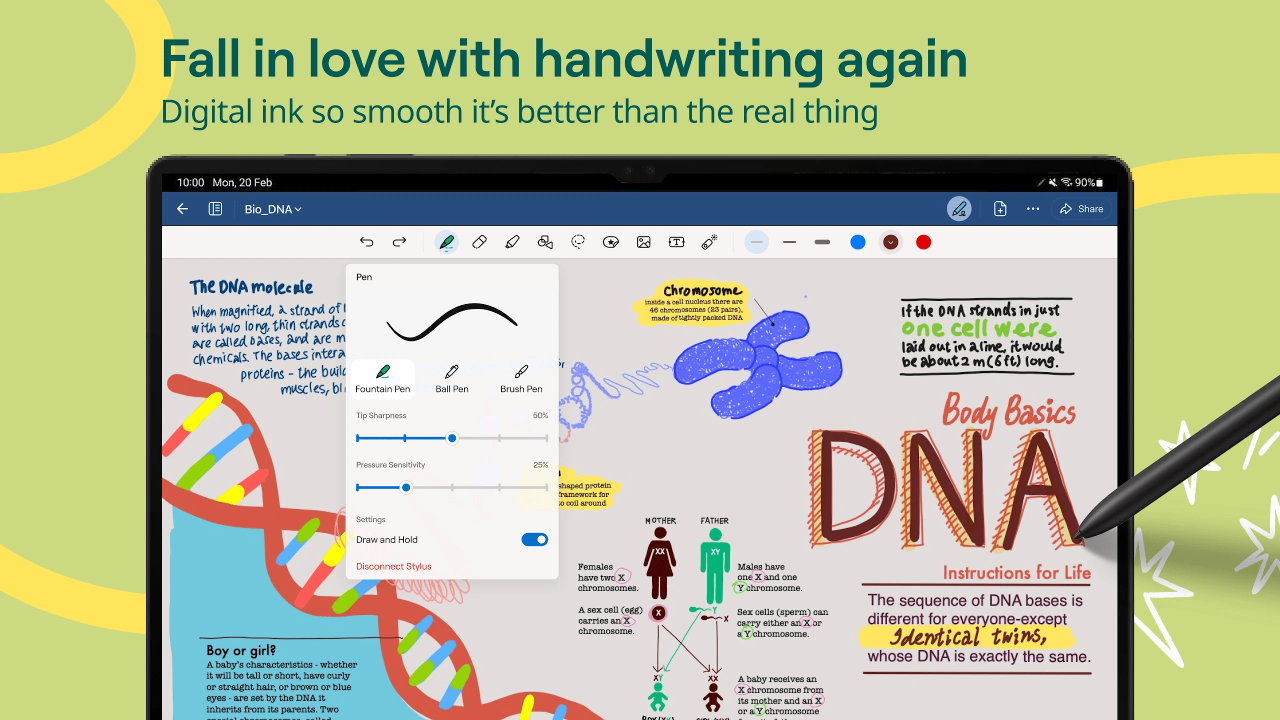
The rise of digital note-taking applications has transformed how we capture and manage information. However, as we store sensitive notes and personal data in these apps, privacy and security become critical considerations. Understanding the potential risks associated with digital note-taking tools can help users take informed steps to safeguard their information.
Commonly encountered security risks in digital note-taking can compromise users’ privacy and data integrity. Users often overlook these risks, believing their notes are safe in a secured app. However, risks such as data breaches, unauthorized access, insecure storage, and poor encryption practices can expose personal information. Notably, many note-taking apps may store data on cloud servers, increasing vulnerability to cyberattacks.
Common Security Risks
Awareness of the following security risks is essential for users of note-taking apps.
- Data Breaches: Cybercriminals may exploit vulnerabilities in an app’s security, leading to unauthorized access to user notes.
- Weak Passwords: Users often choose weak or reused passwords, making it easy for hackers to gain access.
- Lack of Encryption: Some note-taking apps may not encrypt user data, exposing sensitive information to potential interception.
- Phishing Attacks: Users may unintentionally disclose their login credentials through deceptive emails or websites.
- App Permissions: Some apps require excessive permissions that can compromise user privacy and data security.
To enhance privacy and security, users should adopt specific protective measures when using note-taking apps. Implementing these measures helps mitigate risks and ensures that personal information remains secure.
Protective Measures for Users
Users can take the following steps to protect their notes and personal information effectively.
- Use Strong Passwords: Create unique, complex passwords for each app and consider using a password manager for better security.
- Enable Two-Factor Authentication: This adds an extra layer of security, requiring a verification step beyond just a password.
- Regularly Update Apps: Keeping apps updated ensures that security vulnerabilities are patched timely.
- Check Privacy Settings: Review and adjust app permissions, disabling unnecessary access to personal data.
- Backup Data: Regularly back up notes to secure locations to prevent loss due to accidental deletion or app failure.
Different note-taking apps have varying approaches to address privacy concerns and implement security features. Evaluating these differences can assist users in choosing the right app for their needs.
Comparison of Privacy Features Across Apps
Here’s an overview of how popular note-taking apps address privacy and security matters.
| App Name | Encryption | Two-Factor Authentication | Data Storage |
|---|---|---|---|
| Evernote | In-transit and at-rest encryption | Available | Cloud storage with options for local storage |
| OneNote | Encryption for sections | Available | Cloud storage (OneDrive) |
| Notion | Data encryption at rest and in transit | Not available | Cloud storage with robust security measures |
| Google Keep | Encryption in transit | Available via Google account | Cloud storage |
Understanding the security features offered by different note-taking applications, along with the inherent risks and protective measures, allows users to make informed choices about how and where to store their sensitive information. The importance of prioritizing privacy and security cannot be overstated in our increasingly digital world.
Future trends in note-taking apps and emerging technologies
The landscape of note-taking applications is poised for significant transformation, driven by advancements in technology. As users increasingly demand efficiency and enhanced functionalities, developers are exploring innovative solutions that leverage artificial intelligence (AI) and other emerging technologies. The future of note-taking is not just about writing down information but also about smart organization and accessibility.
Artificial intelligence is expected to play a crucial role in the evolution of note-taking applications. AI can automate many tasks, from organizing notes to providing personalized recommendations based on user behavior. For instance, algorithms can analyze user patterns to suggest relevant content, automatically tag notes, or even summarize lengthy documents, making retrieval easier and quicker. This not only enhances productivity but also contributes to a more streamlined user experience.
Impact of voice and handwriting recognition technologies
Voice recognition and handwriting recognition technologies are rapidly changing how users interact with note-taking apps. The ability to dictate notes or write by hand on digital devices opens up new avenues for creativity and efficiency. These technologies allow for a more natural way of capturing thoughts, especially for those who find typing cumbersome.
Voice recognition, in particular, is becoming increasingly sophisticated, enabling users to convert spoken language into written text seamlessly. This eliminates the need for manual input and allows for quicker note-taking during meetings or lectures. Handwriting recognition, on the other hand, caters to users who prefer writing their thoughts down by hand, providing a tactile experience while still digitizing notes for easy access and sharing.
The following table Artikels anticipated trends in note-taking apps alongside their potential implications for user experience:
| Trend | Potential Implications |
|---|---|
| Increased AI Integration | Enhanced organization, personalized recommendations, and automated summarization. |
| Advanced Voice Recognition | Faster note-taking, improved accessibility for users with disabilities, and hands-free operation. |
| Handwriting Recognition | Retention of personal writing styles, improved creativity, and ease of use for tactile learners. |
| Collaboration Features | Real-time collaboration and sharing capabilities, fostering teamwork and communication. |
| Integration with Other Apps | Seamless workflows by connecting note-taking apps with project management and productivity tools. |
“The future of note-taking is not just about capturing information but enhancing how we interact with our ideas.”
As these technologies continue to develop, the note-taking experience will evolve, becoming more intuitive and user-friendly, meeting the diverse needs of a modern audience.
Ultimate Conclusion
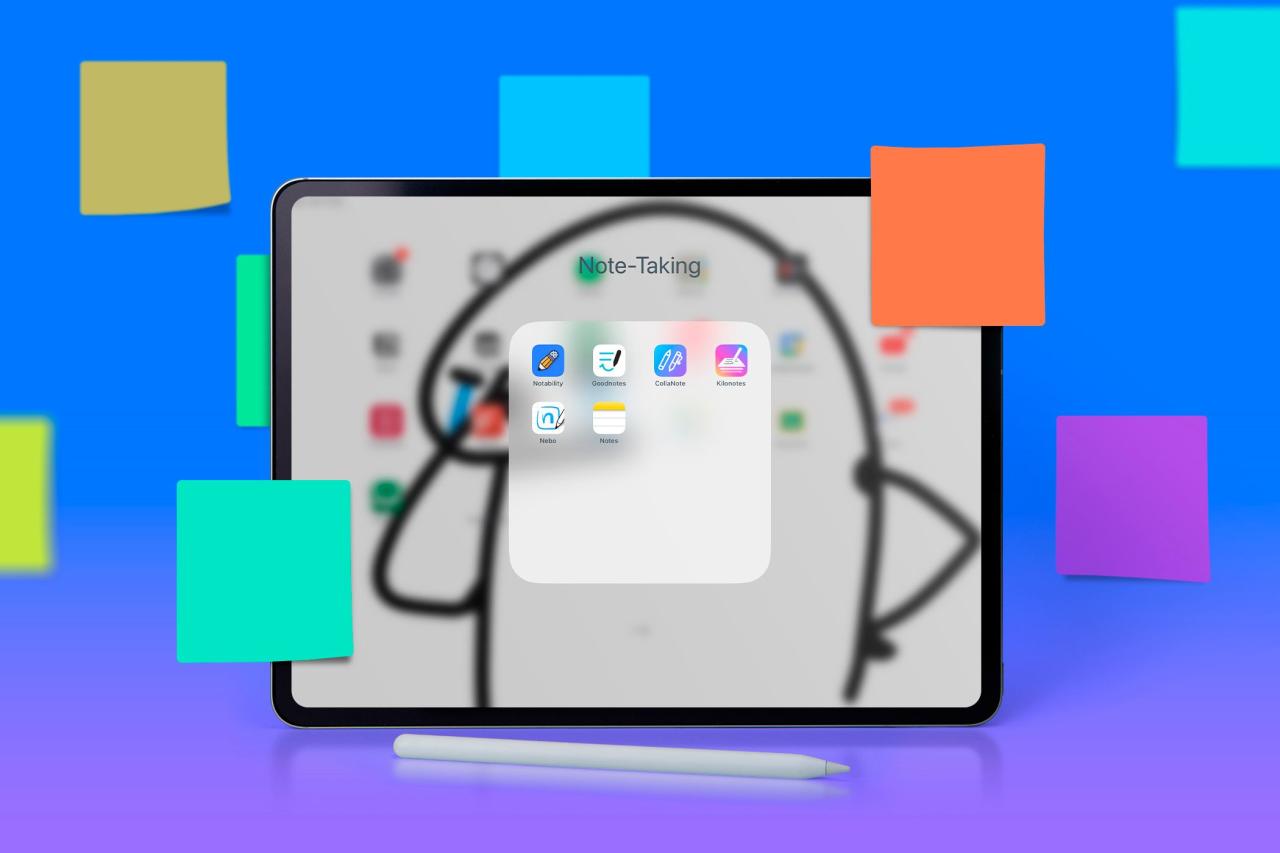
In conclusion, note-taking apps have not only simplified the way we document our thoughts but have also adapted to the evolving landscape of digital communication. As we look forward to future developments, including AI and enhanced security measures, it’s clear that the journey of note-taking technology is far from over. Embracing these tools can lead to improved organization, heightened creativity, and greater collaboration, making it easier than ever to capture and manage our ideas.
Expert Answers
What are note-taking apps?
Note-taking apps are digital tools designed to help users create, organize, and manage notes efficiently, often incorporating features for collaboration and multimedia integration.
Are note-taking apps secure?
Security varies by app, but most provide encryption and user authentication to protect your data. Always check the privacy policy and security features before use.
Can I use note-taking apps offline?
Many note-taking apps offer offline functionality, allowing you to access and edit your notes without an internet connection, though syncing might require internet access later.
Which note-taking app is best for students?
It depends on personal preference, but popular choices among students include Notion, Evernote, and Microsoft OneNote for their organizational features and ease of use.
How do I choose the right note-taking app for me?
Consider your specific needs, such as collaboration features, user interface design, integration with other tools, and whether you prefer a simple or feature-rich experience.