Kanban board tool is transforming the way teams manage their workflows by providing a visual representation of tasks and progress. This method, originating from Lean principles, emphasizes efficiency and continuous improvement, making it a go-to solution for various industries, not just software development. With its simple yet effective structure, teams can easily track their projects, identify bottlenecks, and enhance collaboration.
By breaking down tasks into manageable segments and visualizing the workflow, Kanban boards empower teams to prioritize effectively and adapt to changing demands swiftly. This adaptability is particularly crucial in today’s fast-paced work environment, where clarity and responsiveness can significantly impact project outcomes.
Understanding the Fundamental Principles of Kanban Board Tools
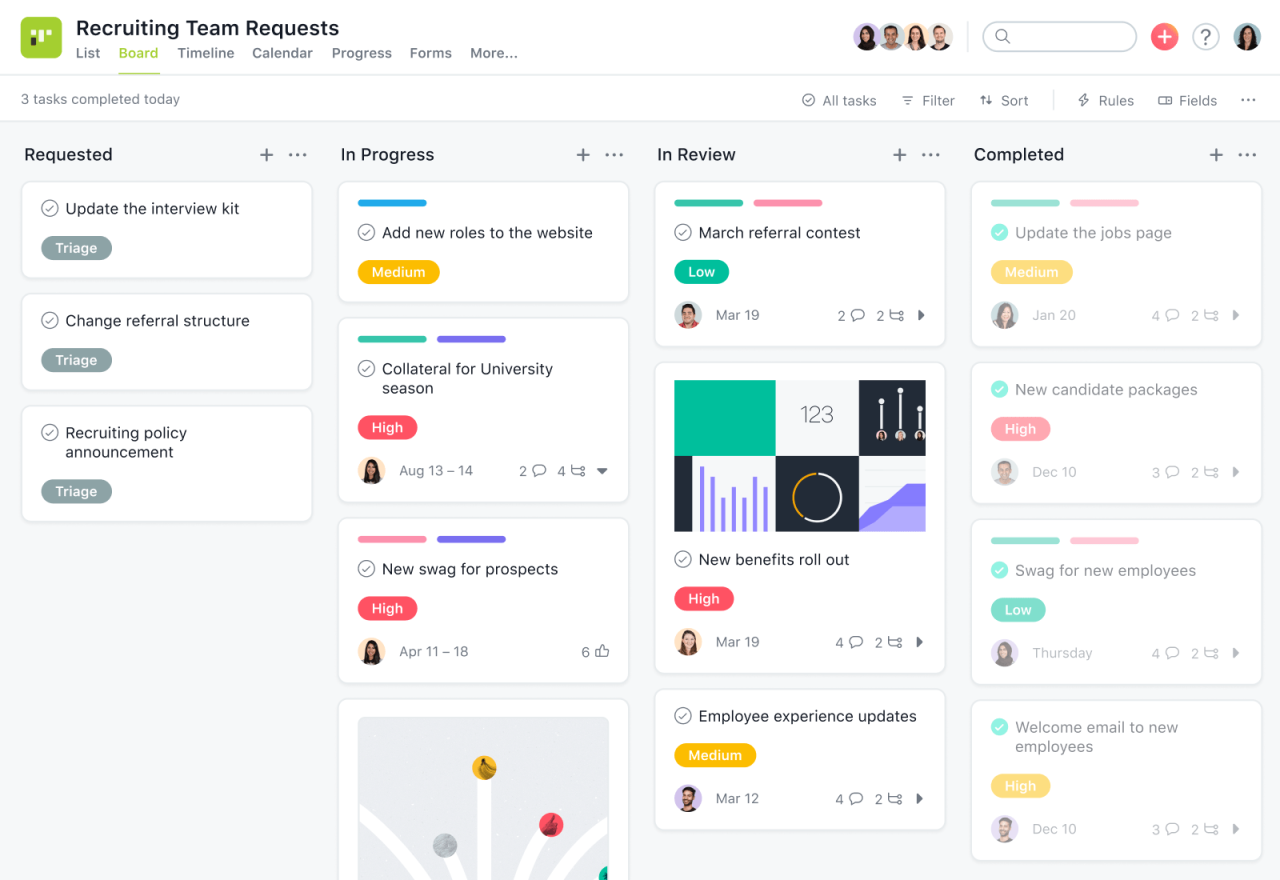
Kanban board tools have emerged as essential components in modern project management, facilitating workflow visualization and efficiency. Rooted in Lean methodology, these tools aim to enhance productivity by minimizing waste and emphasizing continuous improvement. The significance of Kanban board tools lies in their ability to streamline processes, foster collaboration, and provide a transparent view of project statuses, making them invaluable in various industries.
Kanban boards are structured around several key principles and components that support effective workflow management. The primary components include cards, columns, and work-in-progress limits. Each card represents a task or work item, providing essential details like description, assignee, and due date. Columns represent different stages of the workflow, such as “To Do,” “In Progress,” and “Done.” This clear visual layout enables teams to track progress and identify bottlenecks efficiently. Work-in-progress limits help maintain focus by capping the number of tasks in any given column, ensuring that teams do not become overwhelmed and can maintain a steady pace of work.
Application of Kanban Principles Across Industries
The versatility of Kanban principles allows for their application beyond software development. Many industries have embraced these tools to optimize their operations. For instance, in manufacturing, Kanban boards can effectively manage inventory and production schedules. By visualizing production processes, teams can reduce waste, improve efficiency, and respond quickly to changes in demand.
In healthcare, Kanban boards can streamline patient care workflows. Hospitals often use boards to track patient admissions, treatments, and discharges, ensuring timely and efficient care delivery.
Retail businesses utilize Kanban for inventory management, coordinating stock levels to align with sales trends. This approach helps maintain optimal inventory without overstocking, striking a balance that enhances profitability.
“Kanban is not just a tool; it’s a philosophy that promotes visual management and real-time communication.”
In education, educators use Kanban boards to organize lesson plans, track student assignments, and improve collaboration among teaching staff. By employing Kanban principles, these diverse sectors can significantly enhance their workflow management, resulting in improved outcomes and efficiency.
The Key Features of Effective Kanban Board Tools
Effective Kanban board tools are essential for streamlining workflows, enhancing team collaboration, and improving project visibility. They serve as a visual representation of work, allowing teams to manage tasks efficiently and adapt to changes swiftly. A good Kanban board tool not only helps track progress but also fosters communication among team members, ultimately driving productivity and achieving project goals.
One of the most critical aspects of an effective Kanban board tool is its ability to provide visual cues that enhance understanding and collaboration. Visual cues simplify complex information, making it easier for team members to quickly assess the status of tasks and projects. By using color-coded cards, labels, and swimlanes, teams can swiftly identify task priorities, bottlenecks, and deadlines. For instance, a card representing a high-priority task can be marked in red, while lower-priority tasks might be in green. Such visual differentiation promotes clearer communication within the team and reduces misunderstandings about project status.
Comparison of Features Offered by Leading Kanban Board Tools
When selecting a Kanban board tool, it is essential to consider the features offered by various platforms. Below is a comparative overview of some leading Kanban tools in the market, highlighting their key functionalities.
- Trello: Known for its user-friendly interface, Trello provides customizable boards, lists, and cards. It allows integrations with various apps, making it versatile for different workflows.
- Jira: Ideal for software development teams, Jira offers advanced reporting features, backlog prioritization, and robust integration with other development tools, enabling detailed project tracking.
- Asana: Asana combines Kanban boards with additional project management features, such as timelines and calendars, which help teams to visualize deadlines and task dependencies effectively.
- Monday.com: This platform is highly customizable, allowing users to create boards tailored to their specific needs. It includes features for time tracking, automation, and collaboration.
- ClickUp: ClickUp stands out with its all-in-one approach, offering not just Kanban boards but also Gantt charts, time tracking, and goal setting, assisting teams in managing multiple aspects of their projects.
“Visual cues enhance understanding and collaboration, allowing teams to quickly assess project status and foster clearer communication.”
Benefits of Implementing a Kanban Board Tool in Team Environments
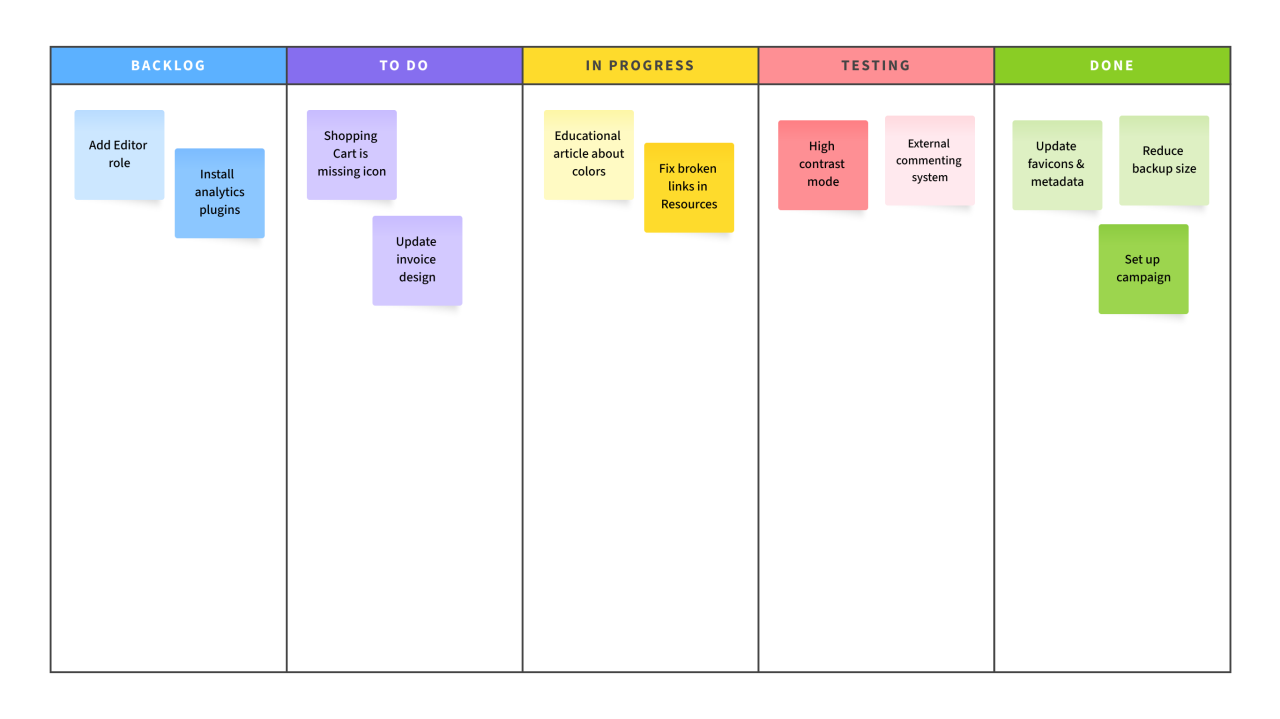
Adopting a Kanban board tool in team environments can revolutionize the way organizations manage their workflows and enhance overall productivity. By visualizing tasks and workflows, teams can streamline their processes and foster a culture of collaboration and efficiency. The following discussion explores the significant advantages that come with the implementation of Kanban board tools.
Enhanced Transparency and Visibility
One of the primary benefits of utilizing Kanban board tools is the increase in transparency across the team. By displaying all tasks in a visual format, team members can easily track the status of projects and individual responsibilities. This heightened visibility fosters a culture of openness and allows for better resource allocation.
- All team members can see what others are working on, which minimizes the risk of duplicated efforts.
- Project stakeholders can gain real-time insights into progress without requiring constant updates, making it easier to manage expectations.
- It encourages team accountability as everyone is aware of their contributions and deadlines.
Improved Communication and Collaboration
Kanban boards encourage better communication among team members, leading to enhanced collaboration. Conversations can be centered around specific tasks or projects displayed on the board, making discussions more focused and productive.
- Regular stand-up meetings can be held around the board, prompting quick updates and feedback that are crucial for maintaining momentum.
- Team members can tag each other in comments related to specific tasks, which promotes immediate interaction and helps to resolve issues swiftly.
- Visual cues on the board, such as color-coded tasks, can indicate priorities and help teams adjust their efforts accordingly.
Case Studies Demonstrating Success with Kanban Tools
Numerous organizations have reaped the benefits of implementing Kanban tools. For instance, a software development company was able to reduce its delivery time by 30% after adopting a Kanban board system. By streamlining their workflow, they could identify bottlenecks and optimize their processes effectively.
Another case involved a marketing team that improved its project turnaround time by 25%. With the Kanban board, they could visualize ongoing campaigns, prioritize tasks, and adjust resources as needed. This flexibility allowed them to respond promptly to market changes and client demands.
“Kanban boards not only enhance workflow visibility but also empower teams to take ownership of their tasks, leading to higher levels of engagement and productivity.”
Common Challenges When Using Kanban Board Tools and How to Overcome Them
Integrating Kanban board tools into team workflows can be a double-edged sword. While these tools foster transparency and efficiency, they also present unique challenges that can hinder their successful adoption. Understanding these obstacles is crucial for teams looking to harness the full potential of Kanban methodologies.
When teams first implement Kanban board tools, they often encounter issues such as resistance to change, insufficient training, and unclear roles and responsibilities. Resistance to change is a common hurdle, as team members may be accustomed to their existing workflows and skeptical about the benefits of Kanban. Additionally, without proper training, team members might struggle to utilize the tool effectively, leading to frustration and decreased productivity. Moreover, if roles and responsibilities aren’t clearly defined, teams can experience confusion over task ownership, which may result in missed deadlines and accountability issues.
Strategies to Address Challenges
To mitigate these challenges, teams can adopt several effective strategies that create a smoother integration process. First, fostering a culture of openness and collaboration is essential. Encourage team members to express their concerns and suggestions regarding the Kanban tool, creating a sense of ownership over the new system. Providing comprehensive training sessions is equally important, ensuring that all team members are equipped to use the tool effectively.
In addition to these approaches, defining roles and responsibilities explicitly can significantly improve clarity. This can be achieved by creating a RACI matrix (Responsible, Accountable, Consulted, Informed) that Artikels who is responsible for each task on the Kanban board. This not only clarifies expectations but also fosters accountability among team members.
“Embracing Kanban transformed our workflow, but we had to navigate initial resistance. Open discussions helped us adapt quickly.”
A real-life example comes from a software development team that struggled with Kanban board implementation. Initially, the team faced pushback from members resistant to abandoning their old tools. By facilitating a workshop that showcased the flexibility of the Kanban approach and its benefits, the team turned skeptics into advocates. Over time, their commitment to using the tool resulted in improved project visibility and faster turnaround times. The key takeaway from their experience was that addressing concerns head-on and providing ample training made a significant difference in their successful transition to Kanban.
Customizing Kanban Board Tools to Fit Specific Team Needs
Customizing Kanban boards can significantly enhance a team’s productivity by aligning the tool with their specific workflows and processes. Each team operates uniquely, which is why tailoring a Kanban board to reflect those distinctive elements can lead to improved efficiency and clearer communication. A well-configured board can help teams visualize their tasks better, ensuring that every member understands both their responsibilities and the project’s overall status.
To effectively customize Kanban boards, teams should consider the various elements that represent their workflows, such as columns, cards, and labels. By adjusting these elements, teams can create a visual system that accurately reflects their processes, deadlines, and priorities. For example, a marketing team may want to divide their board into stages like “Content Creation,” “Review,” and “Publishing,” while an engineering team might prefer categories such as “Backlog,” “In Progress,” and “Testing.” This flexibility empowers teams to monitor their progress efficiently and make adjustments as needed.
Role of Automation and Integrations
Automation and integrations play a crucial role in enhancing the functionality of customized Kanban boards. By automating repetitive tasks, teams can focus on the work that truly matters, reducing the potential for human error and saving valuable time. Integrations with tools like Slack, Google Drive, or GitHub can streamline workflows by enabling teams to receive updates, share files, and collaborate directly from their Kanban boards.
Automating notifications about task updates or deadlines can keep everyone informed in real-time, minimizing misunderstandings and ensuring accountability. For instance, when a task moves from “In Progress” to “Done,” an automated message can be sent to the team to celebrate the achievement and keep morale high.
To ensure a successful customization process, here are some best practices that teams should follow:
- Identify the specific needs and workflows of the team before making changes.
- Utilize color-coding for tasks based on priority or team members to enhance visibility.
- Regularly review and update the board structure to adapt to evolving project requirements.
- Incorporate metrics and analytics to measure team performance over time.
- Gather feedback from team members to continuously improve the board’s usability.
The Role of Analytics in Enhancing Kanban Board Tool Effectiveness
In the realm of project management, integrating analytics into Kanban board tools can significantly elevate their effectiveness. By harnessing data-driven insights, teams can not only track their workflow more accurately but also adapt their strategies to optimize performance. Analytics empowers teams to visualize their processes, identify bottlenecks, and make informed decisions that enhance overall efficiency.
Critical Metrics for Measuring Performance
To effectively assess project progress and efficiency, teams should focus on several key metrics that provide a comprehensive overview of their workflows. Understanding these metrics allows teams to pinpoint areas that require improvement and streamline their processes accordingly.
- Lead Time: This measures the total time taken from the moment a task is initiated until it is completed. By analyzing lead time, teams can identify delays and optimize their workflow.
- Cycle Time: This metric reflects the time taken to complete a specific task once it begins. Monitoring cycle time helps in understanding the efficiency of the team’s performance on individual tasks.
- Throughput: Throughput is the number of tasks completed in a specific timeframe. This metric helps teams assess their productivity and make necessary adjustments to workload capacity.
- WIP (Work in Progress): Understanding the amount of work currently underway allows teams to avoid overloading their resources and helps in balancing workloads effectively.
- Blockers: Tracking the number and duration of blockers affecting tasks can highlight persistent issues and help teams develop strategies to address them.
By utilizing these metrics, teams can gather actionable insights that facilitate continuous improvement. For instance, if a team notices a consistent increase in lead time, they can investigate the causes, whether they be resource allocation or unexpected dependencies.
“Data-driven decisions lead to smarter strategies and enhanced team performance.”
Moreover, teams can create visual dashboards that consolidate these metrics, making it simpler to monitor progress in real time. This proactive approach allows teams to adjust their processes based on data trends rather than reactive measures, fostering a culture of continuous improvement. As teams enhance their Kanban tool effectiveness through analytics, they not only streamline their workflows but also boost overall productivity and satisfaction within the team.
Future Trends in Kanban Board Tools and Their Impact on Project Management
The landscape of project management is continuously evolving, and Kanban board tools are at the forefront of this transformation. With the advent of new technologies and methodologies, the future of these tools promises to enhance efficiency and adaptability in various sectors. As organizations increasingly adopt agile practices, it’s vital to explore the potential developments in Kanban tools and their expected impact on project management.
Emerging technologies and methodologies are set to reshape Kanban board tools significantly. One notable trend is the integration of Artificial Intelligence (AI) and machine learning into Kanban systems. These technologies can analyze historical project data, predict bottlenecks, and recommend optimal task prioritization. By leveraging AI, teams can improve decision-making processes and enhance overall project flow. Furthermore, the rise of remote work has led to the development of more sophisticated digital Kanban boards, allowing seamless collaboration across geographies.
Integration of AI and Automation
The incorporation of AI and automation into Kanban tools is pivotal for future project management practices. These advancements will streamline workflows and enhance task management. Key areas where AI could influence Kanban tools include:
- Predictive Analytics: Future Kanban tools may offer predictive capabilities, helping teams forecast completion times and potential delays by analyzing patterns from previous projects.
- Automation of Repetitive Tasks: Routine tasks, such as updating task statuses or notifying team members, can be automated, allowing teams to focus on higher-value activities.
- Enhanced Reporting: Real-time analytics dashboards powered by AI can provide insights into team performance, resource allocation, and project health.
- Smart Recommendations: AI can suggest task assignments based on team members’ strengths and past performance, leading to improved productivity.
The implications of these trends are profound. As Kanban board tools become more intelligent and automated, project managers will experience enhanced efficiency and engagement among team members. In sectors like software development, healthcare, and manufacturing, this evolution can lead to quicker project turnarounds and better resource management.
In summary, the future of Kanban board tools is bright, with AI and automation poised to redefine project management. Organizations that embrace these innovations will likely see improved project outcomes and stronger team dynamics.
End of Discussion
In summary, the Kanban board tool is not just a project management tool; it’s a strategic asset that fosters transparency and boosts team productivity. By embracing this flexible approach, organizations can achieve remarkable improvements in their workflow efficiency and collaboration. As teams continue to evolve their practices, the Kanban board will remain a vital component in their toolkit, driving success across various sectors.
FAQ Section
What is a Kanban board tool?
A Kanban board tool is a visual project management tool that helps teams visualize their workflow and manage tasks efficiently.
Who can benefit from using a Kanban board tool?
Any team or organization looking to improve workflow management, enhance collaboration, and increase transparency can benefit from using a Kanban board tool.
Can Kanban board tools be integrated with other software?
Yes, many Kanban board tools offer integrations with other software platforms, enhancing their functionality and allowing for seamless workflow management.
Is training required to use Kanban board tools?
While training can enhance understanding and usage, most Kanban board tools are user-friendly and can be quickly learned through exploration.
Can remote teams use Kanban board tools effectively?
Absolutely! Kanban board tools are designed to facilitate collaboration, making them ideal for remote teams to track and manage their projects effectively.