Digital notebook stands at the intersection of technology and creativity, transforming the way we capture thoughts and ideas. This evolution from traditional paper to digital formats has not only changed our writing habits but also enhanced productivity across various fields, making note-taking more efficient and accessible.
As we delve deeper, we will explore the remarkable advancements that have shaped modern digital notebooks, the essential features they offer, their impact on productivity, and how they seamlessly integrate into our daily lives. The journey of digital notebooks reflects a significant shift in how we think, collaborate, and learn.
The Evolution of Digital Notebooks
Digital notebooks have transformed the way individuals record, organize, and access their thoughts since their inception. Initially rooted in basic text editors and early computer applications, the concept of digital note-taking has evolved significantly over the decades, influenced by technological advancements and changing user needs. This evolution reflects a broader shift towards digitalization in many aspects of daily life, leading to the sophisticated tools we utilize today.
The development of digital notebooks has paralleled the advancements in technology, particularly regarding computing power and user interface design. Early digital note-taking systems were often limited to simple text, providing little more than a digital version of traditional paper notebooks. However, the introduction of graphical user interfaces in the 1980s, along with the proliferation of personal computing, marked a pivotal shift. Users began to favor more visually engaging and interactive platforms. Key advancements like stylus input and touchscreens further enhanced usability, allowing for more intuitive note-taking experiences.
Technological Advancements in Digital Notebooks
Several technological innovations have significantly shaped the design and capabilities of digital notebooks. These advancements have not only enhanced user experience but also expanded the potential uses of digital note-taking applications.
- Cloud Computing: The rise of cloud technology has enabled seamless access to notes from any device, ensuring that users can retrieve their information regardless of location. This has greatly improved collaboration, allowing multiple users to work on shared documents in real-time.
- Synchronization Across Devices: With the advent of smartphones, tablets, and laptops, digital notebooks can now sync across multiple devices. This ensures that users have their notes updated and accessible, leading to greater flexibility in how and when they take notes.
- Rich Media Integration: Modern digital notebooks support various content types, including audio recordings, images, and even video. This multimedia capability enhances the way users can capture and convey information, catering to different learning styles.
- Smart Search Functions: Advanced algorithms and machine learning have enabled sophisticated search features, allowing users to find specific notes or pieces of information quickly. This functionality has become essential for users who manage large volumes of notes.
- Handwriting Recognition: The integration of handwriting recognition technology allows users to write notes by hand, which can then be converted into typed text. This feature blends the tactile experience of writing with the organizational capabilities of digital notes.
The rise of mobile devices has been a game-changer for digital note-taking. With smartphones and tablets becoming ubiquitous, users can now take notes on-the-go, enhancing productivity and learning opportunities in various environments. The convenience of having a digital notebook in one’s pocket has led to an increase in spontaneous note-taking, capturing ideas as they arise. Furthermore, mobile devices often come equipped with apps that leverage features such as location services and reminders, allowing for contextual note-taking that can enhance the relevance and utility of information captured.
“Digital notebooks have evolved into multifaceted tools, blending creativity and efficiency in note-taking.”
Features that Define Modern Digital Notebooks
As the world increasingly shifts to digital platforms, modern digital notebooks have evolved to become essential tools for organization, creativity, and productivity. These applications not only replace traditional paper notebooks but also enhance functionality in ways that cater to a variety of users, from students to professionals. The essential features of contemporary digital notebooks go beyond simple note-taking; they incorporate advanced technologies that improve the overall user experience.
One of the standout aspects of modern digital notebooks is their ability to integrate various multimedia elements, which allows users to create richer, more engaging notes. Furthermore, seamless synchronization across devices ensures that notes are accessible whenever and wherever needed. Below, we explore the key features that define these tools and compare the functionalities of popular digital notebook applications.
Key Features of Digital Notebooks
Considering the diverse needs of users, several features have become fundamental in defining a quality digital notebook. Below are essential characteristics that users should look for:
- Cross-Platform Compatibility: The ability to sync and access your notes across multiple devices, such as smartphones, tablets, and computers, is essential. This ensures that notes are always available at your fingertips.
- Text Recognition and Handwriting Support: Advanced digital notebooks often feature OCR (Optical Character Recognition) technology, allowing handwritten notes to be converted into editable text, making information retrieval easier.
- Collaboration Tools: Features that enable multiple users to view, edit, and comment on notes in real-time foster a collaborative environment, especially useful for team projects and shared study sessions.
- Rich Media Integration: The ability to include images, audio recordings, and videos enhances the learning experience, allowing for more dynamic and interactive note-taking.
- Organizational Features: Tagging, categorization, and searching capabilities help users keep their notes structured and easy to navigate.
Comparison of Popular Digital Notebook Applications
Understanding the functionalities of different digital notebook applications can assist users in selecting the best fit for their needs. Below is an overview of some leading options in the market, highlighting their distinctive features.
- Evernote: Known for its powerful organizational features, Evernote allows users to create notebooks, tags, and reminders. It supports various media types but is often criticized for its pricing structure.
- Microsoft OneNote: This application provides seamless integration with other Microsoft Office applications, making it ideal for users already in that ecosystem. Its collaborative features are robust, allowing teams to work together efficiently.
- Notion: Notion stands out for its highly customizable interface, allowing users to create databases, kanban boards, and calendars alongside traditional notes. It has gained popularity for project management as well.
- Google Keep: A simple and intuitive interface makes Google Keep a favorite for quick note-taking. While it lacks some advanced features, its integration with Google services is a significant advantage.
User-Friendly Elements Enhancing Experience
User experience is paramount when choosing a digital notebook, and various elements contribute to a more enjoyable and productive interaction. The following features enhance usability and efficiency:
- Intuitive Interface: A clean, user-friendly layout helps users navigate the application with ease, reducing the learning curve.
- Customization Options: The ability to customize themes, fonts, and layouts allows users to create a personalized workspace that suits their style and preferences.
- Quick Access Shortcuts: Keyboard shortcuts and gesture controls streamline actions, making note-taking faster and more efficient.
- Cloud Storage and Backup: Automatic syncing to cloud storage ensures that notes are safely backed up and easily recoverable in case of device failure.
- Offline Access: The ability to access notes without an internet connection is crucial for users on the go, allowing for uninterrupted productivity.
“The best digital notebook is one that adapts to your workflow, not the other way around.”
The Impact of Digital Notebooks on Productivity
Digital notebooks have revolutionized the way students and professionals manage their information and tasks. By providing a versatile digital platform for note-taking, these tools enhance productivity through various functionalities that simplify organization, streamline processes, and foster collaboration. The efficient management of notes can lead to significant improvements in focus and workflow.
Digital notebooks contribute to improved productivity in several key ways. They allow users to easily capture ideas, organize thoughts, and access information from anywhere. This portability means that whether one is in a classroom, a meeting, or working remotely, information is always at their fingertips. Tasks that were once cumbersome, such as searching through piles of paper notes or coordinating teamwork, are now simplified, enabling users to focus on what truly matters.
Specific Tasks Enhanced by Digital Notebooks
Digital notebooks make numerous tasks more efficient and manageable. Below are some examples of specific functions that illustrate their impact on productivity:
- Note Organization: Digital notebooks often come with tagging and categorization features that allow users to organize notes by subject or project, making retrieval straightforward.
- Search Functionality: With powerful search options, users can quickly find relevant information instead of sifting through physical pages or scattered digital files.
- Collaboration Tools: Many digital notebooks include sharing options that facilitate real-time collaboration, allowing multiple users to contribute to notes, which is especially beneficial for group projects.
- Multimedia Integration: Users can easily combine text, images, audio, and video in their notes, providing a richer learning experience and accommodating various learning styles.
- Automated Backups: Cloud storage solutions ensure that notes are automatically saved and accessible across devices, reducing the risk of loss and providing peace of mind.
Organizational Skills Linked to Digital Notebook Use
The relationship between organizational skills and digital notebook usage is significant. Effective use of digital notebooks can enhance one’s ability to stay organized, which directly correlates with improved productivity. Here are some factors that illustrate this connection:
- Structured Information: Digital notebooks promote a structured approach to information capture, encouraging users to maintain clarity and coherence in their note-taking.
- Task Management: Features such as to-do lists and deadline reminders integrated within digital notebooks help users prioritize tasks and manage their time effectively.
- Visual Organization: Many digital notebooks offer visual tools like mind maps and flowcharts that help users visualize relationships between concepts, aiding in better understanding and retention.
- Customization Options: Users can personalize their notebooks to suit their workflow, adapting layouts and templates that enhance their organizational methods.
“Digital notebooks empower users to create a personalized system of organization that enhances their productivity and creativity.”
Integrating Digital Notebooks into Daily Life
In today’s fast-paced world, digital notebooks have emerged as essential tools for enhancing productivity and organization. They blend seamlessly into our daily routines, allowing us to capture thoughts, manage tasks, and preserve information efficiently. By understanding how to effectively incorporate them into our lives, we can harness their full potential.
Integrating digital notebooks into daily life involves creating consistent habits and utilizing technology to your advantage. One of the most effective strategies is to establish a designated time each day for reviewing and updating your notes. This not only reinforces the habit but also ensures that crucial information is readily available at your fingertips. Moreover, syncing your digital notebooks across multiple devices offers unparalleled convenience, as you can access your notes wherever you are, whether you’re on your laptop, tablet, or smartphone.
Strategies for Daily Integration
Creating a structured approach to utilizing digital notebooks can significantly enhance productivity. Here are some strategies for effective integration into everyday routines:
- Set Daily Reminders: Schedule reminders to check your digital notebook at specific times each day, ensuring you stay on top of your tasks and notes.
- Use Templates: Create or use pre-made templates for meeting notes, project planning, or daily journals to streamline the note-taking process.
- Incorporate Voice Memos: Use voice-to-text features to quickly capture thoughts on the go, allowing for spontaneity and ease without losing ideas.
- Prioritize Tasks: Utilize the checklist feature to prioritize daily tasks, helping you stay focused on what needs to be accomplished.
Benefits of Device Syncing
Syncing your digital notebook across multiple devices is a game-changer for maintaining continuity in your workflow. The benefits of this feature include:
- Accessibility: Access your notes from any device, whether you’re at home, at work, or on the move, preventing the risk of forgetting important information.
- Real-time Collaboration: Work collaboratively with team members or friends by sharing notes and updates instantly, making group projects more efficient.
- Backup and Recovery: Protect your data from loss due to device failure by keeping everything stored in the cloud, allowing easy recovery when needed.
- Cross-Platform Flexibility: Use different devices tailored to specific tasks; for instance, tablets for reading and laptops for writing, enhancing the way you interact with your content.
Maintaining Organization
Maintaining a well-organized digital notebook system is crucial for maximizing its effectiveness. Here are tips to help keep your notes structured and accessible:
- Establish a Naming Convention: Use clear and consistent naming for your notes and sections, making it easier to search and locate information quickly.
- Color Coding: Assign different colors to various categories of notes, allowing for a visual organization that aids in quicker identification.
- Regular Cleanup: Periodically review and archive or delete outdated notes to prevent clutter and keep your workspace focused.
- Utilize Tags: Implement tagging systems for easy sorting and retrieval of related notes, helping to streamline your search process.
“A digital notebook is not just a tool; it’s a gateway to enhanced productivity and creativity.”
The Role of Collaboration in Digital Note-Taking
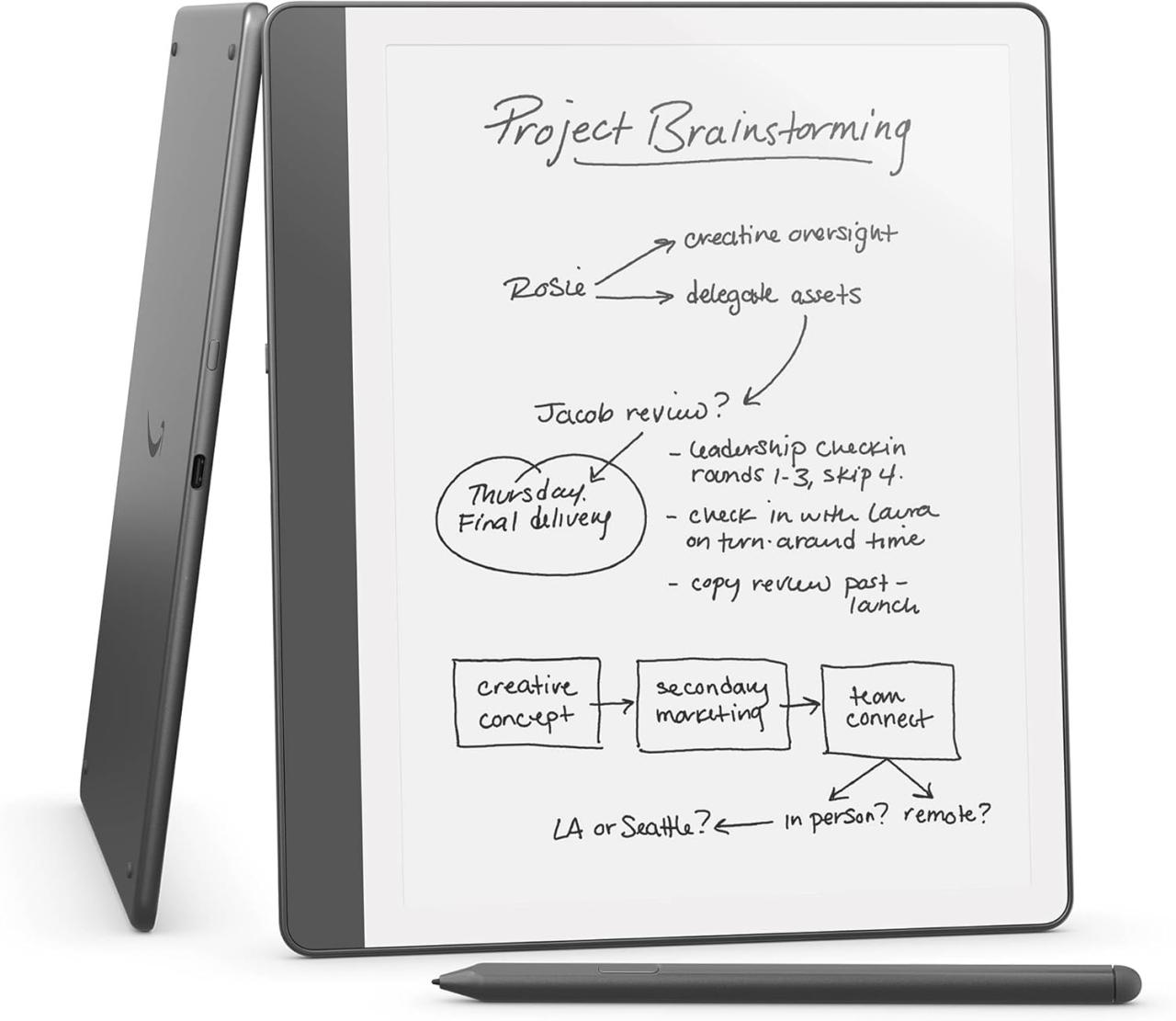
Digital note-taking has transformed the way individuals and teams collaborate on projects. With the advent of digital notebooks, collaboration has become seamless, allowing multiple users to contribute, edit, and share notes in real-time. This shift not only enhances productivity but also fosters a more interactive learning environment, particularly in educational settings.
Facilitation of Collaborative Projects
Digital notebooks offer robust features specifically designed to enhance collaboration among team members. These tools streamline communication and ensure everyone is on the same page. Key features that support this include:
- Real-time Editing: Multiple users can edit notes simultaneously, enabling instant updates and reducing the chances of miscommunication.
- Commenting and Feedback: Team members can leave comments on specific sections of notes, allowing for a continuous flow of ideas and constructive feedback.
- Version History: Users can track changes made to notes, which helps to maintain accountability and allows team members to revert to previous versions if necessary.
- File Sharing: Digital notebooks typically allow for the integration of other documents and multimedia, facilitating a richer collaborative environment.
Advantages in Educational Settings
In educational contexts, digital notebooks play a pivotal role in fostering group learning. The shared space encourages interaction and collaboration among students, which enhances the learning experience. Notable advantages include:
- Enhanced Engagement: Students are more likely to participate actively when they can collaborate in real-time, sharing their thoughts and ideas simultaneously.
- Accessibility: Digital notebooks can be accessed from various devices, allowing students to engage with their peers’ notes anytime and anywhere, promoting continuous learning.
- Diverse Learning Styles: The ability to incorporate different media types—text, images, and audio—caters to various learning preferences, making the learning process more inclusive.
- Project Management: The organizational features of digital notebooks assist students in managing collaborative projects effectively, ensuring task assignment and deadlines are clear.
Digital notebooks have revolutionized group learning by providing tools that promote collaborative engagement, leading to more dynamic and effective educational experiences.
Customization Options for Digital Notebook Users
Digital notebooks offer a plethora of customization options that enable users to tailor their note-taking experience to their unique preferences and needs. From altering the layout to choosing specific colors and fonts, these features significantly enhance the usability and enjoyment of digital note-taking. The ability to personalize one’s workspace often leads to improved productivity and a more engaging experience.
Customization options in digital notebooks can range from aesthetic changes to functional enhancements. Users can select various themes, including light and dark modes, adjust fonts, and incorporate different color schemes. Moreover, many platforms provide the ability to create and save personalized templates, which can streamline the note-taking process for specific subjects or styles.
Templates Versus Blank Pages in Digital Note-Taking
Choosing between templates and blank pages is a significant decision for users of digital notebooks, as each option has its own set of advantages. Templates offer structured frameworks that can help guide the user in organizing their thoughts, which is especially useful for complex subjects or projects. On the other hand, blank pages provide complete freedom, allowing for creativity and spontaneity in note-taking.
Templates can include various designs such as:
- Lecture notes with designated sections for key points, summaries, and questions.
- Project planners that feature timelines, to-do lists, and goal-setting areas.
- Mind maps that visually organize ideas and relationships between concepts.
These structured options can be beneficial for students or professionals aiming to maintain clarity and organization. However, some users may find them restrictive, preferring the flexibility that blank pages offer to doodle, sketch, and brainstorm without limitations.
Customization plays a crucial role in user engagement and satisfaction. According to studies, personalized experiences can lead to higher levels of enjoyment and efficiency. When users feel that their digital notebook reflects their personality and meets their specific needs, they are more likely to engage consistently. A user who can alter their interface to suit their style may find themselves more motivated to utilize the notebook regularly.
“The more personalized the note-taking experience, the greater the likelihood of sustained usage and satisfaction.”
In summary, the choice between using templates or blank pages hinges on individual preferences and needs. The right balance of customization, whether through structured templates or the freedom of blank pages, can greatly influence a user’s overall experience and productivity in a digital notebook.
The Future of Digital Notebooks in Education
As digital notebooks continue to evolve, their integration into educational environments presents a wealth of opportunities for innovation. The future of these tools is set to be shaped by advancements in technology, particularly in areas like artificial intelligence, virtual reality, and augmented reality, which promise to enhance user experience and learning outcomes.
Innovations in digital notebook technology could lead to significant changes in how students and educators interact with their learning materials. For instance, the integration of machine learning algorithms may allow digital notebooks to adapt to individual learning preferences, providing personalized study resources and recommending content based on past performance. This kind of adaptability could be particularly beneficial in resource-limited environments, where tailored educational support is essential.
Impact of Virtual and Augmented Reality
The implications of virtual and augmented reality on digital note-taking are profound, offering immersive experiences that could transform traditional learning methods. By incorporating VR and AR, digital notebooks can create interactive environments where students can visualize complex concepts, such as historical events or scientific processes, in a 3D space.
For example:
– Interactive Learning Environments: Students could engage with holographic displays of historical figures or scientific phenomena, allowing them to take notes in real-time while exploring these dynamic visuals. This hands-on experience not only enhances understanding but also retention of information.
– Collaborative Virtual Classrooms: Virtual reality can facilitate collaboration among students in different locations, enabling them to share notes and ideas in a simulated classroom setting. This could foster a global exchange of knowledge, breaking down geographical barriers.
Innovative features that may emerge from these technologies could include:
– Gesture-Based Note-Taking: Utilizing augmented reality, learners could use hand gestures to organize and manipulate their notes, making the process more intuitive and engaging.
– Real-Time Collaboration Tools: Integrating AR elements into digital notebooks could allow multiple users to interact on the same digital page simultaneously, enhancing teamwork and brainstorming sessions.
Adaptability to Diverse Learning Styles
Digital notebooks of the future are likely to evolve to cater to diverse learning styles, ensuring that every student can engage in a manner that suits them best. By integrating various multimedia elements, these notebooks can accommodate auditory, visual, and kinesthetic learners.
Key advancements may include:
– Multimedia Integration: The ability to seamlessly embed videos, podcasts, and animations within notes can provide additional context, making it easier for learners to grasp difficult concepts. For instance, a science student could watch a video demonstration while taking notes, reinforcing their understanding through multiple channels.
– AI-Powered Learning Assistants: Future digital notebooks may come equipped with AI-driven tools that assist students in summarizing lectures, generating quizzes based on their notes, or even suggesting study techniques tailored to their learning preferences.
By embracing these innovations, digital notebooks are well-positioned to enhance educational experiences, making learning more engaging and effective for a diverse range of students.
Security and Privacy Considerations in Digital Note-Taking
As digital note-taking becomes increasingly popular, understanding the security and privacy implications is crucial. Many people store sensitive information in their digital notebooks, making it essential to address potential vulnerabilities and implement measures for protection. This discussion will explore common security risks associated with using digital notebooks and provide actionable recommendations for safeguarding sensitive information.
Common Security Risks in Digital Note-Taking
Digital notebooks are susceptible to various security threats that can compromise user data. Recognizing these risks is the first step in implementing effective security measures. Some of the most prevalent risks include:
- Unauthorized Access: Without proper authentication, anyone with access to a device can view notes, leading to potential data breaches.
- Data Loss: Digital notebooks are reliant on cloud storage or device memory, making them vulnerable to data loss from hardware failure or accidental deletion.
- Malware and Phishing Attacks: Cybercriminals often use malware or phishing techniques to gain access to user accounts and steal information.
- Weak Passwords: Many users fail to implement strong, unique passwords, making it easier for attackers to compromise accounts.
Recommendations for Protecting Sensitive Information
To mitigate the risks associated with digital note-taking, users should adopt several best practices. Implementing these recommendations helps ensure that sensitive information remains secure:
- Use Strong Authentication: Enable multi-factor authentication (MFA) on accounts tied to digital notebooks to add an extra layer of security.
- Regularly Update Software: Keeping the note-taking app and devices updated protects against vulnerabilities that can be exploited by attackers.
- Secure Sharing Options: When sharing notes, use secure links or encrypted files, and ensure that recipients have appropriate access rights.
- Educate Yourself on Phishing: Be aware of phishing tactics and avoid clicking on suspicious links or downloading unknown attachments.
Role of Encryption and Data Backup
Encryption and data backup are essential components of a comprehensive security strategy for digital note management. Encrypting notes ensures that even if data is intercepted, it remains unreadable without the proper decryption key. Similarly, regular backups protect against data loss, enabling users to recover their information in case of an incident.
“Encryption turns data into a secure format that can only be read or processed after decryption, ensuring confidentiality and integrity.”
Utilizing built-in encryption features offered by many digital note-taking apps helps safeguard sensitive information. Additionally, users should implement a consistent backup routine, utilizing both cloud services and physical storage options to maintain access to their notes.
By staying informed about potential risks and adopting recommended practices, users can enjoy the benefits of digital note-taking while minimizing vulnerabilities to their sensitive information.
Comparing Traditional Notebooks with Digital Alternatives
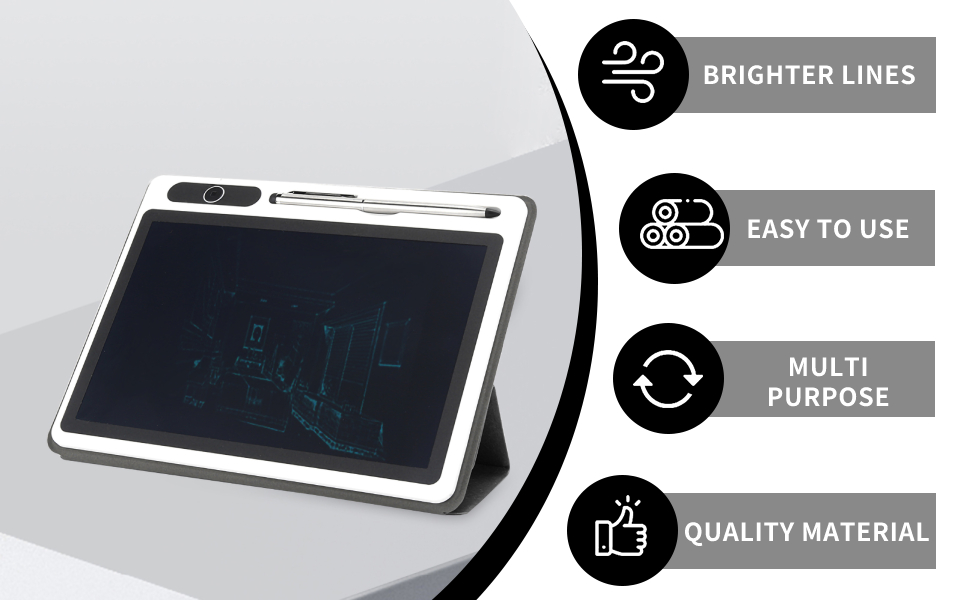
The choice between traditional notebooks and digital notebooks has become a pivotal discussion among students, professionals, and casual note-takers alike. Each format offers unique benefits and drawbacks that cater to different preferences and environments. While traditional notebooks evoke a sense of nostalgia and engagement, digital alternatives provide convenience and versatility.
Advantages and Disadvantages of Each Format
Understanding the strengths and weaknesses of traditional and digital notebooks helps individuals make informed decisions based on their specific needs. Here’s a comparison of both formats:
- Traditional Notebooks:
- Advantages:
- Physical engagement enhances memory retention; writing by hand is often linked to better comprehension.
- No battery dependence allows for uninterrupted note-taking anywhere.
- Disadvantages:
- Limited editing capabilities; mistakes require crossing out or starting over.
- Physical storage can be cumbersome; a collection of notebooks can take up significant space.
- Advantages:
- Digital Notebooks:
- Advantages:
- Convenience of portability, with access to numerous notebooks in one device.
- Features like searchability and cloud storage enhance organization and accessibility.
- Disadvantages:
- The reliance on technology can lead to distractions from notifications and apps.
- Some users may experience decreased memory retention compared to handwriting.
- Advantages:
Sensory Experience of Writing by Hand Versus Typing
The tactile experience of writing by hand differs significantly from typing on a keyboard. When using a traditional notebook, the feel of the paper, the scratch of the pen, and the visual satisfaction of ink on a page create a sensory connection that is often cited as enhancing creativity. In contrast, typing offers a different rhythm; the sound of keys clicking can provide a distinct satisfaction but may lack the emotional engagement found in handwritten notes.
“Writing by hand engages more than just the mind; it connects the hand, the eye, and the brain, leading to deeper cognitive processing.”
User Preferences Across Demographics
Preferences for traditional versus digital notebooks vary significantly across age groups, professions, and lifestyles. Younger individuals, particularly students, tend to gravitate toward digital notebooks due to their tech-savviness and the convenience of having multiple resources on a single device. Conversely, older generations may prefer traditional notebooks for their simplicity and the lack of distractions.
Professionals in creative fields often favor traditional notebooks for brainstorming sessions, where freehand sketches and doodles can facilitate the ideation process. In contrast, those in tech-related professions may rely on digital notebooks to collaborate and share notes seamlessly with colleagues.
“Age and profession play a crucial role in determining whether one leans towards the nostalgic charm of traditional notebooks or the sleek efficiency of digital alternatives.”
Ultimately, the choice between traditional and digital notebooks hinges on individual preferences and specific use cases, and both formats continue to coexist and evolve in the modern world.
Popular Digital Notebook Apps and Their Unique Selling Propositions
Digital notebooks have become essential tools for students, professionals, and anyone looking to streamline their note-taking and information management processes. With a myriad of apps available, each offering unique features tailored to different user needs, it can be overwhelming to choose the right one. This overview highlights some of the most popular digital notebook applications, emphasizing their distinctive characteristics and advantages based on user feedback and pricing models.
Overview of Notable Digital Notebook Applications
Several digital notebook apps have carved niches for themselves in the market, each with its own set of features that appeal to various user demographics. Here’s a look at some of the most notable:
- Evernote: Renowned for its robust organization capabilities, Evernote allows users to create notebooks, tags, and easily search through notes. The web clipper feature enables users to save articles and web pages for later reference, making it a favorite among researchers and students.
- Notion: Combining note-taking with task management, Notion offers a highly customizable workspace that allows users to create databases, calendars, and pages. Its flexibility is particularly appealing to teams looking for collaboration tools.
- Microsoft OneNote: Integrated within the Microsoft ecosystem, OneNote supports multimedia notes, including audio and video recordings. Its freeform canvas and collaborative features make it ideal for group projects and academic settings.
- Google Keep: Focused on simplicity, Google Keep allows users to jot down quick notes and reminders. Its real-time collaboration features and integration with the Google ecosystem make it a convenient choice for users heavily invested in Google services.
- GoodNotes: A favorite among iPad users, GoodNotes specializes in handwritten note-taking, offering a realistic writing experience. Its ability to convert handwritten notes to text adds to its appeal for users who prefer a pen-on-paper feel.
User reviews indicate that while functionality is a critical factor, user experience, layout, and ease of use greatly influence their preferences. Many users appreciate apps that offer intuitive interfaces, seamless syncing across devices, and robust organizational tools.
Comparative Analysis of Pricing Models and Accessibility
Understanding the pricing structures of digital notebook applications is crucial for users trying to find the best fit for their needs. Here’s a summary of how these apps stack up against each other:
| Application | Free Version | Premium Price | Unique Accessibility Features |
|---|---|---|---|
| Evernote | Basic version available with limited features | $7.99/month or $69.99/year | Web clipper, PDF annotation |
| Notion | Free for individual use with limited blocks | $4/month for personal pro | Custom templates, collaborative databases |
| Microsoft OneNote | Completely free | Part of Microsoft 365 subscription starting at $6.99/month | Integration with other Microsoft apps |
| Google Keep | Free with Google account | N/A | Real-time collaboration, voice notes |
| GoodNotes | No free version; trial available | One-time purchase of $7.99 | Handwriting recognition, PDF import |
This comparison illustrates the diversity in pricing and accessibility of digital notebook applications, allowing users to select based on their budget and specific feature requirements. It’s noteworthy that while some apps offer free versions, the premium features often include enhanced functionalities that cater to more specialized needs.
Choosing the right digital notebook app often hinges on personal workflow preferences and the specific tasks at hand, making it essential to evaluate each option carefully.
Last Word
In summary, the digital notebook is more than just a tool; it’s a gateway to enhanced organization, collaboration, and creativity. As we look to the future, the potential of digital notebooks in educational settings and beyond is limitless, promising innovations that will continue to redefine our note-taking experiences.
Popular Questions
What is a digital notebook?
A digital notebook is an application or software that allows users to create, organize, and store notes electronically.
Can I access my digital notebook offline?
Many digital notebook applications offer offline access, allowing users to continue working without an internet connection.
Are digital notebooks secure?
Most digital notebooks implement security measures like encryption and password protection to safeguard user data.
How can I share my notes with others?
Digital notebooks typically have sharing features that allow users to collaborate in real-time or send notes via email or links.
Can I customize my digital notebook?
Yes, many digital notebooks offer customization options such as templates, themes, and layouts to enhance user experience.
What are the advantages of digital notebooks over traditional notebooks?
Digital notebooks provide features like easy organization, searchability, multimedia integration, and accessibility across devices.
How do I choose the right digital notebook app?
Consider factors such as ease of use, features, compatibility with devices, and user reviews when choosing a digital notebook app.