Task list apps have revolutionized the way we manage our daily tasks, helping us stay organized and productive. From their humble beginnings to the sophisticated tools we see today, these applications have evolved significantly, incorporating technological advancements that enhance user experience and functionality.
As we delve into this topic, we’ll explore the essential features that make task list apps effective, how they boost personal productivity, and the emerging trends that could shape their future. With the right insights, you can harness the power of task list apps to streamline your daily activities and maximize efficiency.
The Evolution of Task List Applications Over the Years
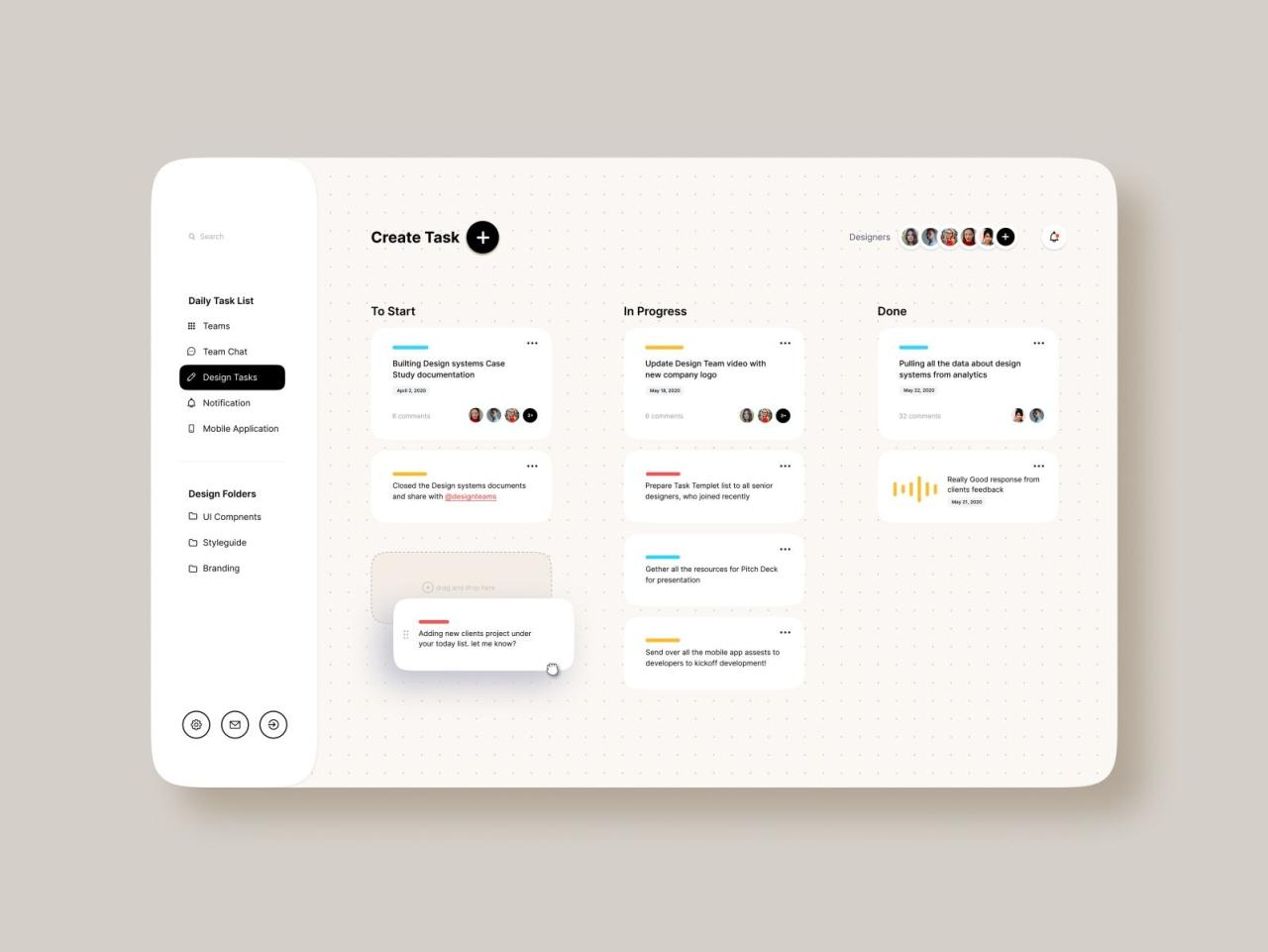
Task list applications have undergone significant transformation since their early days, adapting to user needs and technological advancements. Initially simple and basic, they have evolved into sophisticated tools that help users manage their time and tasks effectively. This evolution reflects changes in technology, user expectations, and the overall digital landscape.
The early days of task list applications were marked by simple text-based lists, often just a series of lines where users could jot down their tasks. These applications lacked features and were primarily focused on functionality. Key milestones in their development include the introduction of graphical user interfaces (GUIs) in the 1990s, which made these apps more user-friendly. The incorporation of cloud technology in the late 2000s allowed for synchronization across multiple devices, enabling users to access their tasks anywhere, anytime. Modern task list apps now incorporate features such as reminders, project management tools, and collaborative functionalities, enhancing their utility.
Technological Advancements Influencing Task List Apps
Technological advancements have played a crucial role in shaping the functionality and design of task list applications over the years. Highlighting these advancements provides insight into how features and user experience have improved.
– Cloud Computing: The move from local storage to cloud-based systems has allowed users to access their task lists from any device, creating a seamless experience. This shift has also facilitated real-time updates and collaboration among users.
– Mobile Technology: The proliferation of smartphones led to the development of mobile-specific task list apps that cater to users on the go. This convenience has made task management more accessible, with features such as voice input and quick-add functionalities enhancing usability.
– Integration with Other Tools: Many modern task list applications now integrate with other productivity tools, such as calendars, email platforms, and project management software. This interconnectedness allows users to streamline their workflows, reducing the need to switch between multiple apps.
– Artificial Intelligence (AI): The incorporation of AI has enabled smarter task management, offering personalized suggestions and automating repetitive tasks. AI-driven features can analyze user behavior to optimize task prioritization and scheduling.
The evolution from basic task lists to advanced applications demonstrates the significant impact of technology on user experience, ultimately leading to more efficient task management solutions. Early task list apps like Microsoft To-Do and Todoist illustrate this change well. While earlier versions focused on simplicity, modern versions offer rich features such as tagging, priority levels, and reminders, greatly enhancing user engagement and effectiveness.
Essential Features that Make a Task List App Effective
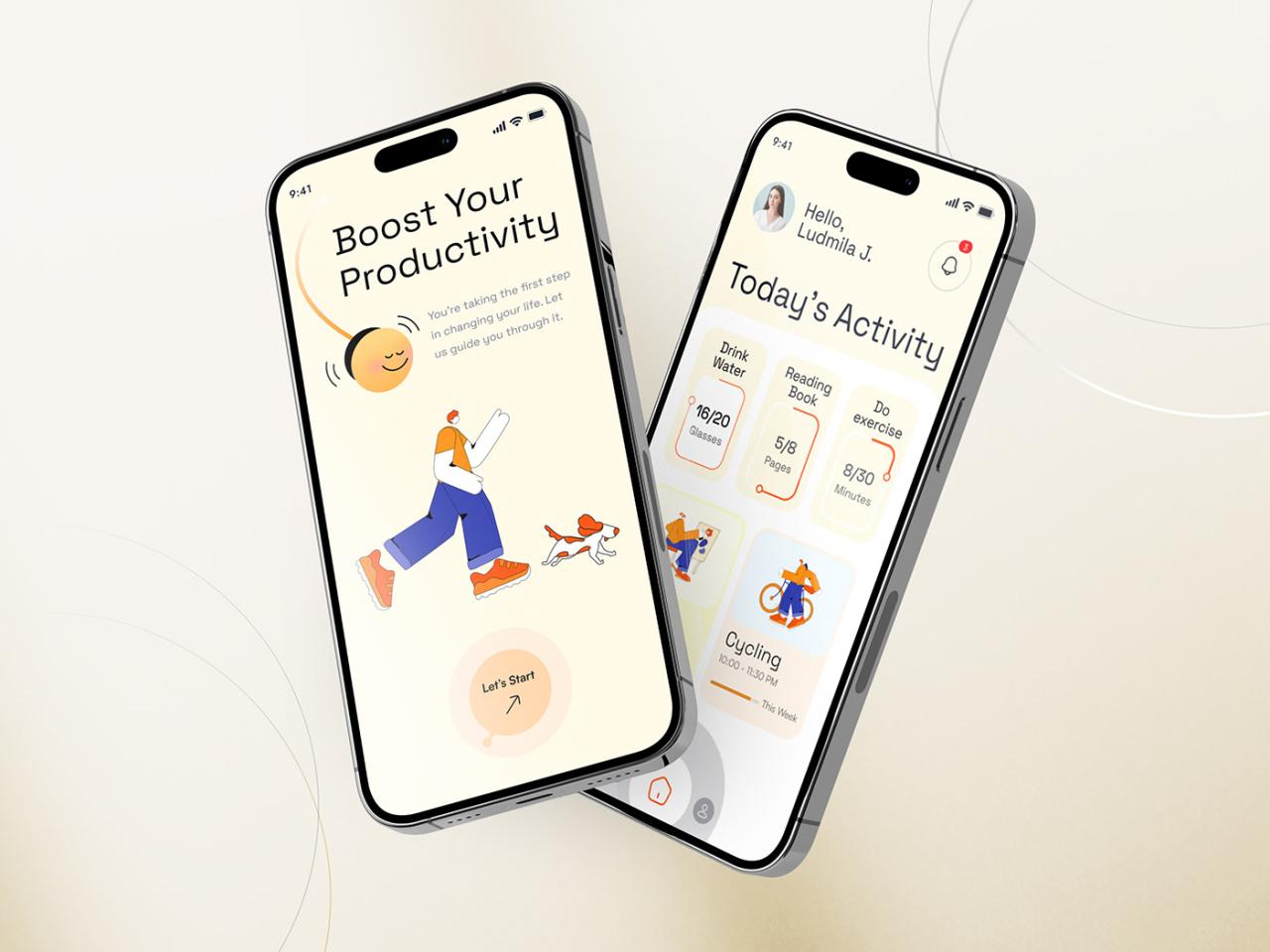
A well-designed task list app can significantly enhance personal productivity and organization. Users expect a set of core functionalities that streamline their daily activities, improve time management, and ensure that no tasks fall through the cracks. These essential features not only support user efficiency but also contribute to a seamless experience in managing tasks.
Core Functionalities of a Task List App
Effective task list apps typically include a variety of features that cater to user needs. These functionalities are integral in helping users organize tasks effectively and manage their time better.
- Task Creation and Editing: Users should be able to easily add, edit, and delete tasks. This basic capability ensures that the app can adapt to changing priorities.
- Reminders: Setting reminders for tasks is crucial. This feature helps users remember deadlines and stay on track, preventing last-minute rushes and missed commitments.
- Deadlines: The ability to assign deadlines to tasks allows users to prioritize effectively and allocate their time accordingly, leading to improved productivity.
- Categorization: Organizing tasks into categories or projects aids in visibility and management. It allows users to focus on specific areas of their life or work, enhancing overall efficiency.
- Collaboration Features: For team-related tasks, collaboration capabilities like sharing lists and assigning tasks to others promote teamwork and accountability.
Enhancing Productivity with Reminders and Deadlines
Integrating reminders and deadlines into task list apps significantly enhances user productivity. These features help maintain focus and ensure that tasks are completed on time.
- Boosting Accountability: Reminders serve as nudges that keep users accountable for their commitments. They play an essential role in ensuring that tasks are not forgotten.
- Structured Time Management: Deadlines create a sense of urgency. They help users allocate their time wisely and prioritize tasks based on their due dates.
- Reducing Stress: Knowing that reminders are in place helps alleviate anxiety about forgetting important tasks. This contributes to a calmer, more organized approach to task management.
User Interface Design and Usability
The design of a task list app’s user interface (UI) significantly impacts usability and the overall efficiency of task management. A well-structured UI can enhance user experience and facilitate more effective task handling.
- Intuitive Navigation: A clean, intuitive interface allows users to navigate the app effortlessly. Easy access to primary features means users spend less time figuring out the app and more time completing tasks.
- Visual Hierarchy: Utilizing size, color, and layout to create a visual hierarchy enables users to differentiate between tasks easily. Important tasks should stand out, guiding user focus where it’s needed most.
- Customizability: Offering users the ability to customize their interfaces—such as changing themes or reordering tasks—can enhance personalization, making the app more enjoyable to use.
- Responsive Design: Ensuring the app functions well on various devices allows users to manage their tasks on the go, thus accommodating different user preferences and lifestyles.
“An effective task list app is not just about listing tasks; it’s about creating an ecosystem that enhances productivity through thoughtful design and core functionalities.”
The Role of Task List Apps in Personal Productivity
Task list apps have emerged as vital tools for enhancing personal productivity in our fast-paced world. With the ability to manage tasks seamlessly, these applications empower users to take control of their daily routines and achieve their goals more efficiently. By organizing tasks and setting priorities, individuals can navigate their responsibilities with clarity and focus.
Time Management and Task Prioritization
Effective time management is a cornerstone of personal productivity, and task list apps significantly contribute to this aspect by helping users prioritize their activities. By allowing users to categorize tasks based on urgency and importance, these apps facilitate a structured approach to daily responsibilities. The Eisenhower Matrix, often integrated into many task management tools, is a helpful framework where tasks are divided into four quadrants: urgent and important, important but not urgent, urgent but not important, and neither urgent nor important. This categorization enables users to allocate their time wisely and focus on high-priority items first.
For instance, a study conducted by the productivity research firm, McKinsey & Company, revealed that effective task management can lead to a 20% increase in productivity among users. The statistics indicate that individuals who use task list apps regularly can manage their time more effectively, completing an average of 15% more tasks in a week compared to those who rely on traditional methods.
Psychological Benefits of Using Task List Apps
Utilizing task list apps not only improves organizational skills but also offers notable psychological benefits. One of the primary advantages is stress reduction. By providing a clear overview of tasks, these apps alleviate the mental burden of remembering multiple responsibilities. A study published in the Journal of Experimental Psychology found that externalizing tasks (writing them down) can significantly decrease cognitive load, which in turn reduces feelings of anxiety related to forgetfulness or overwhelm.
Moreover, task list apps can enhance motivation through the satisfaction of completing tasks. The phenomenon known as the “Zeigarnik Effect” suggests that people remember uncompleted tasks better than completed ones. Thus, as users check off items on their lists, they experience a sense of accomplishment, which can boost their motivation to tackle subsequent tasks. This cycle of achievement creates a positive feedback loop that encourages continued productivity.
In a survey conducted by Todoist, 85% of users reported feeling more accomplished when using the app, emphasizing the emotional satisfaction derived from task completion. This sense of achievement can lead to improved self-efficacy, as individuals witness their progress and feel more capable of handling larger projects.
Statistics Supporting Task List App Effectiveness
The effectiveness of task list apps in enhancing personal productivity is well-documented. For example, research from the productivity app, Trello, indicates that teams using project management tools experience a 30% increase in collaboration, leading to higher overall output. Additionally, studies have highlighted that individuals using digital task management applications are more likely to meet deadlines, with 60% of users reporting improved timeliness in their work.
Moreover, a longitudinal study published in the Harvard Business Review found that individuals who maintained a digital task list were 25% more likely to achieve their goals within a specified timeframe compared to those who did not utilize such tools. This data underscores the transformative potential of task list apps in fostering both individual accountability and enhanced performance.
In summary, task list apps serve as crucial instruments in personal productivity by improving time management, offering psychological benefits, and providing substantial evidence of their effectiveness. With their ability to streamline tasks and enhance motivation, these apps are indispensable for anyone looking to maximize their productivity and achieve their goals.
Comparing Different Task List Applications Available in the Market
With the increasing demand for productivity tools, task list applications have become essential for managing our daily activities efficiently. These apps cater to a wide range of users, from students balancing schoolwork and extracurriculars to professionals juggling multiple projects. Each app offers unique features designed to enhance productivity and streamline task management.
In this section, we will explore various popular task list applications, highlighting their unique selling points and target demographics. We will also provide a comparison table of key features, pricing, and platform availability.
Overview of Popular Task List Applications
The task management app landscape is quite diverse. Here are some notable applications that stand out:
- Todoist: Ideal for both personal and professional use, Todoist’s powerful features include projects, labels, and filters. It appeals to a wide demographic, especially professionals and students.
- Microsoft To Do: This app integrates seamlessly with other Microsoft products. It’s favored by users who are already in the Microsoft ecosystem, such as Office 365 subscribers.
- Trello: Known for its visual board layout, Trello is popular among teams and project managers for its collaborative features. It’s particularly effective for creative projects and agile workflows.
- Asana: Asana excels in project tracking and team collaboration, making it a favorite among larger teams and organizations that require detailed task management.
Comparison Table of Task List Applications
Here’s a comparison table that summarizes the key features, pricing, and platform availability of the mentioned applications:
| Application | Key Features | Pricing | Platform Availability |
|---|---|---|---|
| Todoist | Projects, labels, filters, reminders | Free; Premium $3/month | Web, iOS, Android, Windows, Mac |
| Microsoft To Do | Task lists, reminders, calendar integration | Free with a Microsoft account | Web, iOS, Android, Windows |
| Trello | Kanban boards, checklists, collaboration tools | Free; Business Class $10/user/month | Web, iOS, Android |
| Asana | Task assignments, timelines, project tracking | Free; Premium $10.99/user/month | Web, iOS, Android |
Pros and Cons of Each Application
Analyzing user reviews reveals valuable insights into the strengths and weaknesses of each app, assisting potential users in their decision-making process.
Todoist is praised for its intuitive interface and versatility, but some users feel overwhelmed by its extensive features.
Pros:
- Highly customizable with various organizational tools
- Cross-platform accessibility
Cons:
- Premium features can be costly for some users
- Complex features may be unnecessary for basic task management
Microsoft To Do is a solid choice for users in the Microsoft ecosystem, but it lacks advanced features compared to competitors.
Pros:
- Easy integration with Microsoft Office tools
- User-friendly interface
Cons:
- Limited features for advanced task management
- Not as visually appealing as some alternatives
Trello’s visual layout is engaging, but it may not suit all types of task management.
Pros:
- Great for visual organization and project management
- Strong collaboration features
Cons:
- Can become cluttered with too many boards
- Requires time to set up effectively
Asana is favored for its project management capabilities, but it may feel complicated for simple tasks.
Pros:
- Robust project tracking and reporting features
- Excellent for team collaboration
Cons:
- Steeper learning curve for new users
- Premium tier may be necessary for full functionality
The Future of Task List Apps and Upcoming Trends
The landscape of task list apps is rapidly evolving, with new technologies and user demands shaping their development. As we look toward the future, a few key trends are beginning to emerge that promise to redefine how these applications function and serve users. The incorporation of artificial intelligence and collaborative features stands at the forefront of this transformation.
Advancements in technology are enabling task list apps to become more intuitive and user-centric. AI integration is one of the most significant trends, allowing apps to analyze user behavior, predict tasks, and suggest optimal schedules. This shift is designed to not only enhance productivity but also reduce the cognitive load on users, making task management a seamless experience. Additionally, the rise of remote work has paved the way for enhanced collaborative features, enabling teams to work together more effectively within these apps.
AI Integration in Task List Apps
The incorporation of AI is revolutionizing the functionalities of task list applications. By leveraging machine learning algorithms, these apps can offer personalized suggestions and insights based on user activity. For instance, an AI-powered task list app might analyze past task completion times and suggest realistic deadlines for future tasks.
- Smart Scheduling: AI can automatically schedule tasks by considering deadlines, user preferences, and even the estimated time needed for completion.
- Task Prioritization: The app learns which tasks are most critical based on user behavior and deadlines, helping users focus on what truly matters.
- Natural Language Processing: Users can add tasks using conversational language, making the input process faster and more intuitive.
Collaborative Features in Task Management
As more teams embrace hybrid or remote work models, the demand for collaborative features in task list apps is increasing. These features allow multiple users to interact within a single platform, facilitating better communication and project management.
- Shared Task Lists: Users can create and share lists, enabling teams to visualize collective workloads and responsibilities.
- Real-Time Updates: Changes made by any team member are reflected in real-time, ensuring everyone is on the same page.
- Integrated Communication Tools: Many task list apps now include messaging or comment sections, allowing users to discuss tasks directly within the app.
Adapting to Changing User Needs
User expectations continue to evolve, and task list apps must adapt to these changes. The integration of features that cater to diverse workflows and personal preferences will be essential for future app development. Examples of user needs include:
- Customization: Users increasingly seek apps that allow tailored task categories, reminders, and notifications according to their unique working styles.
- Multi-Platform Compatibility: As users switch between devices, ensuring seamless access and functionality across smartphones, tablets, and desktops is crucial.
- Focus on Mental Health: Apps are gradually integrating features that help users manage stress and maintain work-life balance, such as breaks and downtime reminders.
Challenges for Developers in Innovating Task List Apps
As developers strive to innovate within the task list app space, they will encounter several challenges. Understanding these hurdles is critical in creating effective solutions.
- Data Privacy Concerns: With the integration of AI, safeguarding user data while providing personalized experiences will be a balancing act.
- User Adoption: New features need to be intuitive and easy to adopt; otherwise, users may resist changes, preferring familiar interfaces.
- Market Saturation: Developing a unique value proposition in a crowded market will require significant innovation and marketing strategies.
Tips for Choosing the Right Task List App for Your Needs
Selecting the right task list app can significantly enhance your productivity and organization skills. With a multitude of options available, it becomes essential to evaluate your unique requirements and preferences to find a suitable match. This guide provides a comprehensive checklist and insights to assist you in navigating your choices effectively.
Understanding your personal productivity style is crucial in finding an app that complements your working habits. Here are some factors to consider while assessing your options:
Checklist of Factors for Selection
Before diving into the available apps, reflect on the following factors that can help narrow down your choices:
- Ease of Use: Look for an interface that is user-friendly and intuitive to navigate.
- Platform Compatibility: Ensure the app is available on your preferred devices, such as mobile, tablet, or desktop.
- Collaboration Features: If you work in teams, prioritize apps that offer sharing and collaboration functionalities.
- Customization Options: The ability to categorize tasks, set priorities, and customize notifications can enhance usability.
- Integration Capabilities: Choose an app that integrates well with tools you already use, like calendars or email platforms.
- Task Management Features: Consider whether you need simple task lists, project boards, or advanced features such as time tracking.
- Price: Evaluate the cost of the app, including any premium features, and whether it fits your budget.
Assessing Your Personal Productivity Styles
Recognizing your productivity style can greatly influence the effectiveness of your chosen task list app. Take some time to analyze how you typically approach tasks.
For example, if you thrive on visual organization, you might prefer apps that utilize Kanban boards or color-coded labels. Conversely, if you lean towards structured lists, a straightforward checklist or Artikel format may suit you better. Engage in self-reflection or consider taking productivity style assessments to pinpoint your preferences.
User Testimonials and Case Studies
Real-world experiences can offer valuable insights into the success of selecting the right task list app. Here are a few testimonials that highlight various user journeys:
“After trying several task management apps, I finally found one that fits my needs perfectly. I love how it integrates with my calendar and allows me to set reminders for upcoming deadlines.” – Jessica, Marketing Manager
“As a freelance designer, I needed a tool that not only helped me track my projects but also allowed easy collaboration with clients. The task list app I chose has been a game changer for managing my workload.” – Tom, Freelance Designer
“I discovered that I work best when I can visualize my tasks. The Kanban feature in my chosen app has significantly improved my productivity and keeps my projects on track.” – Sarah, Project Coordinator
By following these tips and learning from others’ experiences, you can make an informed choice and find a task list app that aligns perfectly with your workflow and enhances your productivity.
The Impact of Mobile Accessibility on Task Management
The rise of mobile technology has transformed the way individuals manage tasks. With the convenience of smartphones and tablets, mobile-friendly task list apps have become essential tools for productivity on-the-go. These applications allow users to create, edit, and track tasks from virtually anywhere, significantly enhancing efficiency and enabling better time management in today’s fast-paced environment.
The significance of mobile accessibility in task management lies in its ability to empower users to stay organized and focused regardless of their location. They can quickly jot down ideas, set reminders, and prioritize tasks as they arise. This immediate access to task lists fosters a proactive approach to productivity, allowing individuals to seize opportunities and manage their commitments more effectively.
Advantages and Challenges of Multi-Device Task Management
Using task list apps across multiple devices offers several advantages, but it also presents challenges that users must navigate. Here are key points about the dual nature of this functionality:
- Seamless Accessibility: Users can access their task lists on various devices, such as smartphones, tablets, and computers, ensuring that they are always up-to-date with their responsibilities.
- Real-Time Synchronization: Changes made on one device are typically reflected across all devices, allowing for continuous workflow without disruption.
- Increased Flexibility: Users can choose their preferred device for managing tasks based on convenience and context, whether they are at home, work, or on the move.
- Potential Synchronization Issues: Users may experience inconsistencies if the app does not sync correctly across devices, leading to missed tasks or outdated information.
- Battery and Connectivity Challenges: Relying on multiple devices can lead to issues such as battery drain or lack of internet connectivity, which can hinder access to task lists.
To optimize task list usage on mobile devices and enhance task completion rates, users can adopt several strategies. Setting clear priorities and organizing tasks by due dates or importance can streamline workflow. Additionally, utilizing features like notifications and reminders can help keep tasks at the forefront of a user’s mind.
“The effectiveness of task management apps is magnified when users leverage their mobile capabilities to stay organized and focused.”
Furthermore, to improve user experience, embracing offline capabilities can greatly assist those in areas with poor connectivity. By allowing tasks to be created and edited offline, users can continue their productivity without interruption. Regularly updating the app ensures access to the latest features and bug fixes, making for smoother operation across devices.
In summary, mobile accessibility profoundly impacts task management by enabling productive habits and efficient task handling. Recognizing and addressing the associated challenges can lead to a more seamless and effective experience in managing tasks on-the-go.
Conclusion
In conclusion, task list apps have come a long way and will continue to evolve to meet the changing needs of users. By understanding their features and benefits, you can choose the right app that fits your unique productivity style and ultimately enhances your daily life.
FAQ Compilation
What are the most popular task list apps?
Some popular task list apps include Todoist, Trello, Asana, and Microsoft To-Do, each offering unique features tailored to different user needs.
Can task list apps sync across multiple devices?
Yes, most modern task list apps provide synchronization across devices, allowing users to access their tasks on smartphones, tablets, and desktops seamlessly.
Are there any free task list apps?
Many task list apps offer free versions with essential features, while paid versions usually provide additional functionalities and customization options.
How do I choose the best task list app for me?
Consider your personal productivity style, the features you need, and try out different apps to see which interface and functionalities resonate with you the most.
Do task list apps improve productivity?
Yes, studies have shown that using task list apps can lead to better time management, task prioritization, and reduced stress, ultimately enhancing overall productivity.