Workflow management tools are revolutionizing how teams operate, offering a structured approach to task management that increases efficiency and boosts collaboration. These digital solutions enable organizations to streamline processes, assign tasks, and keep track of progress with ease, ensuring that everyone is on the same page. With their user-friendly interfaces and powerful features, workflow management tools are becoming essential in today’s fast-paced work environments.
As organizations strive for greater productivity, understanding the core features of these tools is vital. Key functionalities such as task assignment, tracking, and reporting play a significant role in enhancing operational efficiency. Moreover, the integration of customizable workflows allows businesses to tailor these tools to their specific needs, making them versatile assets in various industries.
Understanding the Core Features of a Workflow Management Tool
Workflow management tools are essential for streamlining processes within organizations, enhancing productivity, and improving collaboration among team members. These tools enable teams to manage their tasks and projects efficiently, ensuring that everyone is on the same page and that projects progress smoothly. By focusing on core features such as task assignment, tracking, and reporting, organizations can boost their operational efficiency and achieve better outcomes.
The core features of workflow management tools play a significant role in improving efficiency. Task assignment allows managers to delegate responsibilities clearly, reducing ambiguity and ensuring that tasks are assigned based on team members’ strengths and availability. Tracking features enable teams to monitor the progress of tasks in real-time, which helps in identifying bottlenecks and maintaining accountability. Reporting capabilities provide insights into overall performance, enabling data-driven decision-making and the ability to refine processes over time. Together, these features foster a culture of transparency and responsiveness, crucial for any successful team.
Examples of Popular Workflow Management Tools
Several workflow management tools have unique features that cater to different organizational needs. Here are three popular options:
- Trello: Trello uses a card and board system to manage tasks visually. Its drag-and-drop interface makes it intuitive, allowing users to move tasks through various stages of completion easily.
- Asana: Asana offers advanced project tracking with features like timelines and workload management. It allows teams to see project deadlines at a glance and balance team workloads effectively.
- Monday.com: This tool provides a highly customizable interface where users can create workflows that fit their specific needs. Its automation features help reduce repetitive tasks, freeing up time for more critical activities.
The user interface design of these tools significantly impacts usability. A well-designed interface ensures that users can navigate the tool without confusion, enhancing user satisfaction and productivity. Features like customizable dashboards, intuitive icons, and clear labels can make all the difference in how effectively a team adopts the tool.
The efficiency of workflow management tools is directly linked to their core features, which, when optimally utilized, lead to improved team collaboration and overall project success.
The Benefits of Implementing a Workflow Management Tool in Organizations

Implementing a workflow management tool can significantly enhance the way teams operate, leading to a more streamlined and efficient work environment. These tools facilitate better organization and coordination, ensuring that team members are aligned and informed throughout various projects. The advantages are not limited to just improved operations, as they also encompass cost-effectiveness and real-world success stories that validate their use.
Improved Team Collaboration and Communication
Workflow management tools create a centralized platform for teams to collaborate and communicate effectively. By enabling members to share information and updates in real-time, these tools reduce the chances of miscommunication and duplicate efforts. The following elements illustrate how these tools foster a collaborative culture:
- Real-time Updates: Teams can access project status and updates instantly, minimizing delays caused by waiting for email replies or meetings.
- Shared Responsibilities: Clear delineation of tasks ensures that every team member knows their roles and responsibilities, promoting accountability.
- Integrated Communication: Many workflow tools include chat or messaging features, allowing for quick discussions without the need to switch platforms.
“Effective communication is the lifeblood of any organization; workflow management tools ensure that information flows seamlessly.”
Cost-effectiveness in Time Savings and Resource Allocation
The implementation of workflow management tools often leads to significant cost savings for organizations. By streamlining processes and improving efficiency, companies can allocate their resources more effectively. Consider the following benefits that contribute to overall cost-effectiveness:
- Reduced Administrative Burden: Automating routine tasks allows employees to focus on higher-value activities, reducing manpower costs.
- Enhanced Productivity: With improved collaboration, teams can complete projects faster, leading to quicker realization of revenue.
- Minimized Errors: Automated workflows reduce human error, leading to less rework and wasted resources.
“Time saved is money earned; efficient workflows translate into increased profitability.”
Real-life Case Studies Demonstrating Successful Implementation
Several organizations have successfully implemented workflow management tools, showcasing tangible improvements in their operations. One notable example is a mid-sized marketing agency that adopted a workflow tool to manage their project timelines and client communications. As a result, they reported a 30% increase in project delivery speed and a 25% reduction in client follow-up calls, as all necessary updates were available in one location.
Another case involved a healthcare provider that implemented a workflow management system for patient onboarding. This tool reduced onboarding time from days to hours, significantly improving patient satisfaction and allowing the staff to allocate more time to patient care rather than administrative tasks.
These examples highlight how the strategic use of workflow management tools can lead to significant operational enhancements and a stronger bottom line.
Challenges Faced During the Adoption of Workflow Management Tools
Implementing a workflow management tool can be a transformative move for organizations aiming to streamline processes and enhance productivity. However, the journey towards successful adoption is often fraught with challenges that can hinder progress and user acceptance. Understanding these obstacles and addressing them proactively is crucial for achieving the desired outcomes.
Common Obstacles in Adoption
Several challenges frequently arise during the integration of workflow management tools, which can impede smooth transitions. Recognizing these issues helps organizations devise effective solutions.
- Resistance to Change: Employees may be accustomed to existing processes and skeptical about transitioning to new technologies. This resistance often stems from a fear of the unknown or concerns about their job security.
- Insufficient Training: A lack of adequate training can leave users feeling overwhelmed and underprepared. Without proper guidance, employees may struggle to fully utilize the tool’s capabilities, resulting in frustration and disengagement.
- Technical Issues: Integration with existing systems can lead to compatibility issues or software bugs. These technical glitches can disrupt workflows and discourage employees from using the tool effectively.
Strategies for Overcoming Resistance to Change
To foster a more accepting environment towards new workflow management tools, various strategies can be employed. Organizations can utilize these approaches to mitigate resistance and encourage team buy-in.
- Involve Employees Early: Engaging team members in the decision-making process helps them feel valued and reduces resistance. Their feedback can also guide the selection of tools that best meet their needs.
- Clear Communication: Transparently communicating the benefits of the new tool and how it will improve workflows can help alleviate fears. Highlighting success stories from other departments or companies can also motivate users.
- Offer Continuous Support: Providing ongoing support and access to resources, such as FAQs and help desks, can reassure employees during the transition. Designating “super users” within teams can facilitate peer-to-peer support.
Maintaining User Engagement Post-Implementation
Sustaining user engagement after the rollout of a workflow management tool is essential for long-term success. Organizations must implement strategies to ensure users remain connected and invested in utilizing the tool effectively.
- Regular Feedback Loops: Establishing a system for gathering regular feedback from users helps identify pain points and areas for improvement. Acting on this feedback shows users their input is valued and encourages ongoing engagement.
- Gamification of Processes: Introducing gamified elements, such as rewards or recognition for completing tasks or meeting benchmarks, can motivate users to remain engaged with the tool.
- Continuous Training Opportunities: Offering periodic training sessions or workshops on advanced features can help users enhance their skills and discover new functionalities, keeping them actively engaged.
“Engagement is not just about encouraging users to start using a tool; it’s about fostering a culture that embraces continuous improvement and adaptation.”
Customization Options in Workflow Management Tools
Customizable workflows are essential in workflow management tools, allowing businesses to tailor processes to their specific needs. This flexibility ensures that organizations can optimize their operations, enhance productivity, and improve collaboration among team members. Customization is not just a luxury; it’s a necessity for businesses aiming to stay competitive in their respective industries.
Customization features in workflow management tools enable various industries to meet their unique requirements effectively. For instance, a healthcare organization may need customized workflows that comply with strict regulatory standards, while a manufacturing firm might focus on tracking production stages and inventory levels. The ability to adapt workflows to specific business models ensures that each organization can streamline operations and respond to changing market demands.
Methods for Creating Personalized Dashboards and Reports
Personalized dashboards and reports allow users to visualize data in ways that are most relevant to them, enhancing decision-making capabilities. Here are some methods to create tailored dashboards and reports within workflow management tools:
- Drag-and-Drop Interfaces: Many tools provide intuitive interfaces that allow users to easily arrange and customize widgets, charts, and graphs according to their preferences.
- Custom Filters and Queries: Users can define specific criteria for displaying data, enabling them to focus on key performance indicators and metrics that matter most to their roles.
- Integration with Other Applications: Workflow management tools often allow integration with other software, enabling users to pull in data from various sources for a comprehensive view.
- Template Creation: Users can develop templates for reports that can be reused, thereby saving time while ensuring consistency in data presentation.
- Real-time Data Updates: Dashboards can be set to refresh automatically, ensuring that stakeholders always have access to the most current information, which is vital for timely decision-making.
The ability to create personalized dashboards and reports not only improves visibility into workflows but also empowers users to track performance metrics that align with their business objectives. By leveraging these customization options, businesses can enhance their efficiency and responsiveness to both internal and external demands.
Evaluating Workflow Management Tools for Your Business Needs
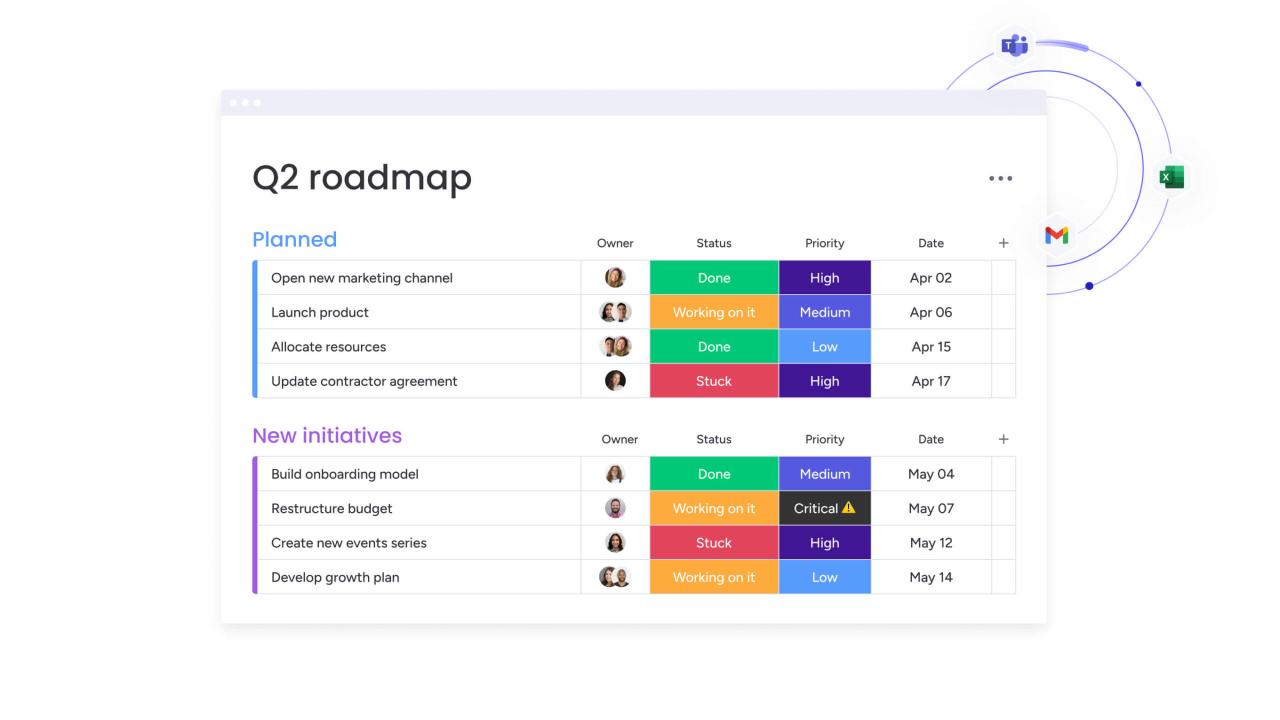
Selecting the right workflow management tool is crucial for enhancing productivity and streamlining processes within your organization. With numerous options available in the market, it’s essential to evaluate tools based on specific criteria that align with your business objectives and operational requirements.
Essential Criteria for Selection
When considering a workflow management tool, establishing a checklist of essential criteria can streamline the decision-making process. The following criteria should be part of your evaluation:
- Usability: The interface should be intuitive, allowing team members to navigate the tool without extensive training.
- Customization: Look for tools that can be tailored to fit your unique business processes and workflows.
- Integration Capabilities: Ensure the tool can seamlessly integrate with other software your business uses, such as CRM systems, email, and project management tools.
- Scalability: The tool should support your business growth, accommodating an increasing number of users and workflows.
- Reporting and Analytics: Effective tools provide robust analytics to help you measure performance and identify bottlenecks.
- Collaboration Features: Look for functionalities that promote teamwork, such as shared workspaces and communication tools.
- Cost: Assess the pricing structure to ensure it aligns with your budget, considering both initial costs and ongoing expenses.
Comparative Analysis of Tools
Conducting a comparative analysis is vital for identifying the best workflow management tool for your business. Start by gathering a list of potential tools and assess them against your checklist. Here are steps to guide your analysis:
1. Feature Comparison: Create a table listing the tools and their features side-by-side. This visual representation helps in quickly identifying strengths and weaknesses.
2. User Reviews and Ratings: Research online reviews and ratings to gain insights into user experiences. Platforms like G2 and Capterra provide valuable feedback on various tools from real users.
3. Trial Periods: Take advantage of free trials offered by many vendors. This allows you to test the functionality and user experience firsthand before making a commitment.
4. Demo Sessions: Schedule demo sessions with vendors to see the tool in action. This also provides an opportunity to ask specific questions related to your business needs.
Importance of Vendor Support and Training
Vendor support and training are integral to the successful implementation of a workflow management tool. A responsive support team can significantly reduce downtime and resolve issues promptly. Consider the following points regarding vendor support and training:
- Availability of Resources: Ensure the vendor offers comprehensive resources, such as tutorials, FAQs, and user guides, to facilitate learning and troubleshooting.
- Onboarding Assistance: Some vendors provide onboarding services to help your team get up to speed quickly. This support can lead to faster adoption and better utilization of the tool.
- Ongoing Support: Evaluate the support channels available—whether through live chat, email, or phone—and the hours during which they are accessible.
- Training Programs: Inquire about training sessions, both for initial setup and ongoing learning, to maximize the use of the tool’s features.
“Selecting the right tool is not just about features but also about the level of support you receive throughout the journey.”
The Future Trends in Workflow Management Tools
As we look ahead, workflow management tools are positioned to evolve significantly, driven by advancements in technology and shifts in working environments. The integration of artificial intelligence, automation, and the increasing necessity for remote collaboration are reshaping how organizations streamline their processes and enhance productivity. Understanding these trends is essential for businesses aiming to stay competitive and efficient.
The Role of Artificial Intelligence and Automation
Artificial intelligence (AI) and automation are at the forefront of transforming workflow management tools. These technologies enable systems to learn from user behavior, optimize processes, and predict outcomes, thereby enhancing efficiency. The following points highlight their impact:
- Intelligent Task Management: AI can prioritize tasks based on urgency and importance, allowing teams to focus on what matters most.
- Automated Workflows: Routine tasks can be automated, reducing the manual workload and minimizing errors.
- Data-Driven Insights: AI analyzes data patterns, providing actionable insights that help organizations make informed decisions.
- Natural Language Processing: This technology allows users to interact with tools through voice or text commands, improving accessibility and user experience.
“AI and automation are not just tools; they are integral to transforming how work gets done.”
Potential Integrations with Other Business Software
The future of workflow management tools will likely see seamless integration with various business software, enhancing their functionality and user experience. Such integrations can lead to several benefits, as Artikeld below:
- Collaboration Platforms: Tools like Slack or Microsoft Teams may integrate directly with workflow management systems, streamlining communication and task assignments.
- CRM and ERP Systems: Integrating customer relationship management (CRM) and enterprise resource planning (ERP) systems with workflow tools can provide a holistic view of operations, improving project tracking and reporting.
- Cloud Storage Solutions: Linking with services like Google Drive or Dropbox allows for easy document sharing and storage, facilitating better collaboration.
- Analytics Tools: Integration with analytics software can enhance reporting capabilities, providing deeper insights into project performance.
Influence of Remote Work on Development
The shift towards remote work has significantly influenced the development of workflow management solutions. As organizations adjust to distributed teams, the need for effective tools that cater to remote collaboration is more pressing. Key developments include:
- Cloud-Based Solutions: These tools are becoming increasingly essential, allowing team members to access workflows from anywhere, at any time.
- Enhanced User Interfaces: As remote workers require intuitive designs to decrease onboarding time, companies are focusing on creating user-friendly interfaces.
- Real-Time Collaboration Features: Features that enable multiple users to edit documents and track changes in real time have become crucial for remote teams.
- Mobile Accessibility: The functionality of mobile applications allows team members to stay connected and manage tasks on the go, further supporting remote work dynamics.
“Remote work is not just a trend; it’s a permanent shift that shapes how workflow management tools evolve.”
Best Practices for Maximizing the Use of Workflow Management Tools
In today’s fast-paced work environment, utilizing workflow management tools effectively can significantly enhance team productivity and collaboration. Adopting best practices ensures not only efficient use but also a higher rate of acceptance among team members.
Key Practices for Effective Usage and Higher Adoption Rates
Implementing workflow management tools necessitates a strategic approach to maximize their potential. The following practices foster effective utilization:
- Tailored Workflows: Customize workflows to fit specific team requirements instead of using a one-size-fits-all approach. This increases relevance and encourages usage.
- User-Friendly Interface: Choose tools with intuitive designs. A user-friendly interface minimizes the learning curve and enhances the likelihood of adoption.
- Integration with Existing Tools: Ensure that the workflow management tool seamlessly integrates with other tools your team currently uses. This helps maintain productivity without disrupting established processes.
- Encourage Feedback: Regularly solicit feedback from team members about the tool’s usability. Incorporating suggestions can enhance functionality and promote ownership.
- Set Clear Objectives: Define clear goals for what you want to achieve with the tool. This keeps the team focused and more likely to utilize the tool effectively.
Step-by-Step Guide for Training Team Members
Training is essential for ensuring all team members are comfortable with the workflow management tool. Here’s a structured approach to facilitate effective training:
- Assess Skill Levels: Start by understanding the varying levels of familiarity among team members with the tool.
- Develop a Training Plan: Create a comprehensive plan that includes key features and functionalities relevant to your team’s workflow.
- Hands-On Workshops: Conduct interactive sessions where team members can engage with the tool. Practical experience helps reinforce learning.
- Resource Availability: Provide access to guides, tutorials, and FAQs. Having resources readily available boosts confidence and self-sufficiency.
- Follow-Up Sessions: Schedule periodic follow-up meetings to address any difficulties and share advanced tips. Continuous learning is crucial.
Importance of Regular Reviews and Updates to Workflows
Regular evaluations of existing workflows ensure they remain relevant and efficient as projects evolve. This practice helps in identifying bottlenecks and areas for improvement.
“A workflow that isn’t regularly reviewed can stagnate, reducing its effectiveness over time.”
Establishing a routine for reviewing workflows involves:
- Scheduled Evaluation Meetings: Set a recurring schedule for team meetings to discuss workflow performance and challenges faced.
- Analyze Performance Metrics: Use performance data to assess the effectiveness of workflows. Analyze completion times and error rates.
- Incorporate Changes Promptly: When feedback indicates a need for change, implement updates swiftly to maintain team momentum.
- Engage the Team: Involve team members in the review process to gain diverse perspectives on potential improvements.
Epilogue
In conclusion, embracing a workflow management tool can lead to transformative changes within an organization, fostering better communication and collaboration among team members. As teams adapt to these tools, the potential for increased efficiency and productivity grows exponentially. By staying informed about future trends and best practices, organizations can ensure they make the most of their workflow management solutions, paving the way for sustained success.
Query Resolution
What is a workflow management tool?
A workflow management tool is software designed to help organizations automate and manage their workflows, facilitating task assignment, progress tracking, and reporting.
How do workflow management tools improve team collaboration?
These tools enhance collaboration by providing a shared platform where team members can communicate, track tasks, and access information in real-time.
Are workflow management tools cost-effective?
Yes, they can save time and resources, leading to cost-effectiveness as teams work more efficiently and reduce redundancy.
Can workflow management tools be customized?
Absolutely, most tools offer customization options that allow businesses to tailor workflows and dashboards according to their specific needs.
What should I look for when choosing a workflow management tool?
Consider factors like user interface, essential features, vendor support, and training opportunities when selecting a tool for your organization.
How can I train my team on a new workflow management tool?
Provide comprehensive training sessions, hands-on workshops, and continuous support to ensure team members are comfortable using the new tool.