Digital organizer is revolutionizing the way we manage our time and tasks, transitioning from traditional paper planners to sophisticated digital tools. With the rise of technology, these digital solutions offer unprecedented flexibility and efficiency, allowing users to tailor their organizing experience to meet personal and professional needs.
The journey of digital organizers has been marked by rapid advancements in software and hardware, leading to a diverse array of formats available today, each equipped with unique features that cater to different user preferences. As we delve deeper into this topic, we will explore the essential characteristics of effective digital organizers, popular applications, and strategies for integrating them into daily life.
The Evolution of Digital Organizers Shifting from Paper to Digital Formats
The journey of organizers has undergone a remarkable transformation from their traditional paper roots to the versatile digital formats we see today. Early organizers, often in the form of physical planners or diaries, provided a means for individuals to keep track of their schedules, tasks, and notes. They were tangible possessions, often customized and adorned with personal touches, signifying an individual’s lifestyle and priorities. However, as the world became increasingly digitalized, the limitations of paper organizers became more evident, prompting a shift towards digital solutions.
The transition from paper to digital organizers began in the late 20th century with the rise of personal computing. The advent of early software applications, such as Microsoft Outlook in the 1990s, introduced digital calendars and task managers that allowed users to plan their days more efficiently. The integration of email and task management in one interface revolutionized how people organized their schedules. Furthermore, the introduction of smartphones and tablets provided a portable solution that enabled individuals to access their organizers on the go. Technologies such as cloud computing have further enhanced this evolution, allowing for real-time updates and easy sharing of information across devices.
Technological Advancements Influencing Digital Organizers
Numerous technological advancements have played a significant role in the evolution of digital organizers, impacting both software and hardware. These improvements have shaped how users interact with digital planning tools.
- Cloud Computing: Cloud technology allows users to store their organizing data online, ensuring accessibility from multiple devices and facilitating seamless synchronization.
- Mobile Applications: The proliferation of smartphones led to the development of diverse organizer apps, each offering unique features, such as reminders, collaborative tasks, and customizable layouts.
- Artificial Intelligence: AI integration in digital organizers enhances user experience by providing smart suggestions for scheduling and task prioritization based on user habits.
- Voice Recognition: Modern organizers often include voice command functionalities, enabling users to add entries and reminders hands-free.
- Wearable Technology: Smartwatches and fitness trackers now incorporate organizational features, allowing users to receive notifications and manage calendars directly from their wrists.
Formats of Digital Organizers Available Today
There is a variety of digital organizer formats available today, each catering to different user needs and preferences. Understanding these options can help individuals choose the right tool for effective organization.
- Digital Calendars: Tools like Google Calendar allow users to schedule events, set reminders, and share calendars with others, making it easy to coordinate plans.
- Task Management Apps: Applications such as Todoist and Trello provide structured ways to manage tasks and projects, offering features like deadlines, progress tracking, and collaboration.
- Note-taking Applications: Evernote and Notion enable users to jot down ideas, organize notes, and store information in an easily retrievable format.
- Hybrid Organizers: Some platforms combine elements of calendars, task management, and note-taking, offering comprehensive solutions for organization, such as Notion and Microsoft OneNote.
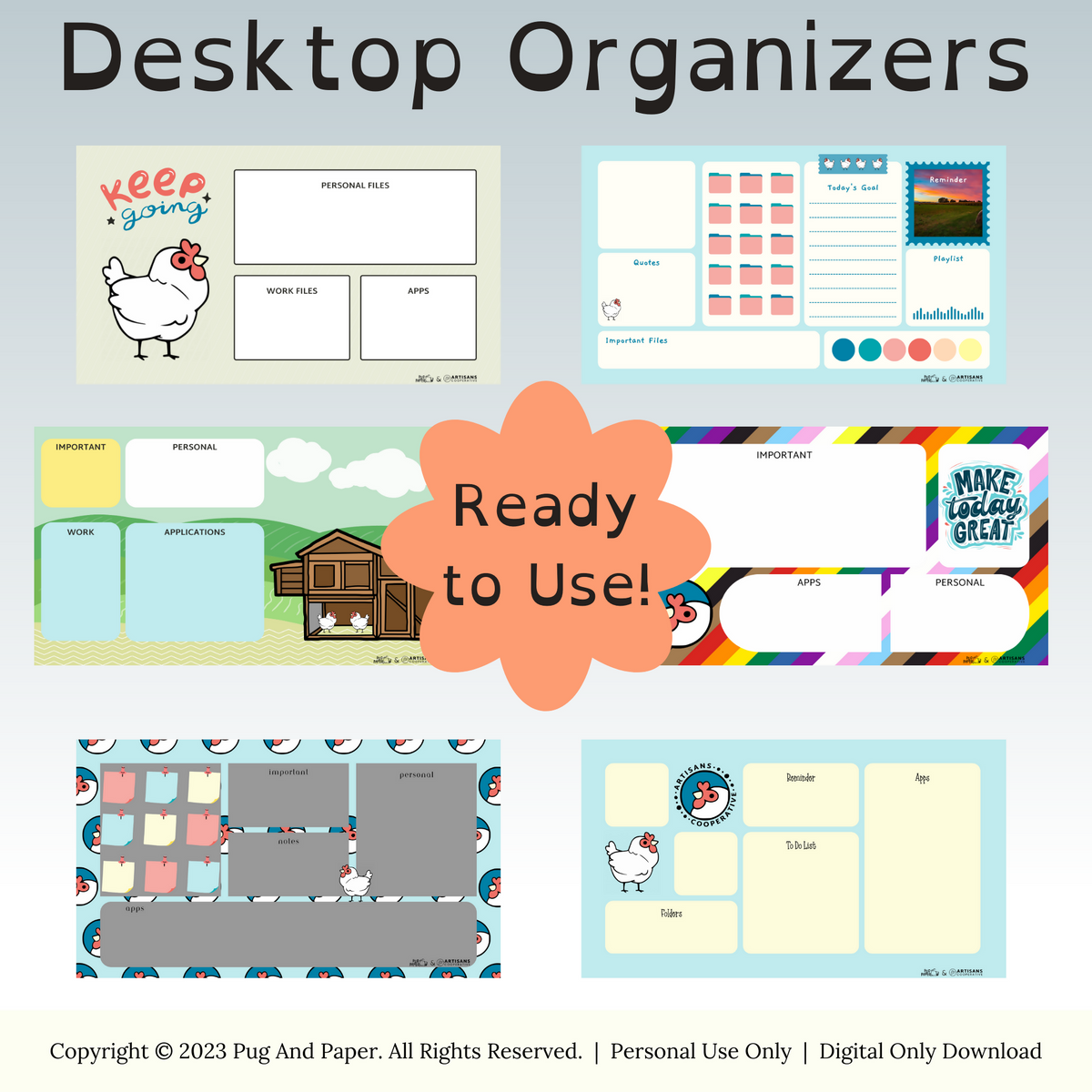
- Printable Digital Organizers: Users can still engage with the tactile nature of organizing through printable templates, which allow for customization and personalization while retaining the digital edge.
“The transition from paper to digital organizers reflects a broader shift in society towards efficiency, accessibility, and adaptability in managing personal and professional lives.”
Key Features That Define an Effective Digital Organizer
In today’s fast-paced world, a digital organizer can significantly enhance productivity and streamline daily tasks. These tools not only keep our schedules in check but also help us manage various aspects of our personal and professional lives. Selecting the right digital organizer involves understanding the key features that contribute to usability and functionality.
A comprehensive digital organizer should include a variety of features that cater to the diverse needs of its users. The following are essential features that enhance both usability and functionality, making the experience seamless and efficient.
Essential Features of a Digital Organizer
When considering a digital organizer, it is crucial to identify features that can significantly improve task management and overall user experience. Below are five fundamental features to look for:
- User-Friendly Interface: A clean, intuitive design allows users to navigate through various functions effortlessly. A responsive interface ensures that users can quickly access important information without dealing with clutter.
- Task Management Tools: Effective digital organizers include robust task management capabilities, such as to-do lists, reminders, and deadlines. These features help users prioritize their tasks and keep track of their progress.
- Calendar Integration: Integrating calendars for scheduling events and appointments is essential. This feature allows users to view their tasks alongside their schedules, preventing double bookings and ensuring better time management.
- Cloud Synchronization: The ability to sync across multiple devices guarantees that users can access their information anywhere and anytime. This feature is essential for those who work on-the-go or switch between devices frequently.
- Customizable Options: Personalization options allow users to tailor the organizer to meet their specific needs, enhancing the overall experience and making it more efficient.
Comparison of Popular Digital Organizers
Various digital organizers on the market offer a range of features. Understanding how they compare can help users make informed decisions. For instance, applications like Todoist, Trello, and Notion each offer unique functionalities.
| Feature | Todoist | Trello | Notion |
|---|---|---|---|
| User Interface | Minimalist and straightforward | Visual boards for project management | Highly customizable workspace |
| Task Management | Comprehensive with labels and priorities | Card-based system for tracking tasks | Flexible task and note integration |
| Calendar Integration | Yes, with Google Calendar | Limited calendar functionality | Yes, integrated calendar feature |
| Cloud Sync | Available across all devices | Real-time collaboration with cloud sync | Syncs across devices, including offline access |
| Customization | Limited but useful | Highly customizable boards | Extensive customization options |
Impact of Customization Options
Customization plays a vital role in enhancing user experience with digital organizers. Options such as theme changes, layout adjustments, and personalized workflows allow users to create an environment that suits their unique preferences and working styles.
For instance, a user who prefers a visual approach may benefit from an organizer that allows them to create custom boards or cards, as seen in Trello. Conversely, users who prefer a list-oriented approach may find Todoist’s tagging and labeling features beneficial.
Moreover, customizable notifications and reminders can help users manage their time more effectively. The ability to set personalized alerts ensures that important tasks and deadlines are not overlooked, ultimately leading to increased productivity.
Popular Digital Organizers and Their Unique Selling Points
Digital organizers have transformed the way individuals and teams manage tasks, schedules, and projects. With the rise of remote work and digital collaboration, these applications serve various needs, catering to different user bases. Each platform offers unique features that streamline productivity and enhance organization, making it essential to choose one that aligns with personal or team goals.
Notion
Notion has gained immense popularity among professionals, students, and creative individuals due to its versatility and user-friendly interface. It combines note-taking, task management, and database capabilities in one cohesive platform. Notion is particularly appealing to users looking for customization, as it allows them to create personalized workspaces tailored to their specific needs.
- Customization: Users can build pages using a variety of templates or design their own, which enables them to organize information in a way that resonates with their workflow.
- Collaboration Features: Notion supports real-time collaboration, making it an excellent choice for teams. Users can share documents, track changes, and comment on tasks, which enhances teamwork.
- Integration: The app connects with various external tools such as Google Drive and Slack, allowing users to streamline their processes without switching platforms.
“Notion has revolutionized the way I organize my projects. Its flexibility is unmatched, and I can customize everything to fit my style.” – A satisfied Notion user.
Trello
Trello stands out as a visual task management tool, favored by teams in project-driven environments. Its intuitive interface uses boards, lists, and cards to represent tasks, allowing users to visualize their workflow effectively. Trello is targeted towards collaborative teams, especially in creative industries, where visual organization is key.
- Visual Task Management: The card-and-board system allows users to see the status of tasks at a glance, making it easy to track progress and prioritize effectively.
- Power-Ups: Trello offers customizable add-ons called Power-Ups, which enable users to enhance functionality and integrate with other apps tailored to their specific project needs.
- User-Friendly Design: The drag-and-drop interface is straightforward, making it accessible for users of all skill levels without extensive training.
“Trello makes managing our projects feel effortless. The visual aspect helps keep everyone on the same page, and it’s fun to use!” – A Trello user from a marketing team.
Todoist
Todoist is a task management application that appeals to individuals seeking simplicity and efficiency in their daily life. It is particularly popular among busy professionals and students who need a straightforward way to track their tasks and deadlines. Todoist focuses on helping users prioritize their tasks effectively.
- Simplicity: The clean, minimalistic interface allows users to add tasks quickly and intuitively, focusing on what needs to be done without distractions.
- Task Prioritization: Users can assign priority levels to tasks, helping them focus on what matters most and manage their time efficiently.
- Cross-Platform Availability: Todoist is available on multiple devices, making it easy for users to access their tasks on-the-go, whether on a phone, tablet, or desktop.
“Todoist has been a game-changer for my productivity. It’s straightforward and keeps me accountable to my tasks every day.” – A dedicated Todoist user.
How to Choose the Right Digital Organizer for Your Needs
Selecting the right digital organizer can significantly enhance your productivity and help you manage tasks, schedules, and projects more efficiently. With a plethora of options available, it is crucial to consider various factors to ensure that the tool you choose aligns with your personal or professional needs.
When choosing a digital organizer, consider factors such as platform compatibility, user interface preferences, and the specific functionalities that cater to your work style. Each digital organizer has unique features that may suit different users. For instance, some may prioritize task management while others emphasize calendar integration or note-taking capabilities.
Factors Influencing the Choice of a Digital Organizer
The choice of a digital organizer can be influenced by various factors that align with your profession, lifestyle, and personal preferences. Understanding these factors is essential for making an informed decision. Below are some crucial elements to consider:
- Platform Compatibility: Ensure the digital organizer works seamlessly on your preferred devices, whether it’s a smartphone, tablet, or computer. Some platforms offer cross-device synchronization, which is vital for users who switch between devices frequently.
- User Interface: A clean and intuitive user interface can significantly impact your experience. Choose an organizer that is easy to navigate, with features readily accessible.
- Integrations: Look for a digital organizer that integrates well with other tools you use, such as email clients, project management software, and calendars. This will streamline your workflow.
- Functionality: Different organizers offer a variety of features, such as task lists, reminders, and collaborative tools. Assess which functionalities are essential for your needs.
- Cost: Consider your budget and evaluate whether the organizer offers a free version or trial. Some may require a subscription or one-time purchase, so it’s important to assess the long-term value.
Evaluating the Best Digital Organizer for Individual Requirements
To effectively evaluate which digital organizer is the best fit for your requirements, follow these steps:
1. Identify Your Needs: Start by determining what you require from a digital organizer. Is it primarily for task management, calendar scheduling, or note-taking? Understanding your needs will guide your selection process.
2. Research Available Options: Investigate various digital organizers available in the market. Read reviews and comparisons to gain insights into their strengths and weaknesses.
3. Test Drive the Options: Utilize free trials or demo versions to test out different organizers. This hands-on experience will help you gauge their usability and whether they meet your expectations.
4. Consider User Feedback: Look at user feedback and testimonials. This can provide valuable information about how the organizer performs in real-world scenarios.
5. Make an Informed Choice: After testing and gathering information, evaluate which digital organizer best meets your needs and preferences, ensuring it complements your lifestyle and workflow.
Choosing the right digital organizer not only enhances productivity but also creates a more structured approach to managing your daily tasks and responsibilities.
Integrating a Digital Organizer into Daily Life for Maximum Efficiency

Incorporating a digital organizer into your daily routine can significantly enhance your productivity and streamline your tasks. By effectively managing your time and responsibilities, you can achieve your goals more efficiently. Here, we explore practical strategies and tips to help you maximize the benefits of your digital organizer.
Seamless Incorporation into Daily Routines
To ensure you get the most out of your digital organizer, it’s essential to integrate it into your daily habits. Start by setting aside a few minutes each morning to review your tasks for the day. This allows you to prioritize effectively and allocate your time wisely.
Consider keeping your digital organizer accessible at all times, either on your phone or computer. This constant availability encourages you to update it frequently and rely on it as your go-to resource for managing tasks. Additionally, developing a routine for checking your organizer, such as before meals or at the end of the workday, can help solidify its role in your daily life.
Effective Use of Reminders and To-Do Lists
Utilizing reminders and to-do lists is crucial for staying organized and on track. Here are some key strategies to optimize these features:
- Set Timely Reminders: Schedule reminders to alert you about upcoming deadlines or appointments. This system ensures that you never miss important tasks.
- Create Prioritized To-Do Lists: List tasks based on urgency and importance. This helps you focus on high-priority items first, maximizing productivity.
- Break Down Larger Tasks: For larger projects, break them into smaller, manageable tasks. This makes them less daunting and easier to approach.
Incorporating these techniques helps to maintain clarity on what needs to be accomplished, allowing for better time management.
Utilizing Calendar Features Effectively
Calendar features are integral to a digital organizer. They allow you to visualize your commitments and manage your time effectively. To leverage this tool:
- Sync with Other Calendars: Sync your digital organizer with work or personal calendars for a comprehensive view of your schedule. This prevents double-booking and helps manage overlapping commitments.
- Color Code Events: Use color coding to categorize tasks or events. This visual differentiation aids in quickly identifying priorities at a glance.
- Set Recurring Events: For regular tasks (like weekly meetings or monthly reports), set these as recurring events to automate reminders and reduce planning time.
These practices can greatly enhance your effectiveness, keeping your plans organized and transparent.
Benefits of Syncing Across Multiple Devices
One of the standout advantages of digital organizers is the ability to sync across various devices. This feature ensures that your information is always available, no matter where you are.
By syncing your digital organizer, you gain:
- Accessibility Anywhere: Access your tasks and calendar from your phone, tablet, or computer, ensuring you have your important information at your fingertips.
- Consistent Updates: Any changes made on one device automatically reflect on all others, eliminating the hassle of manual updates and reducing the risk of errors.
- Improved Collaboration: For team projects, syncing allows for easy sharing of tasks and schedules, enhancing teamwork and communication.
The convenience of having a unified platform to manage your responsibilities can lead to significant improvements in your daily efficiency.
Overcoming Common Challenges with Digital Organizers
Transitioning to a digital organizer can be a game changer for many, offering enhanced efficiency and organization. However, this shift often comes with its own set of challenges. Users may face issues like data loss, technical glitches, or simply the overwhelming nature of managing digital space. Recognizing these obstacles and addressing them proactively can help create a smoother transition and a more enjoyable user experience.
Potential Obstacles During Transition
Digital organizers can present various challenges that may deter users from fully embracing their capabilities. Among these, data loss and technical issues are particularly concerning. Many users worry about losing important information during the transition from paper to digital formats or between different digital platforms. Furthermore, technical difficulties, such as software incompatibility or glitches, can add frustration to the process.
To mitigate these concerns, users should adopt a few best practices. For instance, regularly backing up data is crucial. This can be done using cloud storage solutions or external hard drives to ensure that important files remain safe and accessible. Additionally, familiarizing oneself with the chosen digital organizer’s functionalities through tutorials or user guides can minimize technical issues. Engaging with the software’s support community can also provide insights and solutions to common problems.
Preventive Measures for a Smooth Experience
Implementing preventive measures can significantly enhance the user experience with digital organizers. Preparing for the transition involves setting up a robust system to manage information efficiently. Here are several strategies to consider:
- Regular Backups: Schedule consistent backups of your data to avoid loss from system failures.
- Organizational Structure: Establish a clear naming convention and folder structure from the outset to facilitate easy retrieval of files.
- Software Familiarity: Spend time learning about all features and options available in your digital organizer to maximize its potential.
- Utilize Support Resources: Take advantage of online forums and help centers offered by the digital organizer for troubleshooting and tips.
Best Practices for Maintaining Digital Organization
To maintain a clutter-free digital space, it is essential to adopt effective organizational strategies. Regular maintenance not only keeps your digital organizer functional but also enhances productivity. Here are some practices to implement:
- Daily Clean-Up: Dedicate a few minutes each day to review and delete unnecessary files or emails.
- Prioritize Information: Utilize tagging systems or color coding to highlight critical tasks and documents.
- Establish a Routine: Set a schedule for organizing documents weekly or monthly to maintain order and clarity.
- Limit Redundancies: Avoid creating multiple copies of files by ensuring a centralized location for each document.
“A clean digital space leads to a clear mind, enhancing focus and productivity.”
The Future of Digital Organizers and Emerging Technologies
The landscape of digital organizers is evolving rapidly, influenced by advancements in technology, particularly in areas like artificial intelligence (AI) and machine learning. As these technologies advance, they promise to transform the way users manage their schedules, tasks, and daily activities, making digital organizers more intuitive and personalized than ever before.
The integration of AI and machine learning into digital organizers allows for smarter features that adapt to individual user preferences and behaviors. This shift is expected to result in tools that not only store information but also analyze the data to make proactive suggestions. For example, a digital organizer may learn your work habits and suggest optimal times for meetings or reminders based on past activities. Such advancements will likely lead to increased productivity and efficiency for users.
Anticipated Trends in Digital Organizing Tools
Several key trends are emerging in the development of digital organizers, driven by technological advancements. Understanding these trends can provide insights into how digital organizers are expected to evolve:
- Enhanced Personalization: Future digital organizers will leverage user data to offer tailored experiences, ensuring that the tools resonate with individual needs and preferences.
- Voice and Natural Language Processing: With the growing use of voice assistants, digital organizers will likely incorporate natural language processing (NLP) to allow users to interact through voice commands, making task management more seamless.
- Integration with AI-Powered Analytics: By incorporating AI analytics, digital organizers can predict user needs and optimize scheduling by analyzing past behavior and trends.
- Data Security and Privacy Enhancements: As digital organizers handle sensitive information, future iterations are expected to implement stronger security measures to protect user data.
- Collaboration Features: With the rise of remote work, digital organizers will increasingly feature collaboration tools, allowing users to share schedules and tasks with teams easily.
Revolutionizing User Interaction
The anticipated developments in digital organizers are set to revolutionize how users interact with these tools, enhancing the overall user experience. Here are a few noteworthy changes:
- Proactive Notifications: Future digital organizers will likely provide proactive notifications, reminding users not only of deadlines but also suggesting breaks during busy schedules to enhance well-being.
- Seamless Integration with Smart Home Devices: Future digital organizers will integrate with smart home technology, enabling users to control home environments directly from their organizational tools.
- Visual Data Representation: Enhanced graphical interfaces will allow users to visualize their schedules and tasks better, aiding in easier comprehension and planning.
- Gamification Elements: Incorporating gamification into digital organizers could motivate users to complete tasks by rewarding them for achievements, making organization feel more engaging.
Integration with Other Technologies
The future of digital organizers is not only about standalone improvements but also about how they will integrate with a range of other technologies. The potential for collaboration is vast:
- Smart Home Integration: Digital organizers may connect with smart devices, allowing users to automate routines, such as adjusting lighting and temperature based on their scheduled activities.
- Wearable Technology: Coupling digital organizers with wearables could allow for real-time health monitoring, integrating fitness goals directly into task management.
- Cloud-Based Services: Future digital organizers will likely rely on cloud technology for enhanced accessibility, allowing users to access their information from any device.
- IoT Device Connectivity: As the Internet of Things (IoT) expands, digital organizers will be able to communicate with various connected devices, streamlining workflow and enhancing convenience.
Epilogue
In conclusion, embracing a digital organizer can significantly enhance productivity by streamlining daily tasks and improving overall efficiency. As we look toward the future, these tools are set to evolve with emerging technologies, promising even greater functionality and integration into our daily routines. Choosing the right digital organizer tailored to your needs will not only simplify your life but also empower you to achieve your goals more effectively.
Essential Questionnaire
What is a digital organizer?
A digital organizer is a software or application designed to help users plan, schedule, and manage their tasks and projects efficiently.
How do I choose the best digital organizer for my needs?
Consider factors like user interface, compatibility with your devices, and specific features that suit your lifestyle or profession.
Can I sync my digital organizer across multiple devices?
Yes, most digital organizers offer cloud syncing options, allowing you to access your data from various devices seamlessly.
Are there any security concerns with digital organizers?
While most reputable digital organizers have security measures in place, it’s crucial to use strong passwords and enable two-factor authentication where available.
How do I keep my digital organizer organized and clutter-free?
Regularly review and update your tasks, utilize folders or tags for organization, and set reminders to maintain focus.