Digital organization app brings a fresh perspective to managing tasks and information, transforming how we approach productivity in our daily lives. These applications are designed to streamline processes, eliminate chaos, and help users stay organized by utilizing various features that cater to different needs.
From cloud integration that ensures data is accessible across devices to user-friendly interfaces that enhance the overall experience, these apps have become essential tools for individuals and businesses alike. With the evolution of technology, we find ourselves in an era where digital organization apps are pivotal in boosting efficiency and productivity.
Digital organization apps and their impact on productivity and efficiency
Digital organization apps have revolutionized the way individuals and teams manage their time, tasks, and projects. These applications cater to the increasing demand for efficiency in fast-paced environments, helping users streamline their workload and prioritize effectively. With the onset of remote work and digital collaboration, these apps have become indispensable tools that enhance productivity across various demographics, including students, professionals, and entrepreneurs.
The impact of digital organization apps on productivity is multifaceted. Primarily, they provide users with a centralized platform to manage their tasks, schedules, and communications. This consolidation reduces the clutter often associated with managing multiple tools, thereby allowing users to focus on what truly matters. One of the key aspects that enhance productivity through these apps is their ability to facilitate better time management. By providing features such as calendar integration, reminders, and time-tracking functionalities, users can allocate their time more effectively and ensure they are meeting deadlines.
Key Features Contributing to Efficiency
Several features within digital organization apps significantly contribute to enhancing efficiency. Below are some of the most impactful functionalities that users benefit from:
- Task Management: Users can create, assign, and prioritize tasks easily. Features like due dates, checklists, and sub-tasks ensure that no detail is overlooked.
- Collaboration Tools: Many apps facilitate team collaboration through shared workspaces, allowing team members to communicate in real-time and share files seamlessly.
- Integration Capabilities: Integration with other tools (like email, project management software, and cloud storage) allows users to work within a single ecosystem, minimizing disruptions and context-switching.
- Automated Workflows: Automation features can handle repetitive tasks such as sending reminders or updating statuses, which frees up users to focus on more strategic activities.
- Analytics and Reporting: Many apps provide insights into productivity patterns, helping users identify areas for improvement and adjust their strategies accordingly.
User demographics exhibit varied usage of these apps, each leveraging the tools based on specific needs. For instance, students often use organization apps like Trello or Notion to track assignments and manage group projects, enhancing their collaborative efforts and ensuring timely submissions. Professionals in corporate settings utilize apps like Asana and Monday.com to manage workloads, coordinate with teams, and streamline project timelines, leading to improved team performance. Entrepreneurs may favor tools like Todoist or Evernote for managing their diverse tasks, from scheduling meetings to tracking business goals, which aids in maintaining focus amidst the many demands of running a business.
The diverse functionalities and user adaptations of digital organization apps underline their critical role in fostering productivity and efficiency in the modern workspace. By centralizing tools and providing essential features, these apps empower users to take control of their tasks and maximize their productivity potential.
The evolution of digital organization applications over the years
Digital organization applications have undergone significant transformations since their inception, evolving from simple task managers to comprehensive platforms that integrate various functionalities. These advancements reflect the changing landscape of technology and user preferences, showcasing how applications have adapted to meet the real-world demands of individuals and organizations alike. The journey of digital organization apps illustrates the interplay between technological innovation and user-centered design, ultimately enhancing productivity and efficiency.
The historical development of digital organization applications can be traced back to the early days of personal computing in the 1980s. Initially, software like Lotus 1-2-3 and Microsoft Excel provided basic spreadsheet functionalities, allowing users to organize data and manage simple tasks. As personal computers became commonplace, the need for more specialized organizational tools grew. In the late 1990s, applications like Microsoft Outlook began to emerge, incorporating email, calendar, and task management into one platform, setting a precedent for integrated digital organization solutions.
Key milestones in app functionality and design
The evolution of digital organization apps has been marked by several key milestones that have shaped their functionality and design. These milestones reflect advancements in technology as well as the changing needs and preferences of users.
- Introduction of Cloud Technology: The shift towards cloud-based applications in the early 2000s transformed digital organization. Users could now access their tasks and documents from anywhere, fostering collaboration and remote work.
- Mobile Optimization: With the rise of smartphones in the late 2000s, digital organization apps began to prioritize mobile experiences. Apps like Todoist and Trello optimized their interfaces for mobile use, allowing users to stay organized on the go.
- Integration Capabilities: The introduction of APIs and integration features allowed users to connect various applications, creating streamlined workflows. Tools like Zapier emerged, enabling seamless data transfer between different apps.
- User-Centric Design: The focus on user experience grew in importance, leading to more intuitive designs and personalized features. User feedback became a crucial part of the development process, resulting in apps that cater to specific user preferences.
- Artificial Intelligence Integration: Recent advancements in AI have introduced features such as smart scheduling and task prioritization, optimizing user efficiency and adapting to individual work patterns.
The evolution of digital organization applications has been heavily influenced by user needs. As individuals sought more efficient methods for managing their time, developers responded by incorporating features that align with productivity trends. For instance, the growing popularity of the Agile methodology in project management led to the creation of tools that emphasize collaboration and flexibility, such as Asana and Notion. Furthermore, the increased emphasis on mental well-being has prompted apps to include features that encourage breaks and mindfulness alongside productivity tools.
The adaptability of digital organization apps to meet user demands is a testament to their ongoing evolution, allowing users not only to stay organized but to thrive in their personal and professional lives.
Comparing popular digital organization apps on the market
In today’s fast-paced world, digital organization apps are essential tools for managing tasks, schedules, and projects efficiently. With a wide array of options available, it can be overwhelming to choose the right one. This comparison will highlight three popular digital organization apps, focusing on their features, pricing, and user ratings to help you make an informed decision.
The following table summarizes key aspects of three leading digital organization apps: Trello, Todoist, and Notion. Each app has unique strengths that cater to different organizational needs.
| App | Features | Pricing | User Ratings |
|---|---|---|---|
| Trello | Kanban boards, customizable workflows, collaboration tools, Power-Ups (integrations). | Free; Business Class at $12.50/month; Enterprise pricing available. | 4.5/5 |
| Todoist | Task management, due dates, recurring tasks, project templates, productivity tracking. | Free; Premium at $3/month; Business at $5/month. | 4.4/5 |
| Notion | All-in-one workspace, note-taking, database features, task management, collaboration. | Free; Personal Pro at $4/month; Team at $8/month. | 4.7/5 |
Unique selling points for each app
Each app possesses unique features that address various organization styles and preferences, making them stand out in a competitive market.
- Trello: Its visual approach using Kanban boards allows users to see tasks at a glance, making it ideal for teams that prefer a collaborative and flexible workflow. Trello’s Power-Ups provide countless integrations, enhancing its functionality.
- Todoist: Renowned for its simplicity and powerful task management capabilities, Todoist helps users break down tasks effectively. Its intuitive interface and productivity tracking features encourage users to stay organized and focused.
- Notion: Combining multiple tools in one platform, Notion serves as a note-taking app, task manager, and database. Its flexibility and customization options empower users to create tailored workspaces that fit their unique needs.
User testimonials illustrating effectiveness
Real-world experiences often provide insight into the effectiveness of digital organization apps. Below are testimonials that highlight how these apps have impacted users’ productivity.
“Trello has transformed our project management. The visual boards keep everyone on the same page, and we can tailor our workflow to fit any project.” – Sarah, Project Manager.
“Since I started using Todoist, my task list has never been clearer. The ability to set recurring tasks and track my productivity has significantly improved my time management skills.” – John, Freelancer.
“Notion is a game-changer for me. I can manage my notes, tasks, and even databases all in one place. It’s made my personal and professional life so much more organized.” – Megan, Student.
These testimonials demonstrate the effectiveness of each app in enhancing productivity and organization, showcasing how diverse features can cater to distinct user needs.
The role of cloud technology in digital organization apps
Cloud technology is transforming the landscape of digital organization apps, providing users with seamless access to their data and enhancing the overall functionality of these tools. With the shift from local storage to cloud-based solutions, users can now manage their tasks, notes, and schedules more efficiently than ever. This technology enables real-time collaboration, allowing multiple users to work on shared documents without the hassle of version control issues. Users can also enjoy the convenience of accessing their information from anywhere, as long as they have an internet connection.
The integration of cloud technology significantly enhances the functionality of digital organization apps by enabling data synchronization across various devices. Users can switch between their smartphones, tablets, and computers without missing a beat, as their information is consistently updated across all platforms. This level of synchronization ensures that users can stay organized and productive regardless of the device they are using at any given moment. For instance, if a user adds a task on their phone, that task will automatically appear on their laptop and tablet.
Data synchronization benefits across devices
Data synchronization is crucial for maintaining continuity in users’ productivity. The following points highlight the key benefits associated with this feature:
- Enhanced accessibility: Users can access their organizational tools anytime, anywhere, which means they can manage their tasks on the go without worrying about losing information.
- Consistency: Changes made on one device are instantly reflected on all others, preventing discrepancies and ensuring that users always have the latest information at their fingertips.
- Improved collaboration: Teams can collaborate more effectively, as shared documents and tasks are updated in real-time, allowing for immediate feedback and adjustments.
To protect user data, digital organization apps commonly adopt various security measures. Given the sensitivity of the information stored in these applications, developers prioritize robust cybersecurity protocols. These measures often include:
Security measures for user data protection
- Data encryption: Information is typically encrypted both in transit and at rest, making it significantly harder for unauthorized users to access the data.
- Multi-factor authentication (MFA): By requiring an additional verification step, MFA helps ensure that only authorized users can access their accounts.
- Regular security updates: Developers frequently update their apps to patch vulnerabilities and strengthen overall security, keeping user data safe from emerging threats.
- Compliance with data protection regulations: Many apps adhere to industry standards and regulations such as GDPR or HIPAA, ensuring that they meet strict privacy requirements.
“Cloud technology not only enhances functionality but also offers a secure environment for sensitive user data.”
User interface and user experience design in digital organization apps
The user interface (UI) and user experience (UX) design are critical components in the development and success of digital organization apps. Effective UI/UX not only enhances usability but also significantly influences user satisfaction and engagement levels. A well-designed digital organization app can streamline workflows, boost productivity, and ultimately lead to higher user retention. With the increasing reliance on technology for daily organization, understanding the nuances of UI/UX design becomes essential for developers and businesses alike.
UI/UX design is pivotal in creating a seamless experience for users. It encompasses various elements such as layout, color schemes, typography, and navigation that together contribute to the overall functionality and appeal of an app. When these elements are thoughtfully integrated, users can interact with the app intuitively without feeling overwhelmed or confused. This clarity is essential as users often have limited time and patience, and a complicated interface can lead to frustration and abandonment of the app.
Design elements that contribute to user satisfaction
Design elements play a vital role in enhancing user satisfaction in digital organization apps. These elements should not only be aesthetically pleasing but also functional and user-centered. The following are key design aspects that contribute to a positive user experience:
- Intuitive Navigation: Ease of navigation is crucial. Users should be able to find what they need quickly without unnecessary clicks or scrolling. Clear labeling and a logical structure can guide users efficiently.
- Consistent Design Language: Consistency in design across different sections of the app helps users understand how to interact with various features. This includes uniform colors, fonts, and button styles.
- Responsive Feedback: Providing immediate feedback through visual cues, such as animations or notifications, reassures users that their actions are recognized. For example, a simple animation when a task is completed can enhance the feeling of accomplishment.
- Customizability: Allowing users to customize their interface, such as adjusting themes or layouts, can significantly enhance their engagement. Personalization makes the app feel more tailored to individual needs.
- Clear Call-to-Action (CTA): Well-placed CTAs help guide users towards desired actions. For instance, a prominent “Add Task” button should stand out and be easily accessible to encourage productivity.
User feedback is a vital component of the iterative design process in UI/UX. Incorporating user insights ensures that the app evolves alongside its users’ needs and preferences. Regularly soliciting feedback through surveys, usability testing, and in-app prompts provides valuable data on user behavior and preferences. Developers can analyze this feedback to identify pain points and areas for improvement. For instance, if multiple users indicate difficulty in finding a specific feature, designers can reevaluate its placement or enhance its discoverability.
The iterative process of design encourages continuous refinement. Apps like Trello and Todoist exemplify this approach; both utilize user feedback to implement updates that enhance functionality and user engagement. By prioritizing user input, digital organization apps can foster a sense of community and trust, ultimately leading to greater user satisfaction and loyalty.
The integration of digital organization apps with other software tools
The integration capabilities of digital organization apps have become a cornerstone of productivity in modern workflows. By connecting with other software tools, these apps enrich their functionality and ensure that users can manage their tasks, projects, and information seamlessly. This integration allows for a more cohesive user experience, enabling individuals and teams to work smarter and not harder.
Integrating digital organization apps with other software enhances functionality by allowing data to flow between systems, reducing the need for manual data entry and minimizing the chances of errors. With connections to popular applications, users can automate tasks, centralize information, and streamline processes. This interconnectivity means that task management can be paired with calendars, communication platforms, and project management tools, creating a holistic environment for productivity.
Common applications that integrate with organization apps
Understanding the types of applications that often integrate with digital organization apps is crucial to maximizing their utility. These common applications typically include:
- Calendar Apps: Integrating with calendar tools like Google Calendar or Outlook helps users keep track of deadlines and appointments directly from their organization app.
- Email Platforms: Linking with email services such as Gmail or Outlook allows users to convert emails into tasks or reminders, ensuring important communications are not overlooked.
- File Storage Services: Platforms like Google Drive, Dropbox, or OneDrive enable seamless access to documents and files, allowing for better collaboration and document management within the organization app.
- Project Management Tools: Integrations with tools like Trello, Asana, or Monday.com allow users to sync tasks and projects, ensuring everyone is on the same page.
- Communication Tools: Apps like Slack or Microsoft Teams facilitate real-time collaboration and updates, making it easier to manage team communications related to specific tasks or projects.
Users can employ several methods to maximize the benefits of these integrations. First, they should take the time to explore the integration settings within their organization app to connect with the tools they use most frequently. Many apps offer templates or pre-built integrations that simplify the setup process. Additionally, users can leverage automation tools like Zapier or Integromat to create custom workflows tailored to their specific needs, enabling them to trigger actions between applications without needing extensive coding skills.
“Integrating your digital organization app with other software tools can save time and enhance productivity by automating routine tasks and centralizing information.”
By actively utilizing these integrations, users can create a streamlined digital ecosystem that not only improves efficiency but also enhances collaboration among team members.
The future of digital organization apps and emerging trends

The digital organization landscape is evolving rapidly, driven by advancements in technology and changing user needs. As we look to the future, several key trends are emerging that will likely redefine how users interact with organization apps. With the integration of artificial intelligence, automation, and personalized user experiences, the potential advancements in these applications promise to enhance productivity and streamline task management like never before.
One major advancement on the horizon is the integration of AI technologies into digital organization apps. Artificial intelligence can analyze user behavior, preferences, and workflows, enabling apps to offer tailored solutions. For instance, AI can automate routine tasks such as scheduling and reminders, allowing users to focus on more complex responsibilities. Voice-activated assistants are becoming more prevalent, making it easier for users to add tasks or retrieve information hands-free. This increased accessibility not only enhances user engagement but also allows users to maintain their organizational efforts seamlessly throughout the day.
Automation and Task Management
Automation is becoming indispensable in digital organization apps, providing users with tools that can manage repetitive tasks with minimal input. The importance of automation lies in its ability to free up time for users, allowing them to concentrate on high-priority projects. Here are key aspects of how automation is reshaping task management:
- Smart Scheduling: Apps are evolving to suggest optimal meeting times based on users’ calendars and available slots, eliminating the back-and-forth often associated with planning.
- Automated Prioritization: Emerging technologies can analyze deadlines, project importance, and user workload to automatically prioritize tasks, ensuring that users focus on what matters most.
- Integration with Other Tools: Automation allows seamless connectivity with other popular applications like email and project management software, synchronizing workflows across platforms.
Along with automation, personalized user experiences are becoming increasingly vital. By leveraging machine learning, apps can adapt to individual preferences over time. For example, an organization app might learn a user’s preferred layout, frequently used tags, and even the types of reminders they respond best to. This level of personalization makes the apps more intuitive and user-friendly, further enhancing engagement.
Moreover, the interface design is shifting toward customization, allowing users to tailor their dashboards and workflows to suit their specific needs. This degree of personalization fosters a sense of ownership and can lead to improved productivity.
As these trends continue to develop, we can anticipate a future where digital organization apps will not only help users manage their time and tasks more efficiently but also significantly enhance overall productivity. Examples such as Trello and Todoist already illustrate the power of integrated tools, and future apps may take this further by using sophisticated algorithms to predict user needs and suggest proactive solutions.
In summary, the future of digital organization apps will be characterized by enhanced AI integration, advanced automation, and a focus on personalized user experiences. These elements will reshape user engagement, leading to more effective task management and a more seamless experience in maintaining organization.
Overcoming challenges in adopting digital organization apps
Adopting digital organization apps can transform the way individuals and teams manage tasks, schedules, and projects. However, the transition is not without its hurdles. Users often encounter challenges that can hinder their experience and productivity. Recognizing these challenges and implementing effective solutions is crucial for successful adoption.
Common challenges and solutions
Users may face several common obstacles when embracing digital organization apps. Addressing these challenges early on can lead to smoother integration and improved user satisfaction.
- Resistance to Change: Many users are accustomed to traditional organizing methods. To combat this, organizations should emphasize the benefits of digital apps, showcasing how they enhance efficiency and collaboration. Change management strategies, including clear communication about the app’s advantages, can foster a more positive attitude towards the transition.
- Technical Difficulties: Users may experience difficulties navigating new software or face compatibility issues with existing tools. Providing comprehensive technical support is essential. Regularly scheduled training sessions and creating a knowledge base with FAQs and troubleshooting guides can help users become more comfortable with the app.
- Overwhelm from Features: Digital organization apps often come loaded with features that can overwhelm new users. To alleviate this, onboarding processes should be gradual. Start with core features that offer immediate benefits before gradually introducing more advanced functionalities. This phased approach can help users adapt more effectively.
Importance of user training and support
Effective user training and continuous support are critical components of a successful digital app adoption strategy. Training sessions can help users understand the functionalities and advantages of the app, enabling them to utilize its features fully. Additionally, ongoing support, whether through help desks, online chats, or community forums, reassures users that assistance is readily available.
Successful user onboarding practices
Organizations looking to improve user adoption can implement effective onboarding practices that guide users through the initial stages of app usage.
- Interactive Tutorials: Instead of static guides, interactive tutorials can provide hands-on experience, allowing users to learn by doing. This approach engages users and enhances retention of information.
- Welcome Kits: Providing new users with welcome kits that include quick start guides, links to video tutorials, and access to a community forum can facilitate a smoother transition. These kits can serve as valuable resources in the early phases of app adoption.
- Feedback Mechanisms: Establishing channels for users to share their feedback can improve onboarding processes. Regularly assessing user experiences and making adjustments based on their insights can enhance overall satisfaction and effectiveness of the app.
Successful adoption of digital organization apps hinges on proactive user engagement through training, support, and tailored onboarding experiences.
Cost analysis of implementing digital organization apps for businesses
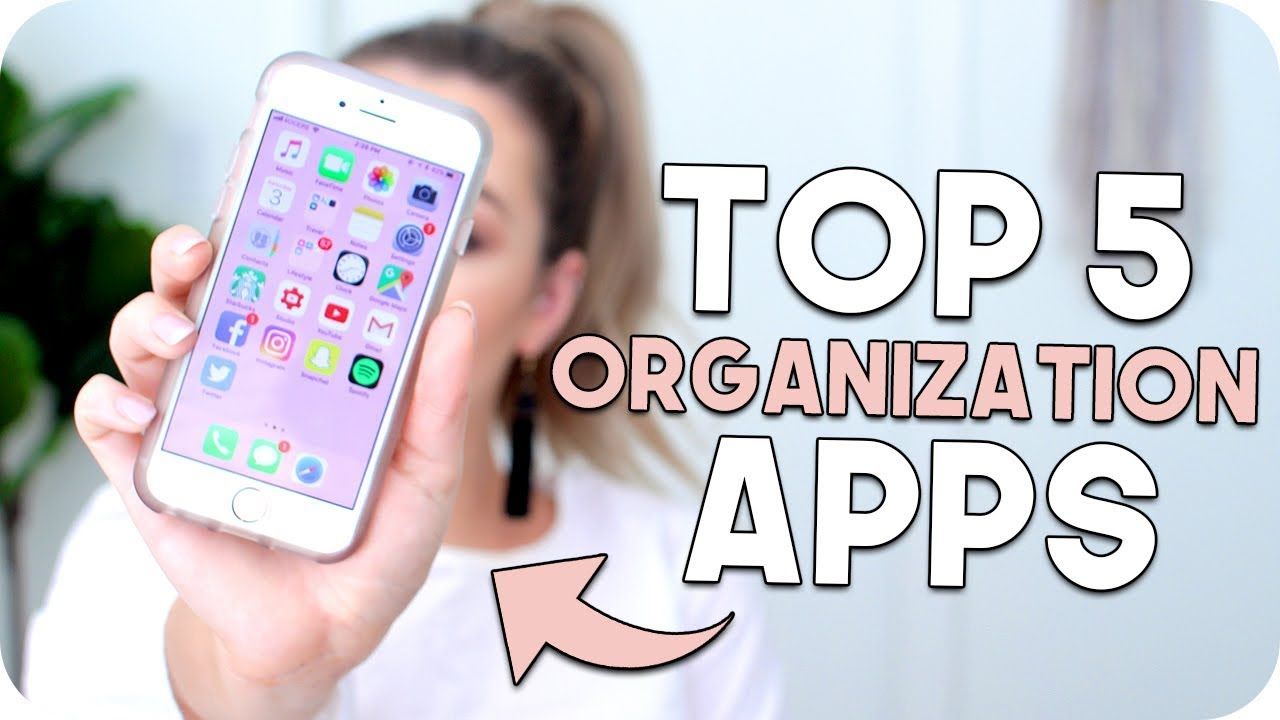
Implementing digital organization apps can represent a significant shift in operational efficiency for businesses. However, understanding the cost implications of such systems is crucial to ensure a wise investment. The transition to these apps often involves upfront costs, ongoing subscription fees, and possible training expenses. Analyzing these costs relative to the potential return on investment (ROI) is essential to gauge the overall financial impact.
The adoption of digital organization apps typically incurs various costs, including software licensing, training, and integration with existing systems. Businesses often face a choice between one-time purchase software and subscription-based models, with the latter generally leading to lower initial expenditures but higher long-term costs. Furthermore, additional expenses may arise from the need for training employees to effectively utilize the new tools. This is particularly relevant for larger organizations where the learning curve can vary significantly among staff members.
Return on Investment and Productivity Metrics
Calculating the ROI of implementing digital organization apps is essential for justifying their costs. This can be assessed through various productivity metrics that can directly correlate with their usage. Metrics such as time saved on repetitive tasks, increased collaboration efficiency, and improved project tracking can provide a tangible basis for measuring benefits.
For example, companies like Trello and Asana have reported substantial improvements in workflow management after adopting their respective digital organizational tools. Businesses utilizing these systems have documented reductions in project completion times by up to 25%, translating to faster time-to-market for their products or services. Additionally, productivity metrics have shown that teams can handle more projects simultaneously due to improved task management and communication capabilities.
To better understand the cost-benefit aspect, here are some key points demonstrating ROI:
- Time Efficiency: Businesses that implement digital organization apps can save an average of 10-20 hours per week that would otherwise be spent on administrative tasks.
- Increased Revenue: Improved organization and task management can lead to a projected revenue increase of 15-30% in teams managing multiple projects effectively.
- Employee Satisfaction: Streamlined processes contribute to higher employee satisfaction scores, which can lead to lower turnover rates and reduced recruitment costs.
“A well-organized team can significantly enhance productivity, leading to greater innovation and ultimately, increased profitability.”
Successful examples further affirm the value of these tools. A case study of a marketing agency reported a 40% increase in project delivery speed after implementing a leading digital organization app, alongside a 30% increase in client satisfaction ratings due to better communication and timely updates. These cases illustrate how the initial costs associated with adopting digital organization apps can be rapidly offset by the substantial long-term benefits, making them a worthwhile investment for businesses aiming to improve efficiency and drive growth.
Final Summary
In conclusion, the digital organization app is not just a trend; it represents a significant shift in how we manage our tasks and responsibilities. As technology continues to evolve, these applications will likely become even more sophisticated, further enhancing our ability to stay organized and productive in an increasingly complex world. Embracing these tools can lead to remarkable improvements in both personal and professional realms.
FAQ Overview
What are some key features to look for in a digital organization app?
Key features include task management, calendar integration, cloud storage, and collaboration tools.
Can digital organization apps be used by teams?
Absolutely! Many apps are designed for team collaboration, allowing members to share tasks and information seamlessly.
Are there free options available for digital organization apps?
Yes, many digital organization apps offer free versions with basic features, while premium subscriptions provide advanced functionality.
How secure is the data stored in digital organization apps?
Most reputable apps implement strong security measures, including encryption and two-factor authentication, to protect user data.
How can I choose the right digital organization app for my needs?
Consider your specific requirements, such as features, ease of use, integrations, and budget, to find the best fit for you.