Embarking on the journey of digital organization can often feel overwhelming, but the Minimalist organization app offers a refreshing approach that simplifies your planning and productivity. By stripping away unnecessary complexities, this app embodies the essence of minimalism, promoting clarity and focus in an age where distractions are everywhere.
In today’s fast-paced world, adopting minimalist principles in our digital tools can lead to better productivity and reduced stress. Whether through better task management or streamlined communication, the Minimalist organization app is designed to help you navigate your daily responsibilities with ease and efficiency.
The Concept of Minimalism in Digital Organization
In the realm of digital organization, minimalism refers to the intentional reduction of clutter and complexity in digital spaces, aiming to enhance focus and efficiency. In today’s fast-paced world, where distractions are abundant and information overload is commonplace, embracing minimalism can significantly impact our productivity and well-being. By stripping away the non-essential, individuals can create streamlined digital environments that foster clarity and purpose.
Adopting minimalist principles in digital organization leads to improved productivity and reduced stress levels. When digital spaces are free from unnecessary distractions, individuals can concentrate better on their tasks, ultimately enhancing their efficiency. Moreover, a decluttered digital environment can mitigate feelings of overwhelm and anxiety that often accompany excessive information and multitasking.
Applications of Minimalist Organization in Digital Tools
Various digital tools exemplify the effectiveness of minimalist organization, demonstrating how simplification can enhance user experience and productivity. Here are some notable examples:
- Task Management Apps: Applications like Todoist and Trello prioritize simplicity, allowing users to manage tasks without unnecessary features that can lead to confusion. Their clean interfaces help users focus on what truly matters – completing tasks efficiently.
- Note-Taking Applications: Tools such as Notion and Evernote embrace minimalism by offering streamlined interfaces that encourage quick note-taking without the clutter of excessive options. Users can focus on capturing ideas rather than navigating complex features.
- Email Clients: Email services like Inbox by Gmail implement minimalist design principles, focusing on essential actions and reducing visual clutter. This helps users manage their emails more effectively, leading to less stress and faster response times.
- File Storage Solutions: Services like Google Drive and Dropbox allow users to organize files with minimal distraction, emphasizing straightforward navigation and easy access to important documents. Clear folder structures help maintain organization without overwhelming users.
By utilizing minimalist organization in these digital tools, users can experience a more efficient workflow, ultimately leading to heightened productivity and a sense of control in their digital lives.
“Minimalism in digital organization is not about having less, but about making room for more of what matters.”
Key Features of a Minimalist Organization App
A minimalist organization app is designed to streamline tasks, declutter the user experience, and improve productivity. The essential features of such an app should focus on simplicity and functionality to help users manage their time and tasks effectively without being overwhelmed by excessive options. A well-crafted minimalist app aims to enhance user experience while delivering practical tools for organization.
User interface design is crucial in creating a minimalist experience, as it directly influences how users interact with the app. The interface should prioritize clean lines, ample white space, and intuitive navigation to reduce cognitive load and help users focus on their tasks. Effective UI design also incorporates consistent typography and color schemes that enhance readability while reflecting a sense of calm and order.
Essential Features for User-Friendly Minimalist Organization
The following features are essential for a minimalist organization app to ensure effectiveness and user-friendliness:
- Task Management: Users should be able to easily create, edit, and delete tasks with minimal steps. Efficient task management tools can include options for setting deadlines and priorities without overwhelming the user.
- Calendar Integration: A seamless calendar integration allows users to keep track of deadlines and appointments. Minimalist apps often use simplified views that prioritize important dates over excessive details.
- Note Taking: The ability to jot down quick notes or ideas is vital. A minimalist approach in note-taking functionality should allow for easy formatting and categorization, making notes accessible yet simple.
- Search Functionality: A powerful yet simple search feature helps users find their tasks or notes quickly. This is crucial for maintaining efficiency without distraction.
- Customizable Interface: Users appreciate the ability to tailor their interface to their preferences, whether through themes or layout adjustments, as this helps personalize their organization experience.
Examples of Effective Minimalist Organization Apps
Several existing apps exemplify the key features of a minimalist organization app while effectively serving their user base.
- Todoist: This app offers a clean interface with powerful task management features. Users can create projects, assign due dates, and categorize tasks with labels, all presented in a straightforward, uncluttered design.
- Notion: Notion combines note-taking, task management, and database functionality in a minimalist way. Its flexibility allows users to customize their workspace while keeping the interface simple and clean.
- TickTick: TickTick features an intuitive interface for task management, integrating a calendar view that helps users visualize their schedules with ease. The simplistic design promotes focus and enhances productivity.
“In design, minimalism does not mean the absence of content, but rather the deliberate use of only the most necessary elements to communicate effectively.”
These apps showcase how minimalism can enhance usability and productivity, proving that less can indeed be more in the world of organization tools.
The Benefits of Using a Minimalist Organization App
Adopting a minimalist organization app can significantly transform how individuals manage their tasks and time. Unlike traditional methods that often involve cluttered to-do lists and overwhelming planners, minimalist apps streamline the process, focusing on simplicity and efficiency. This approach allows users to concentrate on what truly matters without the distractions of excessive features.
A minimalist organization app can enhance time management skills and personal productivity in various ways. By reducing the number of tasks displayed and prioritizing essential activities, users can allocate their time more effectively. The straightforward design promotes a quick understanding of daily responsibilities, avoiding the confusion that often comes with more complex task management systems. Moreover, many apps utilize features like reminders and deadlines, which help users stay on track and meet their goals without the stress often associated with traditional methods.
Advantages Over Traditional Methods
Minimalist organization apps offer several advantages compared to traditional task management methods, which can lead to improved efficiency and focus. The following points highlight key benefits:
- Simplicity: The minimalist design reduces visual clutter, allowing users to focus on tasks without distractions.
- Prioritization: Users can easily prioritize tasks, ensuring that the most critical items are addressed first.
- Accessibility: Many apps are available on mobile devices, making it easy to manage tasks on the go.
- Time Tracking: Integrated time trackers help users understand how long tasks take, facilitating better time management.
- Customization: Users can often tailor the app’s features to fit their personal workflow, enhancing efficiency.
The long-term benefits of using a minimalist organization app extend beyond mere productivity improvements. These apps contribute positively to mental health and work-life balance. By reducing overwhelm and providing a clear structure for daily activities, users often experience lower stress levels. For instance, a study from the American Psychological Association indicated that individuals who utilize organized task management systems report higher levels of satisfaction in their work and personal lives.
“Simplifying your tasks can lead to a significant reduction in anxiety and an improvement in overall well-being.”
Moreover, maintaining a balanced approach to work and leisure is facilitated by the ability of these apps to help users set boundaries. By clearly defining work tasks and personal responsibilities, individuals can avoid burnout and ensure they make time for relaxation and self-care. The result is a harmonious relationship between professional obligations and personal enjoyment, which is crucial for long-term mental health.
Challenges Users Face When Transitioning to Minimalist Apps
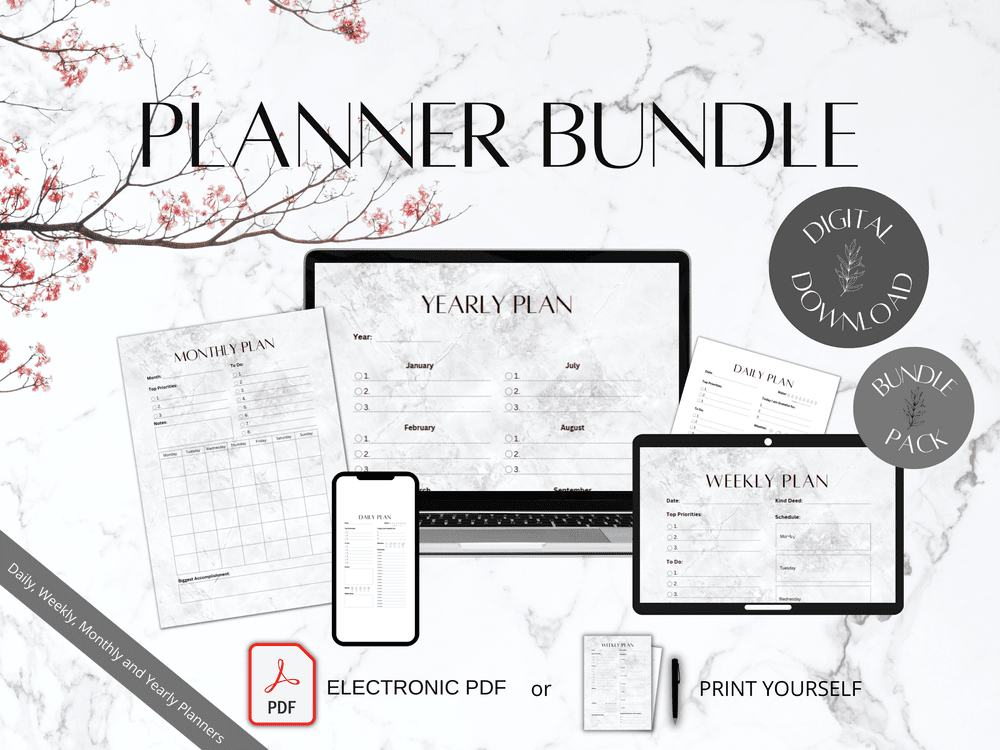
Transitioning to minimalist organizational apps can be a refreshing change for many, but it’s not without its challenges. Users often come from complex systems filled with features and tools that they believe are necessary for effective organization. The shift to a more simplified approach can bring about several obstacles as individuals attempt to align their habits with the streamlined functionality of minimalist applications.
The first significant challenge users face is the emotional attachment to their previous organizational methods. Many individuals have invested time and energy into their complex systems, which often leads to resistance against changing to a more simplistic alternative. This attachment can manifest in the fear of losing valuable information or the perception that minimalism may not provide enough functionality to meet their needs.
Common Obstacles in Transitioning to Minimalist Apps
Understanding the common difficulties users encounter can help in developing effective strategies for a smoother transition. Below are several key challenges along with insights into overcoming them:
- Overcoming Information Overload: Users accustomed to having vast amounts of data at their fingertips may struggle with the limited information displayed in minimalist apps. To combat this challenge, users can start by identifying their most essential tasks and simplifying their to-do lists. Focusing on a few critical items each day can help ease the transition while ensuring productivity is maintained.
- Adjustment to New Workflows: Shifting from a complex to a minimalist approach often requires users to rethink their workflows. Implementing a phased approach to transition can ease this adjustment. For example, users can begin by adopting one or two features of the minimalist app that align closely with their current process before fully committing to the new system.
- Fear of Losing Functionality: Users may worry that minimalist apps lack the features necessary for their organizational needs. A strategy to address this is to explore the core functionalities of minimalist apps that can replace or streamline existing features. Engaging with support forums and seeking testimonials from other users can provide reassurance and alternative solutions.
- Building New Habits: The success of a minimalist app often hinges on developing new habits. Users can support this by setting specific goals and reminders to gradually incorporate the app into their daily routines. Tracking progress can foster a sense of accomplishment, making it easier to adapt to the new system.
“Transitioning to minimalism in organization is not about losing control; it’s about gaining clarity and focus.”
User experiences provide further insight into the challenges faced during this transition. Many users report feelings of anxiety when first using a minimalist app, stemming from the drastic reduction in features and options they were used to. Testimonials often highlight that the initial discomfort eventually gives way to a more productive and less cluttered workflow. For instance, a user transitioning from a complex project management tool to a minimalist app shared how it took several weeks to feel comfortable but ultimately led to clearer priorities and enhanced efficiency in task completion.
With continued practice and patience, users can navigate the challenges of transitioning to minimalist organizational apps, paving the way for a more streamlined and effective approach to personal and professional organization.
How to Choose the Right Minimalist Organization App
Selecting the ideal minimalist organization app can significantly enhance your productivity and simplify your daily tasks. It’s essential to consider various factors that align with your personal preferences and organizational needs. With the right app, maintaining a clutter-free digital environment becomes more manageable, helping you focus on what truly matters.
When choosing a minimalist organization app, several factors should be evaluated to ensure it meets your requirements effectively. These factors include usability, features, compatibility with your devices, and user satisfaction. Understanding these elements can guide you in making an informed decision.
Factors to Consider When Selecting an App
Assessing the following factors can help you identify the most suitable minimalist organization app for your needs:
- Usability: The app should offer a straightforward and intuitive interface that allows for easy navigation. A clean design without distracting elements enhances user experience.
- Features: Look for essential features that align with your organizational style. Important functionalities might include task management, note-taking, or calendar integration.
- Device Compatibility: Ensure that the app is compatible with the devices you use, whether it’s a smartphone, tablet, or desktop, to enable seamless access across platforms.
- User Reviews and Ratings: Checking user satisfaction levels through reviews can provide insights into the app’s reliability and effectiveness.
- Cost: Consider whether the app offers a free version or a trial period, and weigh the cost of premium features against the benefits they provide.
Comparison of Popular Minimalist Organization Apps
A comparison of popular minimalist organization apps can shed light on their unique strengths and weaknesses. The following table Artikels key differences and similarities among selected apps based on usability, features, and user satisfaction levels.
| App Name | Usability | Key Features | User Satisfaction | Cost |
|---|---|---|---|---|
| Todoist | Highly user-friendly interface | Task management, projects, labels | 4.5/5 on average | Free version available; Premium $3/month |
| Notion | Flexible and customizable layout | Notes, databases, tasks, wikis | 4.7/5 on average | Free version available; Plans from $4/month |
| Evernote | Intuitive design, easy to use | Note-taking, tasks, web clipping | 4.3/5 on average | Free version available; Premium $7.99/month |
| Microsoft To Do | Simplistic and effective interface | Task lists, reminders, collaboration | 4.4/5 on average | Free |
“Choosing the right app can transform your organizational habits and boost your productivity significantly.”
Future Trends in Minimalist Organization Applications

The world of technology is continually evolving, with trends that shape how we interact with our digital environments. As minimalist organization applications become more popular, understanding the future trends that will influence their development is crucial. This discussion will explore how emerging technologies and shifting user expectations are poised to redefine the minimalist app landscape, focusing on potential innovations and enhancements that can improve user experience.
Emerging Technologies Influencing Development
Several emerging technologies are likely to have a significant impact on the future of minimalist organization apps. These technologies not only enhance functionality but also align with the principles of minimalism by promoting efficiency and simplicity. Key technologies include:
- Artificial Intelligence: AI can streamline organization processes by predicting user needs and automating routine tasks. For example, an app could automatically categorize notes or suggest optimizations based on usage patterns.
- Voice Assistants: Integrating voice recognition capabilities allows users to interact with apps hands-free, making it easier to add tasks or manage lists while on-the-go.
- Augmented Reality (AR): AR can provide immersive experiences for organizing physical spaces. Imagine using AR to visualize how items fit in a room before physically moving them.
- Blockchain Technology: This technology can enhance security and transparency in organization apps, especially for those managing sensitive information or transactions.
Evolution of User Expectations
As technology advances, user expectations regarding minimalist design and functionality are also evolving. Users increasingly seek not just simplicity but also intuitive and engaging experiences. Factors influencing this shift include:
- Personalization: Users expect apps to adapt to their individual preferences, providing tailored suggestions that enhance their organizational routines.
- Integration Capabilities: Demand for seamless integration with other apps and devices is growing. Users desire a cohesive ecosystem where their organization tools sync effortlessly across platforms.
- Mindfulness Features: Incorporating features that promote well-being, such as reminders for breaks or prompts for decluttering, aligns with the minimalist philosophy while addressing mental health.
Innovations Enhancing Minimalist Experiences
The future of minimalist organization applications is ripe for innovation, fostering deeper engagement and improved user satisfaction. Potential innovations that could enhance experiences include:
- Smart Notifications: Rather than overwhelming users with alerts, smart notifications could be designed to only surface when they are most relevant, thus maintaining focus and reducing distractions.
- Visual Dashboards: Enhanced visual representations of tasks and projects can help users quickly grasp their organizational status without feeling cluttered.
- Gamification Elements: Incorporating gamification can motivate users to accomplish tasks and maintain organization habits while keeping the experience enjoyable and rewarding.
“The future of organization apps lies in their ability to provide seamless, intuitive, and personalized user experiences while adhering to the principles of minimalism.”
Personalizing Your Minimalist Organization Experience
Creating a personalized experience within your minimalist organization app not only enhances usability but also aligns the app’s features with your unique workflow. Customization ensures that the tools you use serve your individual needs, making organization feel less like a chore and more like a tailored experience.
One effective way to personalize your app is through the integration of other tools and platforms. This connection elevates productivity, allowing for seamless transitions between various tasks and applications, ultimately streamlining your organization process.
Customizing Features and Functionalities
Taking advantage of the customization options available can significantly improve your efficiency. The following steps Artikel how to set up personalized features and functionalities within your app:
1. Set Up Your Profile: Start by creating a user profile that includes your preferences, working style, and specific organizational needs. This serves as the foundation for customizing your experience.
2. Choose Themes and Layouts: Most minimalist apps offer various themes and layouts. Select a design that resonates with you, making it aesthetically pleasing and more comfortable to use daily.
3. Integrate with Other Tools: Connect your app to platforms like Google Calendar, Trello, or Slack. This integration enables you to pull tasks, deadlines, and reminders from various sources into one centralized location.
4. Utilize Custom Reminders: Set up personalized reminders for tasks based on your schedule and preferences. Adjust the frequency and type of notifications to suit your workflow and avoid overwhelm.
5. Organize with Tags and Categories: Use tags and categories to organize tasks efficiently. Tailor these to your specific needs, enabling quick access to similar tasks and enhancing your organizational flow.
6. Personalize Task Views: Modify how tasks are displayed—whether in a list, grid, or calendar view. This flexibility allows you to choose the layout that best suits your working style.
7. Feedback and Adjustments: Regularly review how well your personalized features are working. Don’t hesitate to make adjustments as your needs and projects evolve.
“Personalization transforms a generic tool into a powerful ally in your organizational journey.”
By following these steps, you can create an environment within your minimalist organization app that not only feels familiar but also empowers you to be more productive and focused.
The Impact of Minimalist Organization Apps on Collaboration
Minimalist organization apps have revolutionized how teams and organizations collaborate, fostering an environment conducive to efficiency and clarity. By stripping away unnecessary complexities, these tools enable teams to focus on what truly matters—effective communication and streamlined project management. This shift towards simplicity not only enhances productivity but also fosters a culture of collaboration that is essential in today’s fast-paced work environments.
The role of minimalist organization apps extends beyond just task management; they serve as vital communication hubs that connect team members and facilitate project tracking. By providing a clean, intuitive interface, these apps allow users to quickly share updates, assign tasks, and monitor progress without the distraction of overwhelming features. This results in fewer misunderstandings and a clearer understanding of project goals among team members.
Key Features Enhancing Team Collaboration
Minimalist organization apps incorporate several key features that can significantly enhance collaboration within teams. These features streamline processes and improve overall workflow, making it easier for teams to achieve their objectives. Below are important elements that contribute to effective collaboration:
- Real-Time Collaboration: Many minimalist apps allow multiple users to edit and comment on documents or projects simultaneously, ensuring that everyone is on the same page. This feature eliminates the delays associated with emailing documents back and forth, fostering immediate feedback and collaboration.
- Centralized Communication: With integrated messaging and notification systems, teams can communicate directly within the app. This reduces reliance on email and other platforms, ensuring that important conversations are not lost or overlooked.
- Visual Project Management: Tools that utilize kanban boards or timeline views help teams visualize their progress and project stages. This clarity allows for better planning and prioritization of tasks, enhancing team alignment on project timelines.
- Task Assignment and Accountability: By clearly assigning tasks and setting deadlines, these apps promote accountability. Team members can easily see who is responsible for what, which minimizes confusion and helps ensure that tasks are completed on time.
“Simplicity is the ultimate sophistication.” – Leonardo da Vinci
Teams across various industries have embraced minimalist organization tools to streamline their workflows. For instance, the marketing team at a tech startup adopted a minimalist project management app to handle their campaigns more efficiently. They reported a 30% reduction in project turnaround time as team members were able to collaborate seamlessly, track their tasks, and communicate effectively without the clutter of traditional tools.
In another example, a nonprofit organization utilized a minimalist communication platform to coordinate fundraising efforts. By eliminating unnecessary email chains and focusing on a centralized communication channel, they improved their engagement with volunteers and donors, leading to a significant increase in event participation and donations.
These case studies highlight how minimalist organization apps not only simplify collaboration but also drive tangible results for teams that choose to implement them. By fostering a collaborative environment through clear communication and focused project management, these tools play a crucial role in the success of modern teams.
Last Point
In conclusion, the Minimalist organization app not only enhances personal productivity but also encourages a healthier work-life balance. By embracing minimalism, you can transform how you manage your tasks and collaborate with others, leading to a more fulfilling and organized life.
FAQ Resource
What is a minimalist organization app?
A minimalist organization app simplifies task management by focusing on essential features, reducing clutter, and enhancing user experience.
How does minimalism improve productivity?
Minimalism removes distractions and simplifies processes, allowing users to concentrate on what truly matters and achieve their goals more efficiently.
Can a minimalist app help with team collaboration?
Yes, minimalist organization apps can streamline communication and task assignments, facilitating better collaboration within teams.
Is transitioning to a minimalist app difficult?
While some users may face challenges during the transition, strategies like gradually simplifying their workflow can ease the process.
Are there any drawbacks to using minimalist apps?
Some users may miss advanced features found in traditional apps, but the focus on simplicity often outweighs these drawbacks.