
 Matthew David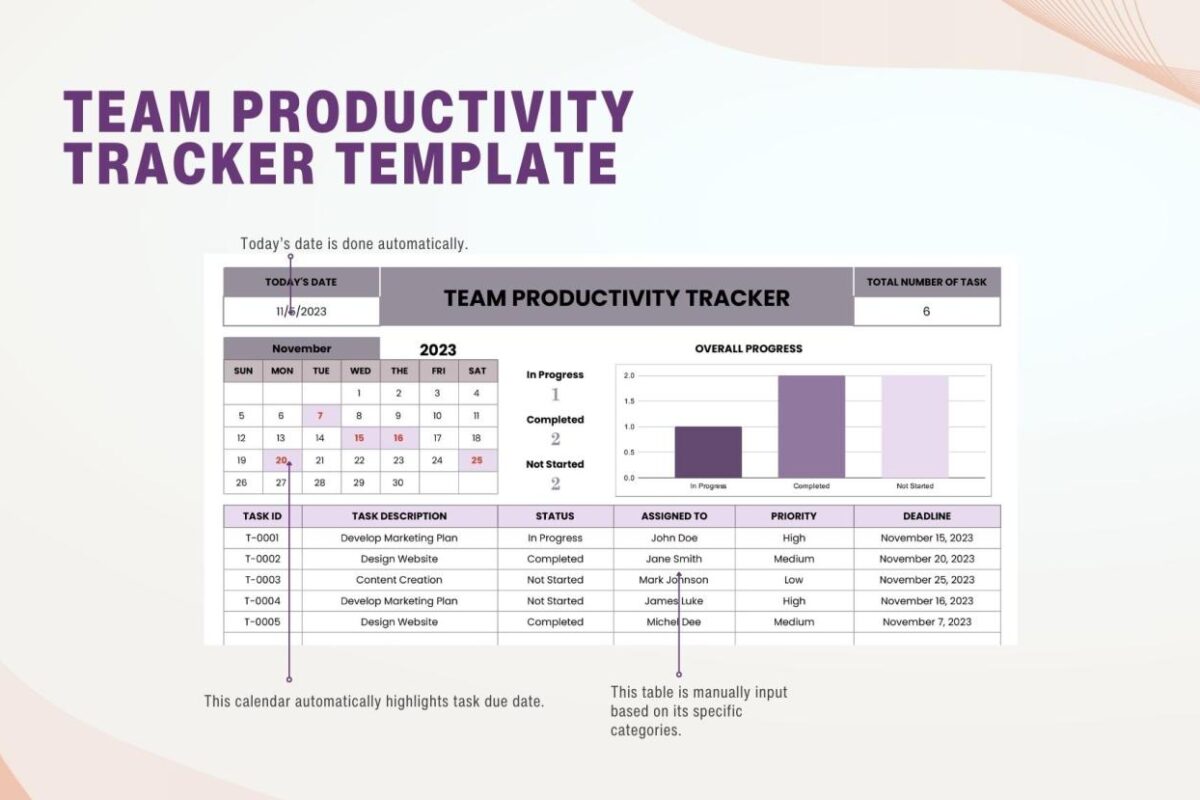
Productivity tracker serves as a vital tool in our fast-paced world, guiding us to optimize our daily tasks and achieve our goals. By systematically recording and analyzing how we spend our time, productivity trackers help individuals uncover their strengths and weaknesses in time management, paving the way for more effective routines.
With the advent of both digital and analog options, these tools have evolved to suit various preferences and lifestyles. From mobile applications to physical planners, productivity trackers offer unique advantages that can transform work habits and foster success. Whether you’re a student striving to manage coursework or a professional aiming to enhance workplace efficiency, the right productivity tracker can make all the difference.
The Importance of a Productivity Tracker in Modern Life
In today’s fast-paced world, maximizing efficiency has become essential for both personal and professional success. Productivity trackers are invaluable tools that help individuals organize their tasks, monitor their progress, and ultimately enhance their daily efficiency. By embracing these tools, people can cultivate a more productive lifestyle, allowing them to achieve their goals with greater ease and effectiveness.
Productivity trackers serve a critical function in helping users visualize how they allocate their time throughout the day. These applications or systems can highlight time blocks dedicated to various activities, enabling users to see patterns that may not be evident at first glance. As individuals start to track their activities, they often discover both strengths and weaknesses in their time management skills. For instance, a person may realize they spend excessive time on social media during work hours, which can hinder overall productivity. Conversely, they might identify periods where they are most focused and motivated, allowing them to schedule more demanding tasks during these high-energy times.
Impact on Work Habits of Successful Individuals
Many successful individuals have transformed their work habits through the use of productivity trackers. These tools have empowered them to optimize their workflow, setting them apart in their respective fields. Several notable examples illustrate this transformation:
- Elon Musk: The CEO of SpaceX and Tesla is known for his meticulous scheduling. Musk relies on time-blocking methods, allocating specific time slots for various tasks in his calendar to ensure he stays focused and productive throughout the day.
- Cal Newport: The author of “Deep Work” advocates for the use of productivity trackers to minimize distractions and maximize concentration. He emphasizes the importance of tracking deep work sessions to enhance cognitive performance and output quality.
- Bill Gates: The co-founder of Microsoft utilizes productivity tracking to maintain his reading habits and learning schedules, ensuring that he continuously acquires knowledge while managing his commitments effectively.
“Tracking productivity not only reveals where time is spent but also illuminates the path to improvement.”
These examples underscore how productivity trackers can lead to significant changes in work habits, allowing individuals to work smarter, not harder. By leveraging these tools, many have found that they can accomplish more in less time, leading to increased satisfaction and success in both their professional and personal lives.
Identifying Different Types of Productivity Trackers Available
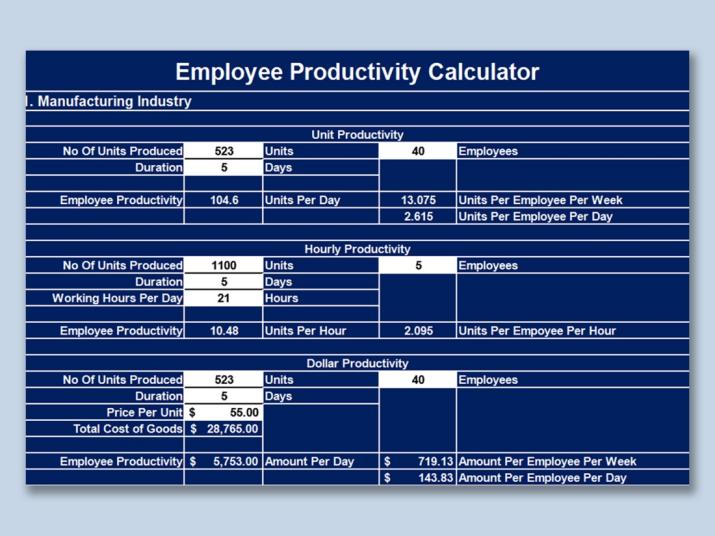
Productivity trackers come in a variety of formats, each designed to cater to different preferences and needs. Users often find themselves choosing between digital solutions and analog methods based on factors such as accessibility, personal style, and the specific requirements of their tasks. This diversity allows individuals to select a tool that aligns closely with their daily routines and productivity goals.
Digital productivity trackers, including mobile apps and desktop software, have gained significant popularity in recent years. These platforms often come equipped with features such as reminders, progress tracking, and collaboration tools. Some of the most well-known digital options include Todoist, Notion, and Trello. On the other hand, analog options like bullet journals and planners offer a tactile experience that many users find fulfilling. These physical planners, such as the Passion Planner and the Panda Planner, encourage mindful planning through handwriting, which can increase retention and engagement with tasks.
Pros and Cons of Applications versus Physical Planners
Understanding the advantages and disadvantages of each type of productivity tracker can help users make informed decisions about which to adopt.
Digital applications provide several key benefits:
- Accessibility: Users can access their tasks and projects from anywhere with an internet connection.
- Integration: Many apps integrate with other tools and services, enhancing overall productivity.
- Automation: Features such as reminders and updates can automate routine tasks.
However, there are also some drawbacks:
- Distractions: Notifications and other app alerts may lead to interruptions.
- Screen fatigue: Constant use of devices can contribute to fatigue and reduced focus.
Conversely, physical planners offer their own unique set of advantages:
- Tactile experience: Writing by hand can enhance memory and engagement.
- No distractions: Physical planners do not have notifications or screen-related distractions.
Yet, they also come with disadvantages:
- Portability: Carrying a physical planner can be less convenient than using a mobile application.
- Lack of automation: Physical planners require manual updating, which can be time-consuming.
Comparison of Popular Productivity Tracker Tools
Below is a comparison table highlighting key features of popular productivity tracker tools to help users evaluate their options effectively.
| Tool | Type | Key Features | Platforms |
|---|---|---|---|
| Todoist | Digital | Task lists, projects, labels, priority levels | Web, iOS, Android |
| Notion | Digital | Notes, databases, boards, templates | Web, iOS, Android |
| Trello | Digital | Kanban boards, cards, checklists, due dates | Web, iOS, Android |
| Passion Planner | Analog | Daily/weekly planning, reflection prompts, goal setting | Physical |
| Panda Planner | Analog | Daily focus, gratitude lists, monthly reviews | Physical |
How to Select the Right Productivity Tracker for Your Needs
Choosing the right productivity tracker is a crucial step towards boosting your efficiency, whether for personal tasks or professional projects. The right tool can help you keep track of your time, set priorities, and monitor progress. When it comes to selecting a productivity tracker, understanding your specific needs and preferences is essential to making an informed decision.
There are several factors to consider while choosing a productivity tracker tailored to your personal or professional needs. First, assess your primary goals. Are you looking to manage daily tasks, track project milestones, or analyze performance over time? Different trackers serve different purposes, so identifying your main objectives will narrow down your options. Additionally, consider the user interface. A clean, intuitive design can significantly enhance usability and make it easier to stay organized.
Another critical factor is integration capabilities. Many productivity trackers can sync with other tools you might already use, like calendar apps or project management software. This can streamline your workflow and reduce the burden of data entry. Additionally, think about the level of customization you need. Some trackers offer extensive customization options that allow you to tailor features to fit your workflow, while others may have a more rigid structure.
Common Pitfalls in Selecting Productivity Trackers
When selecting a productivity tracker, several common pitfalls can hinder your effectiveness. One major mistake is choosing a tool that is too complicated, leading to frustration and decreased motivation to use it. Many users fall into the trap of picking a tracker based solely on features rather than actual needs. This can lead to overwhelming options that do not align with your workflow.
Another pitfall is neglecting to consider mobile access. In today’s fast-paced world, having a tracker that allows you to manage tasks on the go is essential. Lastly, failing to test different options before committing can result in choosing a product that doesn’t meet your expectations.
When selecting a productivity tracker, keep in mind the essential features that can enhance your experience.
- User-friendly interface: Look for a design that is intuitive and easy to navigate.
- Task categorization: The ability to categorize tasks helps in prioritizing and managing workload.
- Progress tracking: Features that allow you to track progress over time can help in maintaining motivation.
- Integration: Ensure it can sync with other tools you already use.
- Customization: Options to tailor the tracker to your workflow can enhance usability.
- Mobile compatibility: A mobile app or responsive design is crucial for managing tasks on the go.
Techniques for Effectively Using a Productivity Tracker
Integrating a productivity tracker into daily routines can significantly enhance time management and overall efficiency. By establishing a regular practice around its use, individuals can harness better control over their tasks and goals. It’s essential to personalize the approach, making the tracker a natural part of the day-to-day workflow.
One effective method to incorporate a productivity tracker is to start each day with a morning review. This can involve a few minutes to Artikel the day’s primary goals and tasks, prioritizing them based on urgency and importance. Setting aside a dedicated time in the morning helps establish a routine, enabling you to visualize your workload clearly. Additionally, using the tracker throughout the day to log tasks as they are completed can provide a sense of accomplishment, motivating you to maintain momentum.
Another key aspect is to set realistic goals. It’s critical to ensure that the objectives you Artikel in your tracker are achievable within the designated timeframe. Overambitious goals can lead to frustration and decreased motivation. Break down larger projects into smaller, manageable tasks that can be tracked individually; this not only simplifies the tracking process but also allows for regular feedback on progress.
Best Practices for Maintaining Consistency
Creating a habit of using a productivity tracker requires intentionality and discipline. To support this, here are some best practices for maintaining consistency:
- Set daily reminders: Utilize phone alerts or calendar notifications to prompt you to check your tracker at specific times each day.
- Review weekly: Schedule a weekly review session to analyze your progress, make adjustments, and set goals for the upcoming week.
- Customize your tracker: Tailor the layout and features of your tracker to fit your personal style and preferences, enhancing engagement.
- Stay flexible: Be open to adjusting your goals and tasks as needed, ensuring that your tracker reflects your current priorities.
- Celebrate small wins: Acknowledge and reward yourself for completing tasks and achieving milestones, no matter how small.
- Limit distractions: Create a focused environment when using your tracker to promote mindfulness and concentration.
Implementing these techniques will help in building a sustainable approach to using productivity trackers, ultimately leading to greater effectiveness in managing tasks and achieving goals.
Case Studies of Successful Productivity Tracker Implementation
Implementing productivity trackers can significantly improve efficiency and time management for individuals and organizations alike. By examining various case studies, we can identify successful strategies and outcomes that demonstrate the effectiveness of these tools in enhancing productivity.
One notable case study is that of a tech startup, XYZ Innovations, which faced challenges related to project management and team accountability. The organization adopted a productivity tracker that allowed team members to log their hours, set daily goals, and track project milestones. Within six months of implementation, XYZ Innovations reported a 30% increase in overall productivity. The transparency provided by the tracker fostered a culture of accountability, ensuring that each member was aware of their contributions and deadlines.
In contrast, another case study focused on a manufacturing company, ABC Manufacturing, which integrated a different approach by utilizing a productivity dashboard. This tool provided real-time analytics on production lines and employee performance. The dashboard not only tracked productivity metrics but also allowed for immediate adjustments to workflows based on the data collected. As a result, ABC Manufacturing experienced a 25% reduction in downtime and an increase in output within the first year. This case highlights the importance of adapting productivity trackers to the specific needs of the industry and operational goals.
The following points summarize key lessons learned from these implementations:
- Customization is Key: Tailoring the productivity tracker to fit the specific workflows and objectives of the organization can lead to greater acceptance and usability.
- Data-Driven Decisions: Utilizing real-time data from productivity trackers enables organizations to make informed decisions that can enhance efficiency and resource allocation.
- Team Engagement: Involving team members in the selection and implementation process of the productivity tracker fosters buy-in and encourages consistent use.
- Regular Review and Adjustment: Continuously reviewing the data and making necessary adjustments to the workflow based on insights gathered from the tracker can further optimize productivity.
These case studies illustrate that effective implementation of productivity trackers is not merely about adopting technology but also about creating a culture that embraces accountability, flexibility, and continuous improvement. Organizations that recognize the unique needs of their teams and adapt their productivity tools accordingly see the best outcomes.
Overcoming Challenges Associated with Using a Productivity Tracker
Adopting a productivity tracker can often feel overwhelming, as users encounter various challenges that can hinder their effectiveness and motivation. Understanding these common hurdles and implementing practical solutions can greatly enhance the tracking experience.
One prevalent challenge is the initial complexity of the productivity tracker. Users may find themselves struggling to navigate the features or to input data effectively, leading to frustration. To overcome this, it is beneficial to start with a simplified approach. Users can focus on tracking just a few key metrics, ensuring they are comfortable with the interface before expanding their usage. Tutorials, whether in written or video format, can also provide valuable insights and help users become more familiar with the platform.
Another significant obstacle is the tendency to become overwhelmed by data. It can be discouraging when users feel bogged down by the volume of information collected. To address this, it’s important to regularly review the data and derive actionable insights rather than getting lost in numbers. Setting specific goals based on the tracked information can help maintain focus and purpose.
Adapting Productivity Trackers During Times of Change or Stress
During periods of change or stress, many users may find it challenging to keep up with their productivity trackers. Stress can disrupt routines and diminish motivation, making it essential to adapt tracking methods accordingly. Simplifying the tracking process is crucial during these times. This might involve reducing the number of tasks tracked or focusing solely on essential activities that contribute directly to one’s goals.
Flexibility in the tracker can also be beneficial. Users can implement a “check-in” system, allowing them to assess their progress on a weekly or bi-weekly basis rather than daily. This less frequent but more meaningful reflection can help alleviate pressure and provide a clearer picture of overall progress.
Motivational Strategies to Keep Users Engaged with Their Productivity Trackers
Maintaining motivation while using a productivity tracker is vital for long-term success. To keep engagement high, users can implement various strategies. One effective method is to set small, achievable goals. Accomplishing these can provide a sense of satisfaction and encourage continued use of the tracker.
Another strategy is to incorporate rewards for reaching milestones. Celebrating small victories, like completing a week of consistent tracking or achieving a specific productivity goal, reinforces positive behavior.
Additionally, creating a visual representation of progress can serve as an excellent motivational tool. For instance, users can employ graphs or charts that display their achievements over time, making the results tangible.
Finally, connecting with a community or accountability partner can provide encouragement and motivation. Sharing experiences and challenges with others can foster a supportive environment that enhances commitment to productivity tracking.
“Success is the sum of small efforts, repeated day in and day out.”
The Future of Productivity Trackers and Emerging Trends
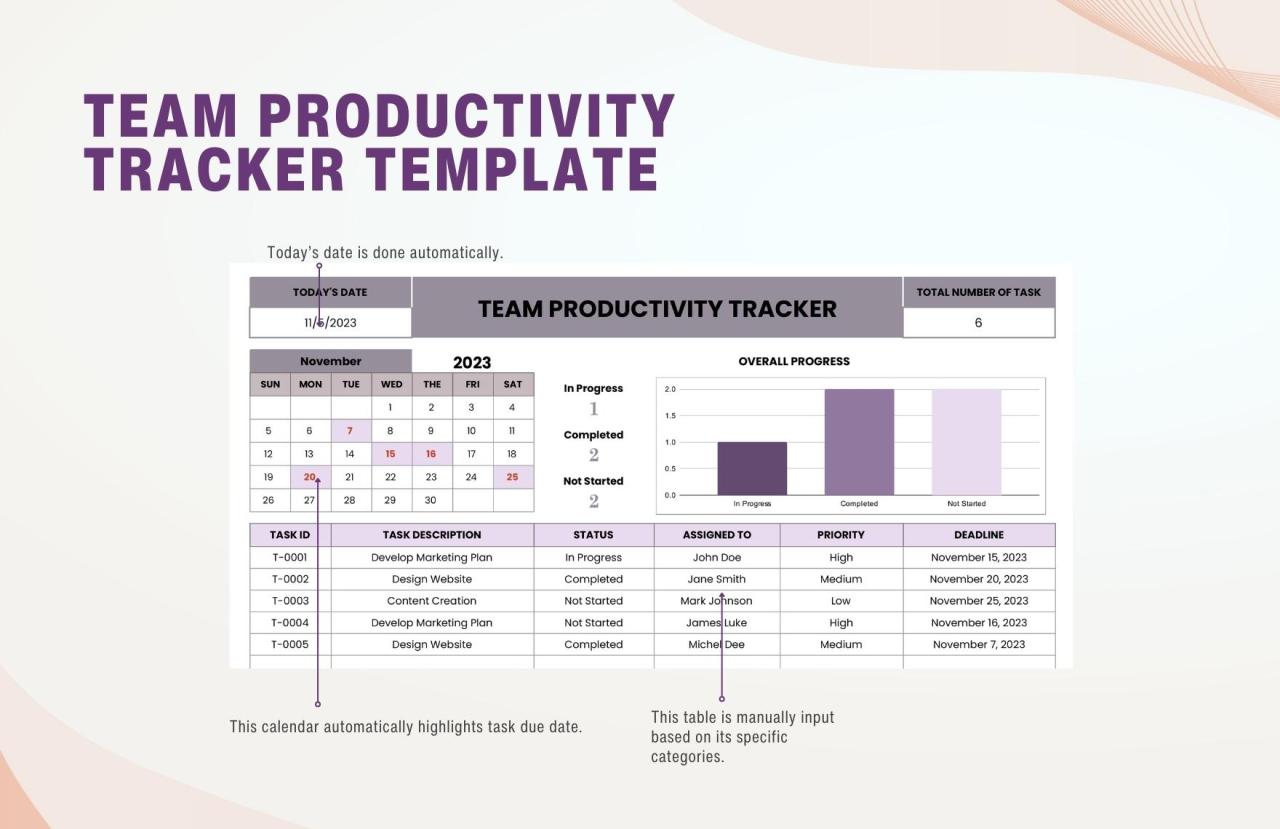
As the landscape of technology continues to evolve, productivity trackers are increasingly becoming sophisticated tools designed to enhance efficiency and effectiveness. The future of productivity tracking technology is poised to be influenced by several emerging trends, primarily driven by advancements in artificial intelligence (AI) and machine learning (ML). These developments will not only transform how individuals track their productivity but will also redefine the methodologies employed in various industries.
The future of productivity trackers will see a significant shift towards more personalized and adaptive systems. With the integration of AI and ML, these tools will harness data from user interactions, patterns, and behaviors to provide actionable insights tailored to individual users. This personalization will enhance the user experience and effectiveness of productivity trackers, making them more relevant and impactful. For example, AI algorithms can analyze a user’s work habits, suggesting optimal times for breaks or peak hours for focus, thereby maximizing productivity.
Advancements in Artificial Intelligence and Machine Learning
AI and ML are set to revolutionize productivity tracking by introducing features that can learn and adapt over time. The incorporation of natural language processing (NLP) will allow these tools to interpret user input more effectively, facilitating a smoother and more intuitive interaction. AI-driven analytics will empower users with predictive insights, enabling them to forecast project timelines or workload peaks based on historical data.
The following table Artikels potential future features of productivity trackers influenced by current technology trajectories:
| Feature | Description |
|---|---|
| Smart Scheduling | Automatically adjusts tasks and breaks based on productivity patterns and energy levels. |
| Real-Time Feedback | Provides instant suggestions for improving focus or managing distractions during work sessions. |
| Collaboration Tools | Integrates with team software to analyze group productivity and optimize collective workflow. |
| Health Monitoring | Tracks physical well-being alongside productivity metrics, promoting a holistic approach to efficiency. |
| Gamification Features | Incorporates game-like elements to enhance user engagement and motivation through challenges and rewards. |
The amalgamation of these features will not only foster a more efficient work environment but will also contribute to the overall well-being of users, promoting a balanced approach to productivity. As technology progresses, the potential for productivity trackers to evolve into comprehensive life management tools becomes increasingly feasible, paving the way for a future where individuals can seamlessly integrate work with personal growth and health.
Final Wrap-Up
In summary, embracing a productivity tracker not only facilitates better time management but also empowers individuals to create meaningful changes in their routines. As we continue to explore and adopt innovative tracking methods, staying adaptable and open to new technologies will ensure that we remain on the path to increased productivity and personal growth.
Top FAQs
What is a productivity tracker?
A productivity tracker is a tool used to monitor and analyze how time is spent on various tasks, helping individuals improve their efficiency.
How can I choose the best productivity tracker?
Consider your personal needs, preferred formats (digital or analog), and essential features such as goal-setting capabilities when selecting a tracker.
Can productivity trackers help with goal setting?
Yes, they can assist in setting realistic goals and tracking progress effectively, making it easier to stay accountable.
Are there any downsides to using a productivity tracker?
Some users may find them overwhelming or may struggle with consistency, but these challenges can often be overcome with the right strategies.
How often should I update my productivity tracker?
It’s recommended to update your tracker daily or weekly, depending on your specific goals and tasks.