Digital organization tracker is revolutionizing the way we manage our tasks and responsibilities in today’s fast-paced world. With the sheer volume of information and duties we juggle daily, keeping everything organized can feel overwhelming. These trackers not only simplify our lives but also boost our productivity, making them essential tools in both personal and professional settings.
By harnessing the power of technology, digital organization trackers streamline daily activities, allowing users to focus on what truly matters. From customizable features to integration with other platforms, these tools cater to diverse needs, ensuring a seamless experience that enhances both efficiency and effectiveness.
Digital organization tracker as a modern solution for productivity
In today’s fast-paced digital environment, staying organized is essential for maintaining productivity and achieving goals. With the sheer volume of tasks and responsibilities individuals face—whether at home or in the workplace—it’s increasingly important to have a system in place that helps manage time and priorities effectively. A digital organization tracker is a contemporary solution that not only simplifies the management of tasks but also enhances overall productivity.
Digital organization trackers play a crucial role in streamlining daily activities by offering various tools and features designed to make task management intuitive and efficient. These trackers enable users to prioritize tasks, set deadlines, and track progress in real-time, which translates to better time management and reduced stress. By centralizing all responsibilities into a single platform, individuals can quickly assess what needs to be done and allocate their time more wisely, leading to improved focus and accomplishment of tasks.
Popular digital organization trackers and their unique features
Several digital organization trackers stand out in the market, each offering distinct features that cater to different user needs. These tools help users organize their personal and professional lives effectively.
- Trello: This tool utilizes boards, lists, and cards to help users visually manage tasks. Its kanban-style layout allows for easy tracking of project progress and facilitates collaboration among team members. Trello integrates well with other apps, enhancing its functionality.
- Todoist: Known for its simplicity and user-friendly interface, Todoist allows users to create tasks, set priorities, and schedule deadlines with ease. Its natural language processing feature helps in adding tasks quickly, and it syncs across devices for seamless access.
- Asana: This platform is ideal for teams, offering project management features that include task assignments, due dates, and progress tracking. Asana’s timeline view provides a visual representation of project milestones and dependencies, making it great for collaborative work.
- Notion: More than just a task manager, Notion combines note-taking, databases, and project management into one versatile tool. Users can create custom setups that suit their workflow, making it a highly adaptable solution.
Each of these organization trackers offers unique functionalities that cater to different organizational styles, ensuring that whether you are managing a small personal project or coordinating a large team initiative, there is a tool available to meet your needs.
“Digital organization trackers not only simplify task management but also enhance focus and productivity by centralizing responsibilities.”
Key features of an effective digital organization tracker
An effective digital organization tracker is essential for individuals and teams seeking to enhance their productivity and streamline their workflow. These trackers not only facilitate task management but also ensure that users can achieve their goals efficiently. Understanding the key features that define a successful digital organization tracker is crucial for maximizing its utility and effectiveness.
Essential features for user-friendliness
User-friendliness is paramount in a digital organization tracker, ensuring that users can navigate and utilize its capabilities without frustration. The following features contribute significantly to an effective user experience:
- Intuitive Interface: A clean, easy-to-navigate layout helps users quickly access necessary functions without a steep learning curve.
- Task Management: Features that allow users to create, assign, and prioritize tasks help maintain focus and productivity.
- Progress Tracking: Visual representations of progress, such as graphs or progress bars, keep users motivated and informed about their advancements.
- Notifications and Reminders: Timely alerts keep users on schedule, ensuring that deadlines are met and important tasks are not overlooked.
Customization options for diverse needs
Customization is vital as it allows users to tailor the tracker to suit their unique preferences and workflows. The importance of flexible settings cannot be overstated. Effective digital organization trackers often include:
- Theme Customization: Options to change colors, fonts, and layouts help users create a visually appealing environment that enhances their workflow.
- Custom Fields: Users can add specific fields relevant to their tasks or projects, ensuring that all necessary information is easily accessible.
- Flexible Categories and Tags: Organizing tasks using personalized categories or tags allows for better filtering and searching of related tasks.
- Personalized Dashboards: Users can set up dashboards that showcase the information most relevant to them, streamlining their daily activities.
Integration capabilities with other tools
The significance of integration capabilities in a digital organization tracker lies in its ability to create a seamless workflow across multiple platforms. This interconnectedness enhances productivity and collaboration. Key integration features include:
- Compatibility with Project Management Tools: Integration with platforms like Trello, Asana, or Monday.com allows for easy task synchronization and collaboration.
- Calendar Sync: Syncing with Google Calendar or Outlook enables users to see all deadlines and appointments in one place, reducing the risk of double-booking or missed deadlines.
- File Storage Integration: Integrating with services like Google Drive or Dropbox ensures that important documents are just a click away, facilitating easy access to necessary resources.
- Communication Tools Integration: Connecting with platforms like Slack or Microsoft Teams enhances team communication directly within the organization tracker, allowing for real-time updates and discussions.
The role of user interface in enhancing user experience
The user interface (UI) plays a critical role in the usability and overall experience of digital organization trackers. An intuitive UI can significantly impact how users interact with these tools, leading to greater adoption rates and ongoing engagement. When users find a digital tracker easy to navigate, they are more likely to utilize its full potential, enhancing their organization and productivity.
An effective UI prioritizes simplicity and clarity, guiding users effortlessly through various features while minimizing frustration. For example, trackers like Todoist and Trello are renowned for their clean layouts, which enable users to manage tasks visually and prioritize effectively. This ease of use fosters a positive experience, encouraging users to rely on these tools for their organizational needs.
User-friendly designs that enhance functionality
User-friendly designs incorporate several key elements that enhance functionality and ease of use. Understanding these elements can assist users in selecting the appropriate digital organization tracker.
- Clear Navigation: A well-organized menu and intuitive navigation help users find features without confusion. Applications like Notion exemplify this with their sidebar that categorizes pages for easy access.
- Consistent Design Elements: Consistent color schemes, fonts, and iconography create a cohesive look that helps users recognize functions easily. Asana employs familiar symbols for tasks, making it straightforward to understand at a glance.
- Responsive Feedback: Providing immediate feedback, such as loading indicators or confirmations, reassures users that their actions are acknowledged. Slack does this effectively with visual cues for message delivery.
- Customizability: Allowing users to personalize their interface fosters a sense of ownership and comfort. Monday.com’s customizable dashboards let users tailor their workspace to fit their specific workflow.
Assessing the UI of a digital organization tracker is essential before making a selection. Here are some recommendations for evaluating user interfaces:
- Conduct Usability Testing: Engage potential users in testing the tracker’s interface to gather real-time feedback on its intuitiveness.
- Review Design Principles: Analyze the application’s adherence to established design principles, such as consistency, visibility, and feedback.
- Explore Tutorials and Support: Review the availability of tutorials and customer support, which can help users navigate the interface more easily.
- Assess Compatibility: Ensure that the UI performs well across various devices and platforms to accommodate all user preferences.
“An intuitive user interface is the first step toward a productive and satisfying user experience.”
The emphasis on user-friendly designs in digital organization trackers not only enhances functionality but also contributes to a more seamless experience, making it essential for users to consider these aspects when choosing a tool.
Methods for setting up a digital organization tracker effectively
Setting up a digital organization tracker is essential for maintaining productivity and organization in both personal and professional settings. By implementing a structured approach, you can significantly enhance your ability to manage tasks, projects, and priorities. This guide Artikels step-by-step procedures for creating an effective tracker, along with techniques for task categorization, prioritization, and updates.
Step-by-step procedures for setting up a digital organization tracker
Creating a digital organization tracker involves several key steps to ensure it serves your needs effectively.
1. Choose the Right Tool: Select a digital platform that suits your style, such as Trello, Asana, Notion, or a simple spreadsheet. Consider ease of use and accessibility on various devices.
2. Define Your Purpose: Clearly Artikel what you want to achieve with your tracker. Are you focusing on daily tasks, long-term projects, or both? This clarity will guide your setup.
3. Create Categories: Develop categories based on your objectives. Common categories include Work, Personal, Urgent, and Long-term Goals.
4. Set Up Task Fields: For each task, include fields such as Title, Description, Due Date, Priority Level, and Status (e.g., To Do, In Progress, Completed). This structure helps in tracking progress.
5. Establish a Workflow: Determine how tasks will move through your tracker. For example, you may want to set reminders for upcoming deadlines or use color coding for different categories.
Categorizing and prioritizing tasks for maximum efficiency
Effective categorization and prioritization can significantly enhance your productivity. Organizing tasks can help you focus on what truly matters.
– Use the Eisenhower Matrix: This framework divides tasks into four quadrants:
– Urgent and Important
– Important but Not Urgent
– Urgent but Not Important
– Neither Urgent nor Important
This method helps in identifying which tasks to tackle first, delegate, or even eliminate.
– Set Priorities with Labels: Apply labels to tasks based on their urgency and importance. For instance, labels could be High, Medium, and Low priority, allowing for quick visual identification.
– Regularly Review Tasks: Schedule weekly reviews to assess your task list, ensuring that everything aligns with your goals and priorities.
Maintaining regular updates for relevance over time
To keep your digital organization tracker effective, regular updates are essential. An outdated tracker can lead to confusion and mismanagement.
– Establish a Routine: Dedicate a specific time each day or week to update your tracker. This consistency helps in keeping all tasks current and actionable.
– Archive Completed Tasks: Create an archive section for completed tasks. This not only clears your active list but provides a record of achievements that can boost motivation.
– Gather Feedback: If using the tracker in a team setting, encourage team members to provide feedback on its functionality and effectiveness. This collaboration can lead to enhancements that benefit everyone.
By following these steps and tips, you’ll be able to set up a digital organization tracker that not only meets your needs but also evolves with you over time, ensuring it remains a valuable tool in your productivity arsenal.
Comparing digital organization trackers to traditional methods
Digital organization trackers have transformed the way individuals approach planning and task management, providing a modern alternative to traditional methods like paper planners and to-do lists. As technology continues to evolve, so do our strategies for staying organized. This comparison highlights the effectiveness of digital tools versus classic analog methods, exploring their respective advantages and disadvantages in terms of accessibility and flexibility.
Effectiveness of Digital Trackers versus Traditional Methods
Digital organization trackers, such as task management apps and online calendars, often provide features that enhance productivity and streamline organization. These tools allow for real-time updates, reminders, and collaborative capabilities that traditional paper planners lack. Traditional methods, while straightforward, may fall short in accommodating the fast-paced, dynamic nature of modern schedules.
Digital methods offer several key advantages:
- Accessibility: Digital trackers can be accessed from various devices, ensuring users can view and update their to-do lists or schedules anytime, anywhere. This is particularly beneficial for individuals who frequently switch between devices, such as smartphones, tablets, and computers.
- Customization: Many digital tools allow for personalized settings and features, such as color-coding tasks or setting recurring reminders. This level of customization can cater to individual preferences and work styles.
- Collaboration: Digital platforms often include sharing functions that enable teams to collaborate in real-time, making it easier to coordinate schedules and tasks. This is a significant advantage in professional settings where teamwork is essential.
However, traditional methods have their own strengths:
- Simplicity: Paper planners are often seen as less overwhelming than digital tools, providing a straightforward interface for individuals who prefer a tactile approach to organization.
- Focus: Using a paper planner can help reduce distractions. Digital devices are often filled with notifications and apps, which can detract from focused planning sessions.
- Retention: Some studies suggest that writing by hand can improve memory retention, making traditional methods more effective for certain individuals when it comes to remembering tasks.
Real-World Scenarios Favoring Digital Organization Trackers
Digital organization trackers excel in environments where quick adjustments and constant updates are necessary. For instance, in a project management setting, a team can use a digital tracker to assign tasks, set deadlines, and modify responsibilities as projects evolve. This level of adaptability is difficult to achieve with paper planners, which require manual updates and may lead to confusion if changes are not documented promptly.
Consider a busy professional who juggles multiple meetings and deadlines. A digital calendar can send reminders and integrate with email systems, ensuring that she stays on top of her commitments. In contrast, a paper planner may require constant flipping back and forth to check appointments, leading to missed meetings or double-booking.
Another scenario could involve a student managing various assignments and extracurricular activities. A digital organization tracker allows for easy input of deadlines and automatic notifications, helping the student stay engaged and manage time effectively, whereas a paper planner may require more effort to maintain and could lead to missed deadlines if not checked regularly.
In summary, while both digital organization trackers and traditional methods hold value, digital tools often provide enhanced accessibility, flexibility, and collaboration capabilities, making them a favorable choice in fast-paced and highly interconnected environments.
Challenges and limitations of using digital organization trackers
Digital organization trackers have revolutionized the way individuals and teams manage their tasks and projects, offering a streamlined approach to productivity. However, while these tools bring numerous advantages, users often encounter various challenges and limitations that can hinder their effectiveness. Understanding these issues is crucial for maximizing the benefits of digital organization trackers and ensuring a smoother adoption process.
Common challenges faced when adopting digital organization trackers
Adopting a digital organization tracker can be an overwhelming experience for many users due to various factors. These challenges can affect motivation and the ability to maintain an organized workflow.
- Overwhelm due to features: Many digital organization trackers come packed with features which can be intimidating for new users. The complexity can lead to frustration, causing users to abandon the tool altogether.
- Inconsistent usage: Users often struggle with maintaining consistent usage of the tracker. Sporadic updates can lead to a lack of visibility on tasks and responsibilities, making it challenging to keep track of progress.
- Integration issues: Some users find it difficult to integrate these tools with existing systems or workflows. This can lead to a disjointed organizational strategy, where information is scattered across different platforms.
- Learning curve: There is often a steep learning curve associated with digital organization trackers. Users may need time to familiarize themselves with the software, which can temporarily disrupt their productivity.
Potential limitations of digital organization trackers
While digital organization trackers are designed to enhance productivity, they come with limitations that can impact their effectiveness. Recognizing these limitations allows users to strategize on how to mitigate their effects.
- Dependence on technology: Digital organization trackers require access to technology, which can be a barrier for users in low-bandwidth areas or those with limited technical skills. This dependence can hinder task management when technology fails.
- Data security concerns: Users may be apprehensive about storing sensitive information on digital platforms due to potential data breaches. Therefore, it’s essential to choose tools that offer robust security features and protocols.
- Lack of personalization: Some trackers may not cater to the unique needs of all users. A one-size-fits-all approach can limit functionality and lead to frustration, as users might find it challenging to adapt the tool to their specific workflows.
Strategies for maintaining motivation and consistency
To ensure that digital organization trackers are used effectively, establishing strategies for motivation and consistency is essential. These strategies can help users stay engaged and make the most of their organizational tools.
- Set clear goals: Defining specific, measurable goals can help users stay focused and motivated. When users have a clear idea of what they want to achieve, they are more likely to consistently update their trackers.
- Schedule regular check-ins: Incorporating regular check-ins into one’s routine can help maintain engagement with the tracker. Setting aside dedicated time for task reviews ensures that users stay on top of their responsibilities.
- Seek community support: Engaging with communities or forums related to specific digital organization trackers can provide valuable tips, motivation, and support from others who share similar experiences.
- Gamify the experience: Introducing elements of gamification, such as reward points for completing tasks or challenges, can make the use of digital organization trackers more enjoyable and engaging.
Future trends in digital organization tracking technology
As we look ahead, the landscape of digital organization tracking technology is poised for significant transformation. Emerging technologies are reshaping how we manage and organize information, making it more efficient and user-friendly. This evolution is driven by advancements in AI, machine learning, and data analytics, which are set to enhance the capabilities of digital organization trackers.
One of the most exciting developments in this field is the integration of artificial intelligence. AI can analyze user behavior and preferences, allowing trackers to offer personalized recommendations and organizational strategies. This capability not only saves time but also helps users find what they need quickly, enhancing productivity.
Emerging technologies influencing digital organization trackers
Several key technologies are expected to have a profound impact on digital organization tracking systems. Understanding these innovations can help users anticipate how their tools will evolve:
- Artificial Intelligence: AI algorithms can forecast users’ needs based on previous interactions, automatically organizing files or suggesting actions to streamline workflows.
- Blockchain Technology: Utilizing blockchain can enhance data security and integrity, providing a transparent and tamper-proof way to manage organizational records and transactions.
- Augmented Reality (AR): AR can transform how users interact with their digital environments, offering immersive organization tools that visualize data in more engaging ways.
- Natural Language Processing (NLP): NLP allows users to interact with their organization tools through voice commands, making it easier to retrieve information or manage tasks using everyday language.
The above technologies bring about a new era of interactivity and efficiency in digital organization tracking. As these innovations become more mainstream, users will experience a more dynamic and responsive system that caters to their organizational habits.
Potential features for enhanced user experience
Future digital organization trackers will likely incorporate innovative features tailored to improve user engagement and satisfaction. These features may include:
- Smart Categorization: Advanced algorithms could automatically categorize documents based on context, relevance, and user-defined parameters, minimizing manual sorting.
- Intelligent Search: Enhanced search functionalities powered by AI can deliver results based on intent, context, and past behavior, allowing for quicker access to needed information.
- Collaboration Tools: Integrated collaboration features that allow multiple users to interact with documents in real-time can foster teamwork and streamline communication.
- Customizable Dashboards: Users may benefit from personalized dashboards that display their most-used tools and information at a glance, providing a tailored organizational experience.
By focusing on these user-centric features, developers can create digital organization trackers that not only meet but exceed the evolving expectations of modern users.
Shaping the digital organization tracker landscape
As user needs evolve, the digital organization tracker landscape is expected to adapt accordingly. Increasing demand for remote work solutions and collaboration tools will influence how trackers are developed. This shift emphasizes the necessity for:
- Accessibility: Trackers must be designed with cross-platform compatibility to ensure users can access their organization systems from anywhere, whether on a desktop, tablet, or mobile device.
- Data Privacy: As concerns over data security grow, features that enhance user privacy and control over their information will become paramount.
- User Education: Providing users with tutorials and support resources will be essential to help them maximize the benefits of new features and technologies.
The future of digital organization tracking will not only incorporate advanced technologies but will also be heavily influenced by the changing needs and expectations of users in a rapidly evolving digital landscape.
The impact of collaboration features on team productivity
Collaboration features within digital organization trackers have revolutionized the way teams work together, significantly boosting productivity and efficiency. These tools not only simplify project management but also foster a culture of teamwork, enabling members to contribute effectively regardless of their physical location. By streamlining communication and task assignments, teams can focus on achieving their goals without the distractions of outdated processes.
Real-time updates and shared access are critical components that enhance team efficiency. When all team members have access to the same information simultaneously, it eliminates the need for constant back-and-forth communication and reduces the likelihood of errors caused by outdated data. This transparency ensures that everyone remains aligned with project objectives and timelines, leading to smoother workflows and quicker decision-making.
Collaborative features that enhance teamwork
Several collaborative features have demonstrated their effectiveness in fostering teamwork and improving project management within businesses. Understanding and implementing these features can lead to tangible improvements in productivity:
- Task Assignment and Tracking: Digital trackers allow managers to assign tasks clearly and track their progress in real-time. This clarity helps team members understand their responsibilities and deadlines, while also providing managers with insights into the overall project status.
- Integrated Communication Tools: Features like chat functions, video calls, and comment sections within task lists facilitate seamless communication. This ensures that discussions relevant to specific tasks are centralized, reducing miscommunication and keeping conversations focused.
- Document Sharing and Collaboration: Tools that enable shared document editing allow team members to work collectively on files, regardless of their location. This feature is invaluable for brainstorming sessions and ensures that changes are reflected instantly, keeping everyone on the same page.
- Real-Time Notifications: Immediate alerts for task updates, comments, or changes keep team members informed and engaged. This functionality helps in prioritizing tasks effectively and ensures that important deadlines are not missed.
“A well-coordinated team is more than just the sum of its parts; it’s about enhancing communication and collaboration to drive success.”
By leveraging these collaborative features, organizations can create a more agile and responsive team environment. This not only enhances productivity but also fosters a sense of unity among team members, driving them towards common goals more effectively.
Outcome Summary
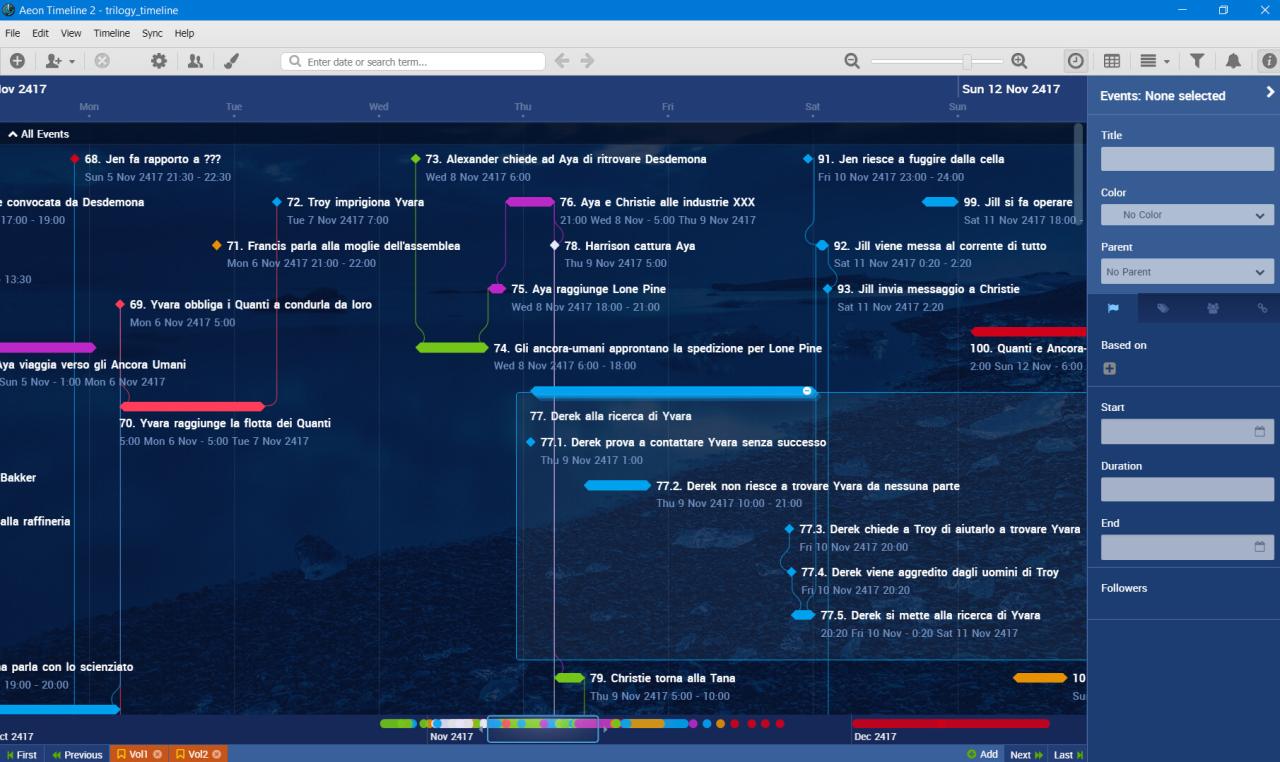
In conclusion, the digital organization tracker stands out as a vital asset for anyone looking to improve their productivity. By embracing technology, we can tackle challenges head-on, transforming chaos into order. As we look toward the future, the evolution of these tools promises even greater advancements that will further simplify our lives and enhance collaboration among teams.
Helpful Answers
What is a digital organization tracker?
A digital organization tracker is a tool designed to help individuals manage tasks, deadlines, and responsibilities efficiently using digital means.
How can I choose the right digital organization tracker?
Consider your specific needs, such as customization options, integration capabilities, and user interface design when selecting a tracker.
Are digital organization trackers suitable for team projects?
Yes, many digital organization trackers have collaboration features that enhance teamwork and project management, making them ideal for group settings.
Can I access digital organization trackers on multiple devices?
Most digital organization trackers are cloud-based, allowing access from various devices, ensuring you can stay organized on the go.
What are common challenges with digital organization trackers?
Users often face challenges such as getting overwhelmed by features, maintaining motivation, and ensuring consistent updates.